Bhojpuri songs, desi attitude videos and village-to-city transformation Reels regularly attract attention on Instagram, YouTube Shorts and Facebook. However, creating a fresh edit every day can take considerable time. You have to choose the music, cut every clip, match the beat, apply transitions and then adjust slow motion before the video is ready.
Viral Bhojpuri CapCut Templates make this process much easier. These ready-made projects already contain clip timing, transitions, text, slow motion and cinematic effects. You only select a template, add your own photos or videos and check the preview before exporting.
This guide brings together several Bhojpuri template links in one place. You will learn what each style offers, which clips to prepare, how to add media in the correct order and how to solve common template problems. The aim is to help beginners create attractive Bhojpuri Reels without pretending that any template can guarantee viral views.
What Is a CapCut Template?
A CapCut template is a pre-designed video project created by another editor. It can include transitions, music timing, filters, animation, text and placeholders for photos or clips. When you tap Use Template, you replace the sample media with your own content while the main editing pattern remains ready.
This method is useful for Bhojpuri video editing because many popular Reels depend on fast beat cuts and carefully timed effects. Instead of recreating every transition manually, a beginner can prepare suitable clips and let the template apply the sequence.
The number of media slots and the duration can differ from one template to another. Always watch the current preview before selecting your videos.
Benefits of Using Bhojpuri CapCut Templates
Templates save editing time and help beginners achieve a more organized result. They automatically synchronize clips with the chosen Bhojpuri song and may include zooms, flashes, shakes, text animation, slow motion and cinematic colour effects.
They are also useful for testing different content styles. The same person can create a farmer-look transformation, city attitude edit, dance Reel, romantic status or festival video simply by preparing different media. You can preview each version and keep only the one that suits your personality and footage.
Remember that a template is only a starting point. Clear clips, correct ordering and a strong opening shot still determine whether the finished video looks polished.
What Is the Viral Bhojpuri Farmer-to-Modern Look Edit?
The main template in this collection presents two contrasting sides of the same person. The first part shows a hardworking farmer or a simple desi lifestyle, usually in a field, village or rural setting. The following scene changes to a confident modern look, with stylish clothing and a city-style background.
The edit generally begins with slow motion and on-screen text. A transition then introduces the modern clip, supported by cinematic colour, beat synchronization and another slow-motion moment. This contrast gives the video an attitude-based story: a person can remain connected to village roots while also carrying a confident modern personality.
This concept works best when the two clips look noticeably different but still feature the same person. For example, use traditional or work clothes in the field clip and a clean modern outfit in the city clip.
Viral Bhojpuri CapCut Template Details
| Detail | Information |
|---|---|
| Main style | Farmer-to-modern attitude transformation |
| Music type | Trending Bhojpuri song |
| Effects | Slow motion, text, transition and cinematic colour |
| Media required | Depends on the selected template preview |
| Recommended format | Vertical 9:16 |
| Export quality | 1080p |
| Best for | Instagram Reels, Shorts and status videos |
| Editing level | Beginner-friendly |
Template 1: Farmer to Modern Attitude Edit
This is the main Viral Bhojpuri CapCut Template described above. Prepare at least one rural or field clip and one modern look clip. Follow the number and order of placeholders shown in the live preview.
More Trending Bhojpuri CapCut Template Links
The following alternatives may contain different songs, media counts or editing patterns. Open each link in the official application and watch its preview before adding your clips.
Template 2: Trending Bhojpuri Song Edit
Use this option when you want another beat-synchronized Bhojpuri style. Check whether the preview needs photos, videos or a mixture of both.
Template 3: Bhojpuri Attitude Reel
This link gives readers another option for a confident or desi attitude edit. Choose clips with clear expressions and stable framing.
Template 4: Cinematic Bhojpuri Status
Try this option for a different transition or cinematic sequence. Preview the music and timing before deciding whether it suits your footage.
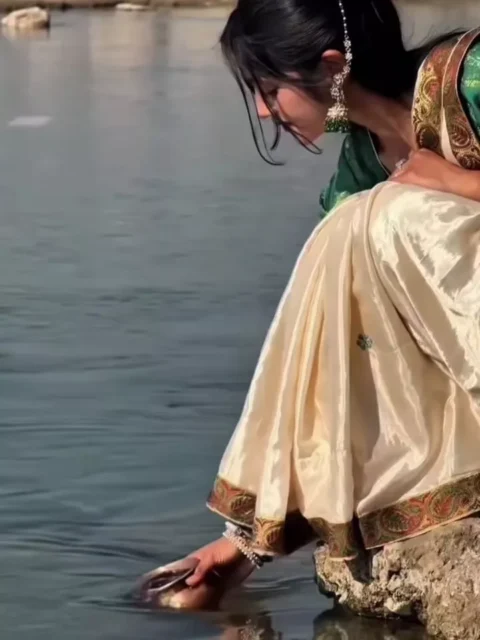
Template 5: Desi Look Bhojpuri Edit
This alternative can be tested with traditional clothing, village scenery or a straightforward portrait clip. Match your media to the sample preview.
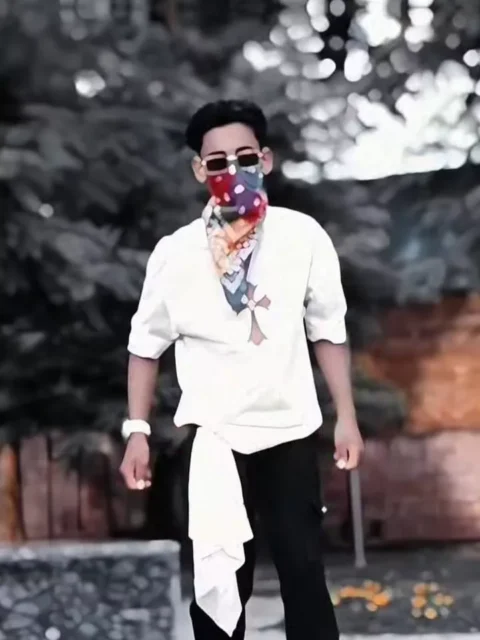
Template 6: Bhojpuri Dance or Performance Edit
Choose a dance or lip-sync clip with visible movement and good lighting. Leave enough space around the body so effects do not cover the subject.
Template 7: Bhojpuri Independence Day Fun Edit
The source collection also includes a playful 15 August variation combining a personal clip with a later dance or performance scene. Use national colours and the flag respectfully.
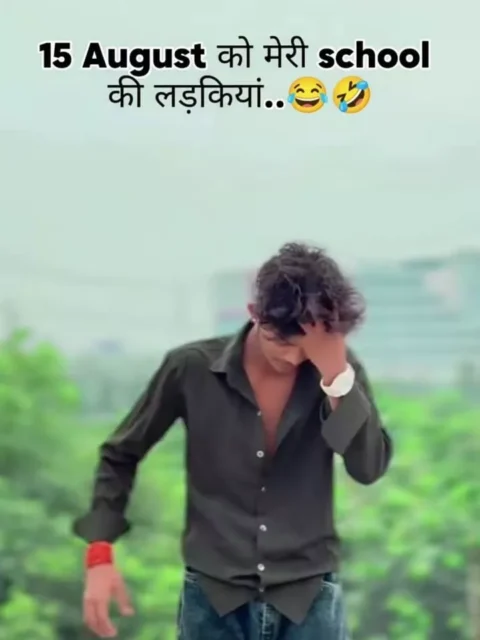
Template note: Availability can vary by country, device and application version. A creator may also remove or restrict a template. These buttons point to publicly shared template links; this website is not affiliated with CapCut. Application names, logos and templates belong to their respective owners or creators.
How to Prepare Clips for a Bhojpuri Attitude Edit
Record all footage vertically in 9:16 format. For the farmer scene, choose a safe field, farm path or rural background. You can walk slowly, look towards the crops or perform a simple work-related action. Do not damage crops or use farm equipment carelessly merely for a video.
For the modern scene, change into a clean, stylish outfit and record in a city street, building entrance, café exterior or other suitable public place. Use a confident walk, turn or pose. Keep your movement natural rather than exaggerated.
Try to match the body position and camera angle between both scenes. If the farmer clip ends with you facing slightly left, begin the modern clip from a similar angle. This makes the transformation smoother. Use good daylight, keep the camera stable and record a few seconds before and after the main action so there is room for trimming.
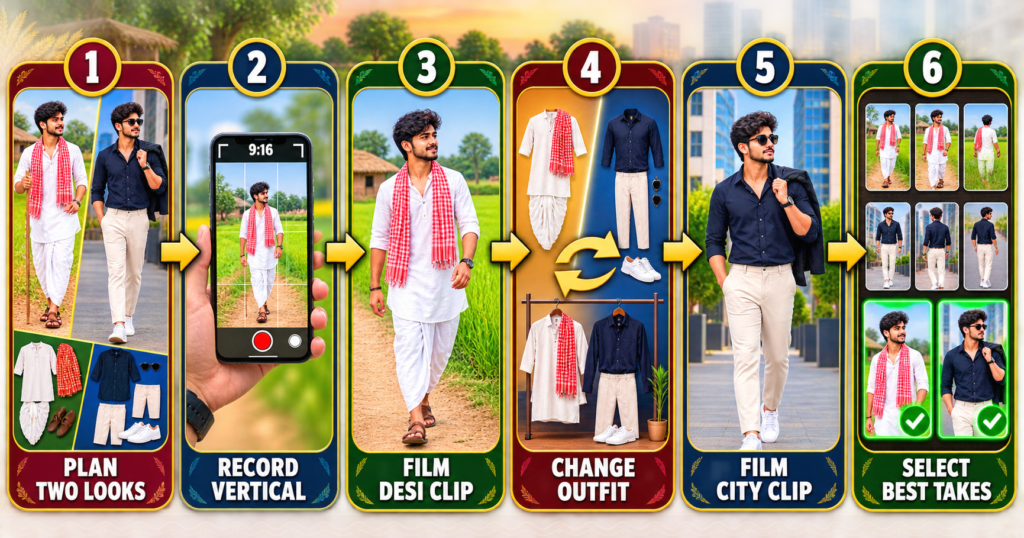
How to Use Viral Bhojpuri CapCut Templates
Install or update CapCut through an official source. Open this article on your phone and tap the button for the template you want to try. Allow the link to open in the application, then watch the complete preview.
Tap Use Template and check how many media items are required. Select your photos or videos in the same order as the sample. For a farmer-to-modern edit, the rural clip should normally appear first and the stylish city clip second, unless the current preview shows a different sequence.
Tap Preview or Next and wait while the effects process. Check the text, transitions and important beats. If a face or movement is cropped, return and reposition the media where the application permits. When the result looks right, select Export and save the video in high quality.
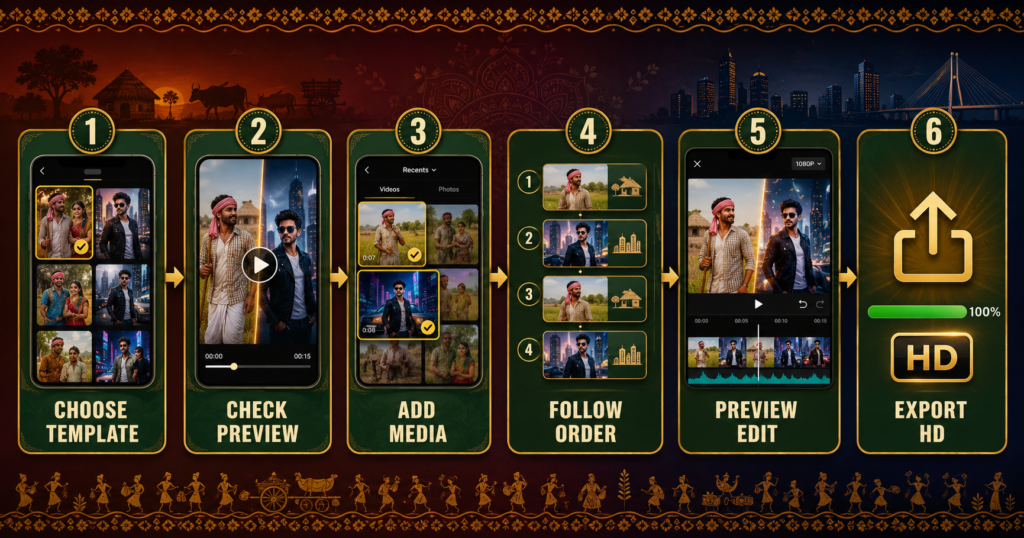
Correct Clip Order for the Farmer-to-Modern Template
Use this sequence when it matches the live preview:
Farmer or Desi Clip → Transition Moment → Modern City Clip → Final Attitude Pose
Some templates repeat media or require additional close-ups. Never assume that every link follows the same pattern. The placeholder count displayed in the application is the most reliable guide.
Tips to Make Your Bhojpuri Reel Look Better
Start with movement or a clear expression so viewers immediately understand the mood. Keep the main subject well lit and avoid low-resolution videos downloaded through messaging apps. If the template contains text, check whether it fits your intended meaning before exporting.
Use clothing and locations that create contrast between scenes. Traditional rural styling in the first clip and a modern outfit in the second make the story easy to follow. Match camera height, body position and direction of movement to create a smoother transition.
Avoid filling the video with extra stickers and text after using the template. The music and transition should remain the focus. A short, clean edit usually looks more professional than a crowded one.
You can also try our Lord Krishna CapCut Template 2026
Best Export Settings for Bhojpuri Reels
Use a 9:16 aspect ratio and export at 1080 × 1920 pixels. Select 30 FPS, or match the frame rate of the original footage when the option is available. Choose high quality and MP4 format.
Upload the original exported video directly rather than forwarding it repeatedly, as messaging applications may compress the file. Watch the entire saved video once before publishing to check audio, text and timing.
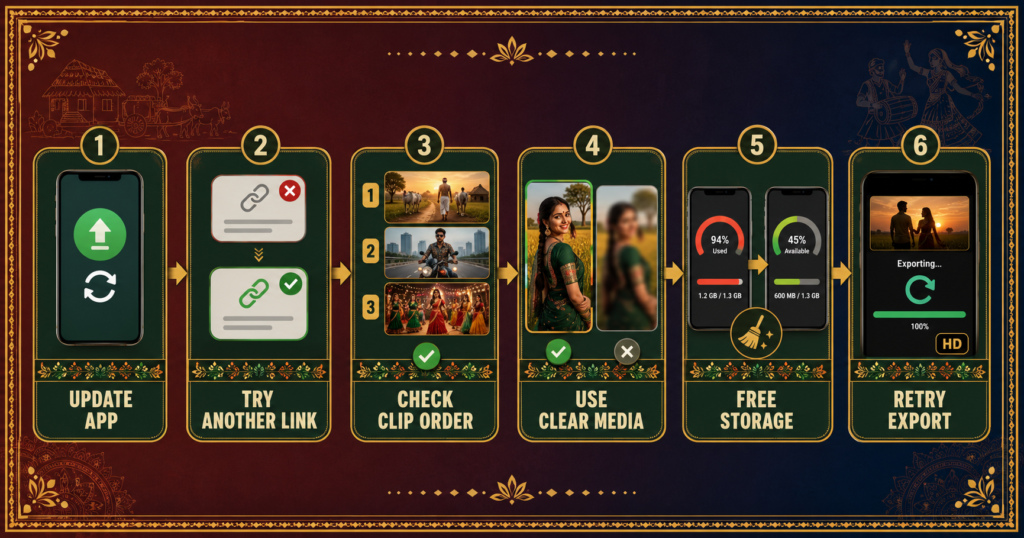
Viral Bhojpuri CapCut Template Not Working: Solutions
Template Link Does Not Open
Update CapCut and open the link on the same phone where the application is installed. If it still fails, the template may be restricted or unavailable in your region.
Use Template Button Is Missing
The creator may have removed the project or limited its availability. Try another link from this collection instead of downloading an unknown modified application.
Clips Appear in the Wrong Order
Return to media selection and compare your sequence with the preview. Add the desi and modern clips in the required order.
Slow Motion Looks Choppy
Record in good light and use a higher frame rate if your phone supports it. Avoid shaky footage and sudden movements.
Face or Body Is Cropped
Use vertical media with space around the subject. Reposition the clip inside the placeholder if the template provides crop controls.
Export Quality Is Low
Select 1080p and use original camera files. Screenshots, screen recordings and clips downloaded from messaging apps often have lower quality.
Music Is Missing
Songs can be restricted because of licensing or regional availability. Choose suitable licensed audio from the platform where you plan to publish.
Export Fails
Free phone storage, close unused applications, restart CapCut and try again with a stable connection.
Copyright, Privacy and Safe Use
Use photos and videos that you own or have permission to edit. Do not upload someone else’s private footage without consent. Publicly shared templates remain the work of their respective creators, while songs may be subject to licensing restrictions.
Install editing applications only from trusted official sources. Avoid websites offering modified APK files, login bypasses or supposed premium access, as these can create privacy and security risks.
If you record in a field, workplace, road or public area, prioritize safety and seek permission where necessary. Do not interrupt agricultural work, block traffic or place yourself in danger for a transition.
Frequently Asked Questions
What are Viral Bhojpuri CapCut Templates?
They are ready-made CapCut projects designed around Bhojpuri songs and popular Reel styles such as attitude, transformation, dance, romantic and desi edits.
Are Bhojpuri CapCut Templates free?
Many publicly shared templates can be used without paying for the template, although certain features may depend on the application, account or region.
How do I open a Bhojpuri template link?
Install CapCut, open this page on your phone and tap the desired template button. Allow the link to redirect to the official application.
Why does the template link not work in my region?
Template availability can vary by country, and creators can remove or restrict projects. Try another link from the collection.
Which clips should I use for the farmer-to-modern edit?
Use one rural or farmer-style clip followed by a modern outfit or city clip. Keep the same person, similar framing and compatible movement.
Can I use photos instead of videos?
Only when the chosen template accepts photos. Check the media type and placeholder count in its preview.
Can I make a Bhojpuri status video with these templates?
Yes. Export vertically and keep the edit short enough for your preferred status platform.
What is the best resolution for Instagram Reels?
Export in vertical 1080 × 1920 resolution for a clear full-screen result.
Can these templates guarantee viral views?
No. A template can improve presentation, but reach depends on content quality, timing, audience response and platform recommendations.
Can I remove the CapCut ending?
Use any official option provided by the application to export without an ending, or remove the editable ending clip from the timeline when permitted.
Is it safe to download a modified CapCut APK?
It is safer to avoid modified applications and install software only through an official store or developer source.
Conclusion
Viral Bhojpuri CapCut Templates provide a convenient way to create desi attitude, farmer-to-modern, dance and Bhojpuri song Reels without building every effect manually. Select the style that fits your footage, watch its preview, prepare clear vertical clips and follow the required media order.
For the strongest transformation, make the rural and city scenes visually different while keeping the camera angle and movement connected. Preview every transition, export in 1080p and use music and footage responsibly. If one template is unavailable, try another link from the collection.
9 thoughts on “Viral Bhojpuri CapCut Templates 2026: Trending Reel Links”