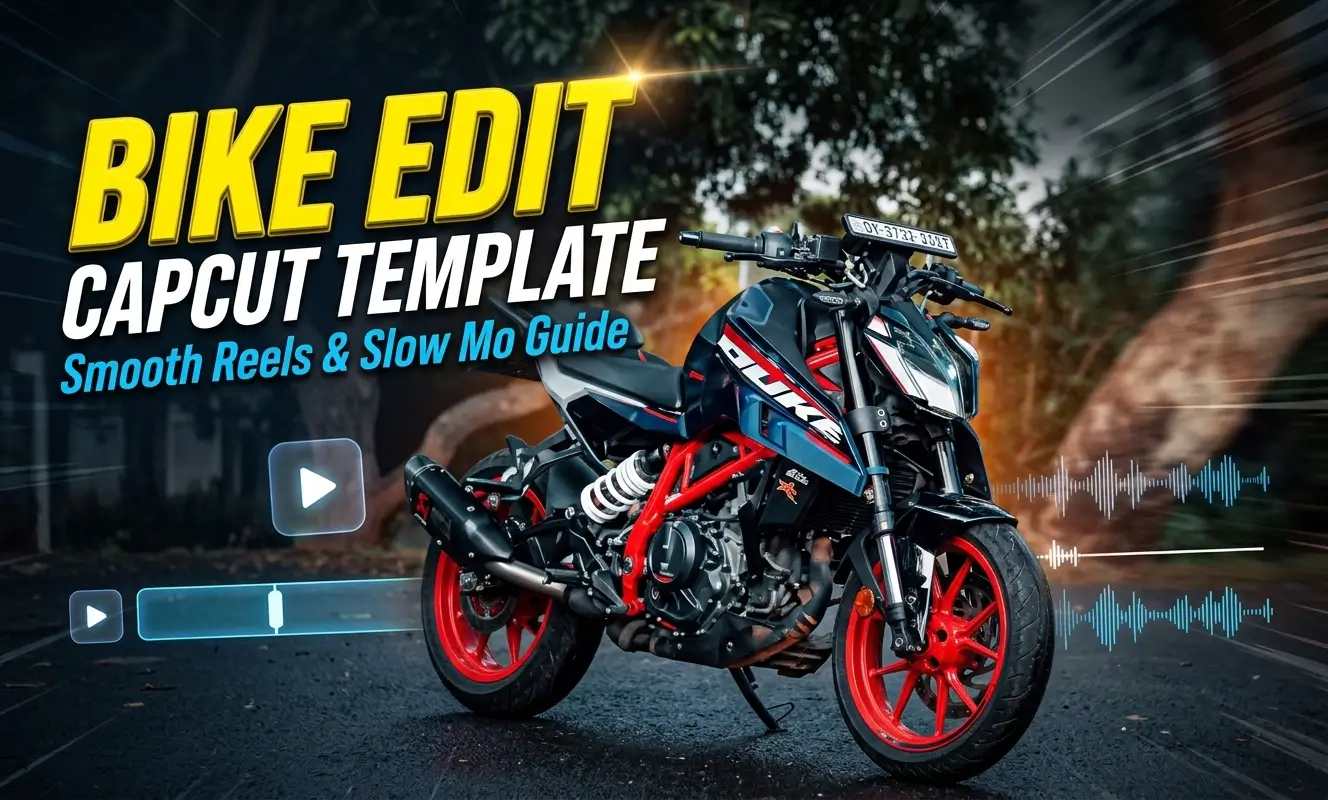
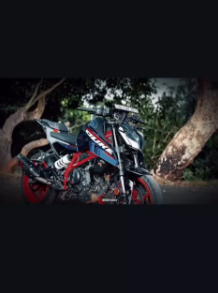
If you love shooting rolling shots on your motorcycle, you already know that raw gallery clips rarely feel dramatic on their own. Adding speed ramps, beat drops, and clean shakes by hand on a phone screen takes real patience. A Bike Edit Capcut Template handles that heavy lifting in seconds by placing prebuilt transitions, optical slow motion, and music timing onto your footage automatically.
Whether you ride a naked street bike through city traffic or take an adventure bike out on Sunday morning highway runs, short video creators across India rely on ready layouts to publish crisp edits fast. In this guide, you will learn which template styles fit your riding clips, and how to prepare your shots before opening the project . Moreover , if you want another style of reels , such as romantic song based reels , so Guzarish Capcut Template is what you need .
Why Riders Use Ready Layouts Instead of Manual Timelines
Editing a fifteen second riding clip from scratch means marking every snare hit, splitting layers, adjusting speed curves, and color grading each fragment. When you use a prebuilt project file inside CapCut, all of those keyframes already sit in place. You simply drop your video clips into the open slots and let the timeline render the rhythm.
For Indian creators posting daily on Instagram Reels, YouTube Shorts, and WhatsApp Status, speed matters just as much as visual polish. Instead of spending an hour tweaking graphs on a small mobile display, you can turn a five second flyby shot into a shareable highlight before your chai even cools down.
Preparing Your Raw Footage Before Opening Any Project
Even the sharpest cinematic bike edit capcut layout cannot rescue shaky, dark, or poorly framed source clips. Taking thirty seconds to check your camera settings before a ride makes a massive difference once automated effects kick in.
Frame Rate and Motion Clarity
Always record riding clips at 60 frames per second whenever your phone or action camera allows it. When a bike slow motion capcut template stretches a two second corner lean into five seconds, 60 fps footage stays silky smooth instead of stuttering. Good daylight or bright street lamps also prevent grainy shadows during fast zoom transitions.
Vertical Framing for Mobile Feeds
Most social platforms display videos in a vertical 9:16 portrait ratio. Keep your motorcycle, helmet, and rear wheel centered inside the middle third of the screen. Leaving breathing room at the top and bottom ensures that Instagram Reels captions, profile icons, and like buttons never cover your bike during the main beat drop.
Clip Count and Slot Duration
Before tapping the use button, watch the full preview from start to finish and count how many media slots appear.
Four Popular Styles of Motorcycle Edit Layouts
Not every riding clip matches the same rhythm. Picking a layout that fits your bike type and camera angle keeps the final edit natural rather than forced.
High Energy Beat Sync and Velocity Layouts
A capcut bike velocity template pairs rapid speed bursts with sharp screen flashes and camera shakes. These projects work best with bass heavy Punjabi tracks, phonk beats, or revving exhaust audio. Look for layouts tagged with capcut template beat sync bike when you have short, punchy clips of wheelies, sharp lane filters, or aggressive launches.
Moody Slow Motion and Night Ride Projects
If your clip captures a calm evening cruise, wet asphalt reflections, or a scenic mountain pass, choose a bike slow motion capcut template instead of heavy strobe effects. These designs rely on smooth speed curves, dark vignette tones, and subtle blur reveals that let viewers admire the tank lines, headlight glow, and riding posture.
Single Clip Showcase Formats
Sometimes you only have one great rolling video filmed by a pillion rider or a friend standing beside the road. A 1 clip bike edit template capcut project stretches that single file across multiple beat markers using automated zoom cuts and color shifts. You do not need extra filler photos or secondary angles to complete the timeline.
Multi Angle Montage and Touring Projects
For weekend group rides, hill station trips, or bike delivery days, a capcut bike montage template strings several short clips together into a story. You can place a stationary walkaround shot in slot one, helmet visor close ups in slot two, and open highway cruising in the final slots.
Step by Step Process to Apply and Export Your Edit
Once your gallery clips are trimmed and ready, putting the video together takes less than two minutes. Follow these steps carefully so your transitions land cleanly on the music.
- Open your browser and tap the template link to launch the preview inside the official CapCut mobile app.
- Watch the sample video completely to note where the main transition and beat drop occur.
- Tap the Use Template button at the bottom right corner of the screen.
- Select your prepared motorcycle clips from your phone gallery in the exact order shown in the preview.
- Tap each loaded slot at the bottom bar and choose Edit or Crop so your bike stays centered during zoom effects.
- Press Preview to verify that your main riding action lines up with the music drop.
- Tap Export in the top corner, choose 1080p resolution at 60 fps, and select the option to save without a watermark.
Frequently Asked Questions
How many video clips do I need for a bike edit layout?
Single clip formats need only one five to ten second rolling video, while montage layouts typically require between three and six separate clips. Always check the slot count shown at the bottom of the preview screen before importing.
Why does my exported riding video look blurry on Instagram Reels?
Blurriness usually happens when low resolution clips get zoomed in by automated shake effects, or when social apps compress large uploads. Record your raw video in 1080p or 4K at 60 fps, export from CapCut at 1080p, and enable the High Quality Uploads toggle inside your Instagram account settings.
Can I use photos instead of videos in a dirt bike or sports bike project?
Yes, most dirt bike capcut template and street bike layouts accept both still photos and video clips. However, slow motion and speed ramp effects look much more natural on real moving video than on static pictures.
Is it free to export videos created with these templates?
Most community shared projects let you import clips and export in 1080p for free. A few layouts include Pro transitions, fonts, or filters marked with a badge, so review the export prompt on your screen before finalizing your download
Conclusion
Creating high-quality, engaging motorcycle content doesn’t require years of editing experience or expensive desktop software. By leveraging a pre-made Bike Edit CapCut Template, creators across India and globally can bypass the technical complexities of beat-syncing and speed ramping, focusing instead on capturing the best possible raw footage.
You can also explore different type of templates , like The Jatayu Edit CapCut Template .
The key to a viral bike edit is simple: start with stable, sharp footage, choose a CapCut template that perfectly matches your bike’s rhythm and the song’s vibe, and add your own creative flair during the centering and trimming process. With these tools and techniques, you can transform a simple rolling shot into a professional, shareable highlight reel in minutes.

Renu Mishra Roy is the founder and editor of Roy Editors. She writes about trending CapCut templates, VN codes, and AI photo editing, testing each template herself before publishing so readers get steps that actually work. Her guides focus on helping creators make clean, viral-style Reels and Shorts without wasting time on complicated editing.