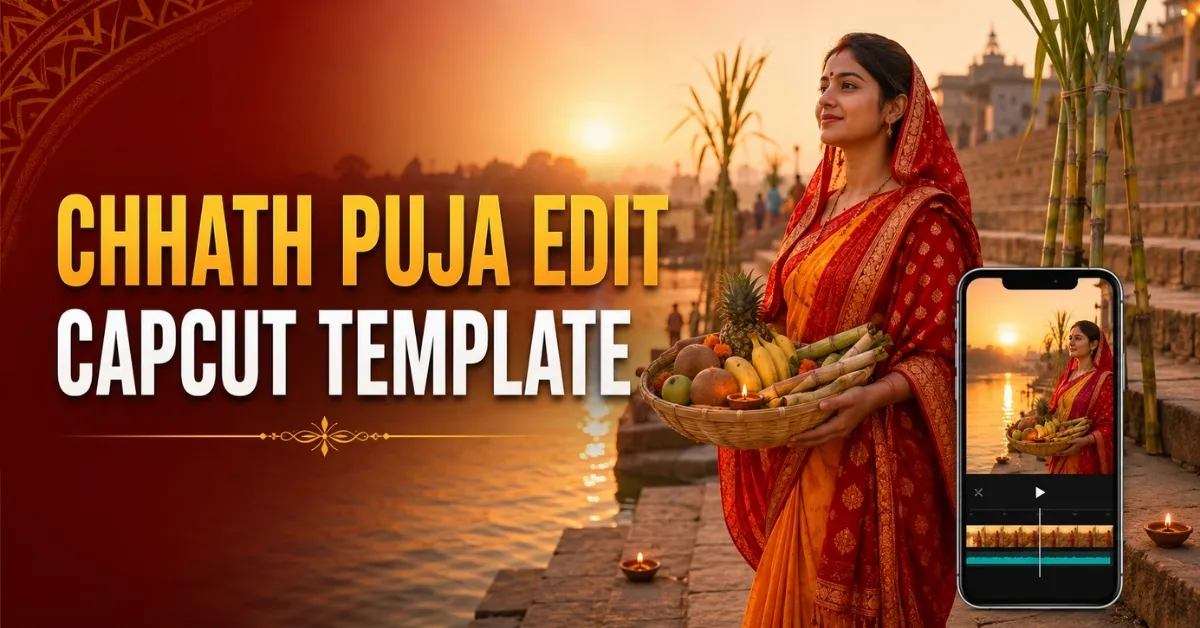
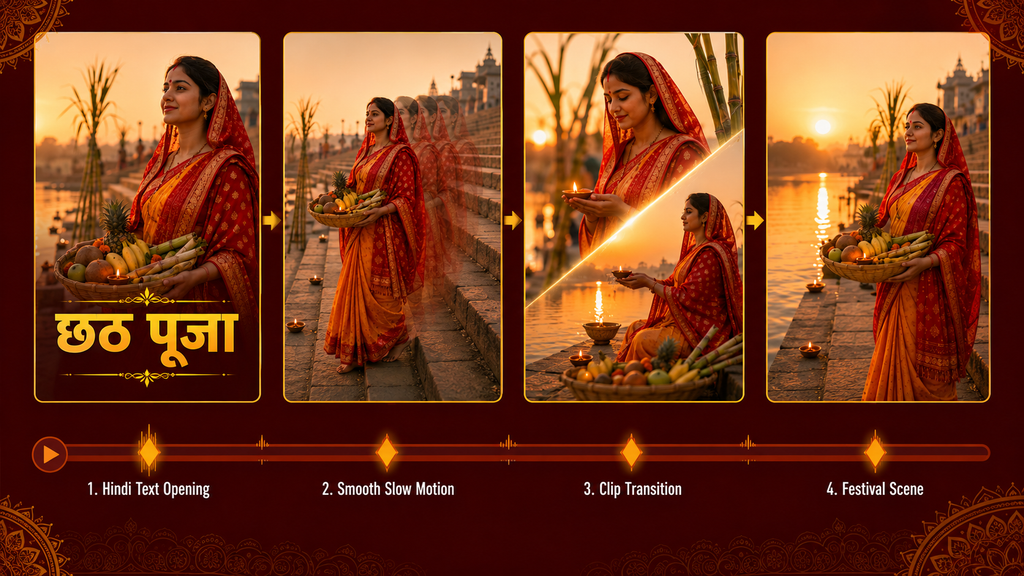
The Chhath Puja Edit CapCut Template provides a ready-made editing sequence for creating a respectful festival-themed Reel. It combines Hindi text, slow motion and transitions, allowing you to add your own footage without arranging every effect manually.
Chhath Puja holds deep religious and cultural importance, particularly for communities in Bihar, eastern Uttar Pradesh and Jharkhand. If you use this template, choose appropriate footage and avoid treating worship, offerings or devotees merely as a background for an attitude-style video.
This guide provides the publicly shared template link, recording suggestions, usage steps, customization guidance and solutions to common problems.
Chhath Puja Edit CapCut Template Details
The shared description indicates that the edit begins with a video clip and Hindi text. Slow motion is applied to the footage before a transition introduces the next part of the sequence.
The prepared project may contain festival-related visuals, audio or text. After opening it, check whether every element is appropriate for your video. Do not publish the project without reviewing prewritten Hindi text because it may not match your intended message.
| Detail | Information |
|---|---|
| Template name | Chhath Puja Edit |
| Editing application | CapCut |
| Main theme | Chhath Puja festival video |
| Common elements | Hindi text, slow motion and transitions |
| Recommended format | Vertical 9:16 |
| Suitable platforms | Instagram Reels, YouTube Shorts and Facebook Reels |
| Editing difficulty | Beginner-friendly |
| Template status | Confirm through the link before publishing |
A ready-made template can save editing time, but it does not automatically improve poor footage. Clear lighting, stable recording and respectful framing remain important.
Open the Chhath Puja Edit CapCut Template
Use the button below to open the publicly shared project:
You can also explore other CapCut templates available on RoyEditors.
Template disclaimer: The button directs users to a publicly shared project on CapCut. RoyEditors does not own CapCut or the linked template and is not affiliated with its creator. The template, music, visuals, logos and trademarks belong to their respective owners. Availability may vary according to the creator, device, application version and region.
What Type of Video Should You Record?
A simple vertical walking clip or calm camera-facing shot should work better than footage containing sudden movements. Record in soft daylight and leave sufficient space around the subject so the template can crop the video correctly.
Suitable footage may include:
- A calm walk in a clean and safe location
- A respectful traditional-outfit portrait
- Preparing festival decorations at home
- Arranging a puja basket with family permission
- A wide shot of approved festive decorations
- A family moment recorded without interrupting worship
If you record near a temple or ghat, follow local rules and respect the privacy of devotees. Do not block paths, stand dangerously close to deep water or ask worshippers to repeat religious actions for the camera.
Avoid recording at a railway station unless filming is permitted and you can remain safely away from platforms, tracks and crowds. A park, courtyard or private home setting is generally easier to control.
What You Need Before Editing
Prepare the following:
- A supported mobile device
- The official CapCut application
- A stable internet connection
- Suitable vertical footage
- Permission to use any footage showing other people
- Enough storage space for processing and export
Open the template preview before recording if possible. This will help you understand how many clips are required and how long each movement should last.
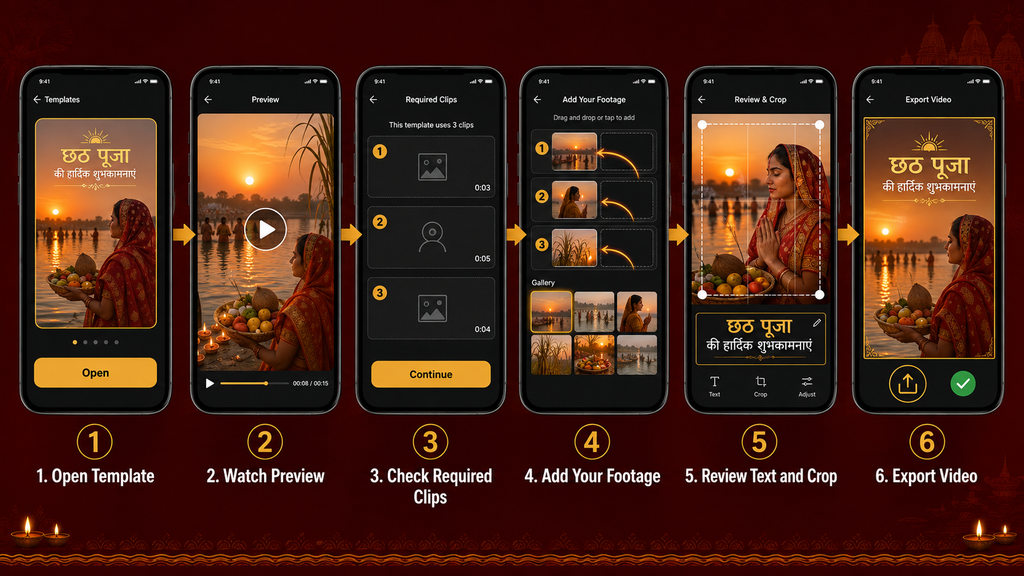
How to Use the Chhath Puja Edit CapCut Template
Follow these steps:
- Install or update the official CapCut application.
- Open this article on the same mobile device.
- Tap the Open Template button.
- Allow the link to continue in CapCut.
- Watch the complete preview.
- Check the required number and order of clips.
- Select Use Template or the equivalent option.
- Choose the required footage from your gallery.
- Reposition each clip to correct its crop.
- Tap Next and allow CapCut to prepare the edit.
- Check the Hindi text, transitions, slow motion and audio.
- Make any available corrections.
- Export the completed video in a suitable resolution.
Button names and available controls can differ according to the device and current CapCut version.
How to Customize the Template
Some versions of CapCut may display an Edit More or similar option after the template has processed your footage. If available, it may allow you to continue editing the project.
Before exporting, check these elements:
Review the Hindi Text
Read every line carefully. Correct spelling mistakes and remove text that does not match your video or may be culturally inappropriate.
Check the Crop
Make sure the template has not cut off the face, hands, puja basket or other important details. Reposition the footage where the application permits it.
Adjust the Timing
A walking movement or gesture should match the slow-motion section naturally. If it finishes too early, replace it with a longer recording.
Use Effects Carefully
Avoid excessive flashes or transitions that distract from the devotional nature of the festival. A clean and respectful edit is usually more suitable.
Review the Audio
Check whether the included music is appropriate and whether you have permission to use it on your chosen platform. Audio availability and licensing can vary by country and account type.
Do not assume every template element can be edited. Some original creators may lock particular effects, audio, timing or text.
Template Not Opening? Try These Solutions
Open It on a Mobile Device
Template links generally work better on a phone with the official CapCut application installed.
Update CapCut
An outdated version may not load a recently created project. Update the app through the official application store and try again.
Check Your Internet Connection
A slow or unstable connection can prevent the preview and project files from loading.
Try Again Later
The template link or CapCut service may be temporarily unavailable.
Check Regional Availability
CapCut and some projects may not be available in every region. RoyEditors cannot remove regional restrictions.
The Creator May Have Removed It
Public templates can be changed, restricted or deleted by their original creators. If the link no longer displays a valid preview, the project may have expired.
Frequently Asked Questions
What is the Chhath Puja Edit CapCut Template?
It is a ready-made video project designed around a Chhath Puja theme. It may include prepared Hindi text, slow motion, transitions, audio and media placeholders.
How many clips does the template require?
The supplied information does not confirm the exact number. Open the preview to see how many photos or videos the current version requires.
Can beginners use this template?
Yes. The main sequence is already arranged, but beginners should still check the crop, text, audio and final preview carefully.
Can I replace the existing person with my own video?
The template is intended to let users add their own footage to its media placeholders. The number and type of replaceable elements depend on the current project.
Is the template free?
It may be publicly accessible, but CapCut can include paid features, subscriptions or regional limitations. Check what the application displays before processing or exporting.
Can I customize the Hindi text?
You may be able to modify it if the creator has allowed text editing. If the text is locked, choose another template or recreate the effect manually.
Does using this template guarantee a viral Reel?
No. A template cannot guarantee views. Performance depends on footage quality, originality, audience interest, timing, caption and engagement.
Can I use the template audio commercially?
Do not assume that festival music or film audio is cleared for commercial use. Licensing depends on the audio, platform, country and type of account. Review the applicable rights before commercial publication.
Final Words
The Chhath Puja Edit CapCut Template can help you arrange a festival-themed Reel using Hindi text, slow motion and transitions without building the complete sequence manually.
Open the preview first, choose clear vertical footage and review every element before exporting. Most importantly, create your video respectfully, avoid disturbing worshippers and make sure that the text, audio and visual treatment are appropriate for the religious significance of Chhath Puja.

Renu Mishra Roy is the founder and editor of Roy Editors. She writes about trending CapCut templates, VN codes, and AI photo editing, testing each template herself before publishing so readers get steps that actually work. Her guides focus on helping creators make clean, viral-style Reels and Shorts without wasting time on complicated editing.