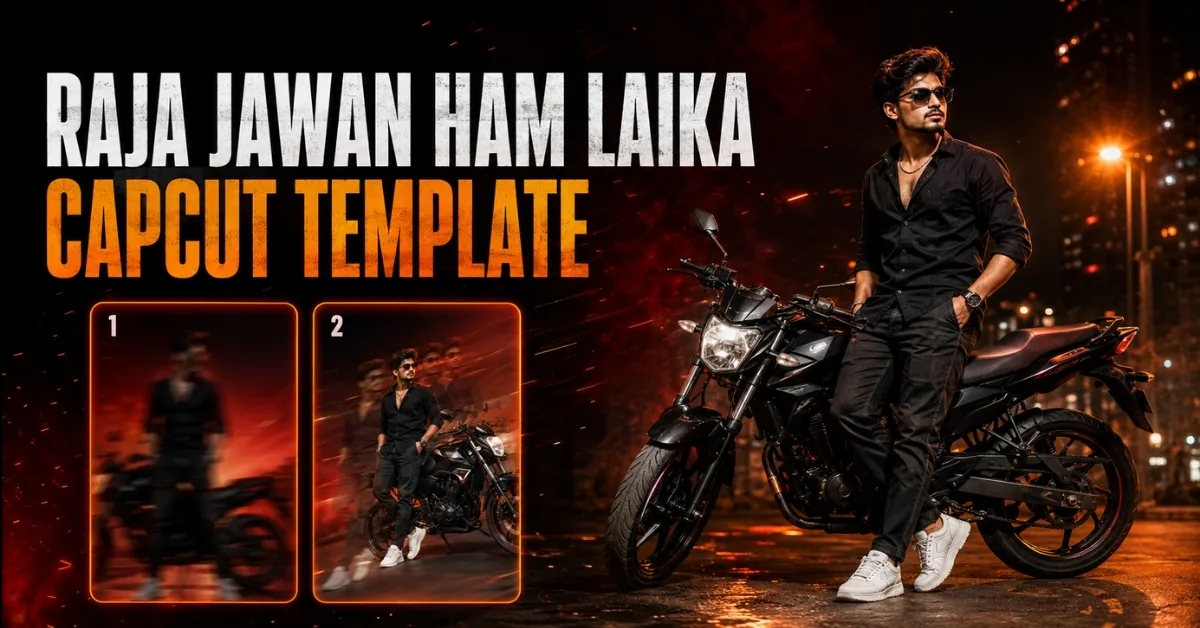
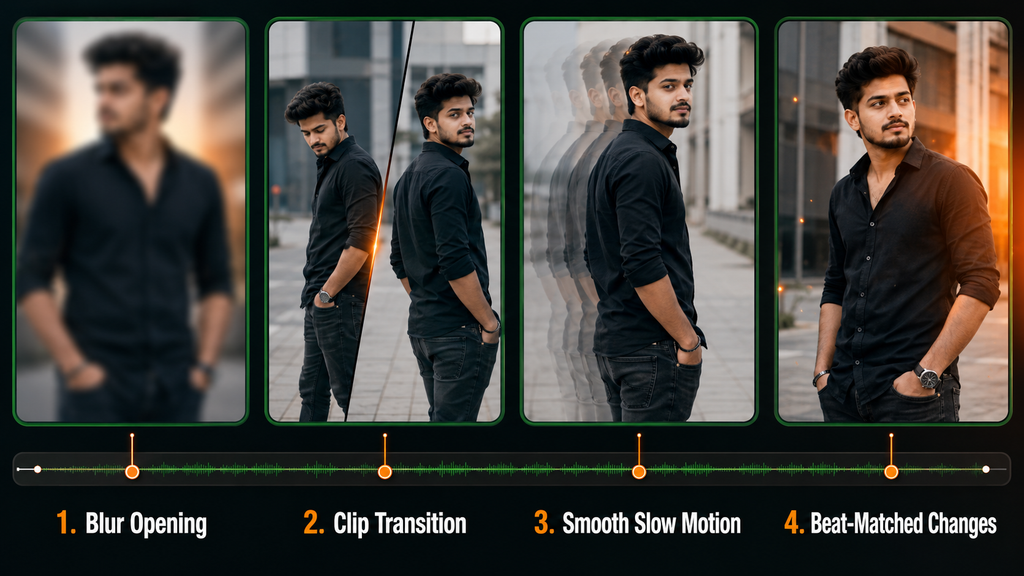
The Raja Jawan Ham Laika CapCut Template is designed for creators who want to make a Bhojpuri attitude Reel using blur, beat-matched transitions and smooth slow motion. Instead of manually arranging every effect, you can open a ready-made project, add your own clips and preview the completed edit in CapCut.
Two publicly shared template options are provided below. Their clip requirements and visual sequence may differ, so watch each preview before selecting your footage.
Important: Templates can be changed or removed by their original creators. Always preview a project and check its required media before adding personal videos.
Raja Jawan Ham Laika Template Details
The editing sequence starts with a blurred introduction. This briefly hides or softens the opening footage before revealing the main subject. The clips then change around important points in the Bhojpuri audio, while slow motion gives the movements a smoother and more dramatic appearance.
The shared description indicates that the template may require approximately three to four video clips. Confirm the exact number in the CapCut preview because each version may use a different arrangement.
| Detail | Information |
|---|---|
| Template name | Raja Jawan Ham Laika |
| Editing application | CapCut |
| Video style | Bhojpuri attitude edit |
| Main effects | Blur, transitions and slow motion |
| Approximate media | Three to four clips |
| Recommended format | Vertical 9:16 |
| Suitable platforms | Instagram Reels, YouTube Shorts and Facebook Reels |
| Editing level | Beginner-friendly |
The blurred background can help separate the subject from the surroundings, but it should not be described as a real DSLR effect. It is a digital visual effect applied by the template.
Raja Jawan Ham Laika CapCut Template Links
The two buttons below open separate publicly shared CapCut projects. Preview both options and choose the one that best matches your footage.
Template Option 1
This option is intended for a multi-clip Bhojpuri attitude edit featuring blur, slow motion and transition effects.
Template Option 2
The second option provides an alternative version of the same song-based editing idea. Its effects, timing or required clips may differ from the first project.
Template disclaimer: These buttons direct users to publicly shared projects on CapCut. RoyEditors does not own CapCut or the linked templates and is not affiliated with their creators. Names, logos, audio and trademarks belong to their respective owners. Availability may vary by creator, region, device and application version.
What Type of Clips Should You Record?
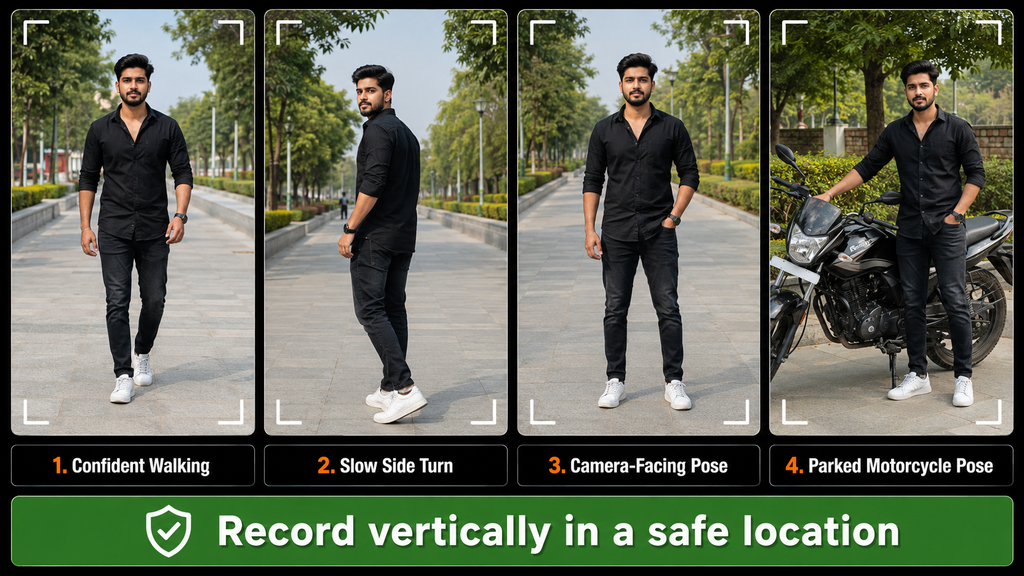
Choose simple movements that remain clear when slowed down. A confident walk, side turn, camera-facing pose or safe stationary pose can work well with this editing style.
For better footage:
- Record vertically in the 9:16 format.
- Clean the camera lens before recording.
- Use daylight or another soft light source.
- Keep the phone steady.
- Leave some space around your head and body.
- Record each movement for a few extra seconds.
- Use a simple background that does not distract from the subject.
- Avoid placing important details near the edges because the template may crop them.
You can stand beside a parked motorcycle or car if it matches the theme. The vehicle must remain stationary in a safe location away from moving traffic. Never record while driving, riding or performing a stunt.
How to Use the Raja Jawan Ham Laika CapCut Template
Follow these steps on a supported mobile device:
- Install or update the official CapCut application.
- Open this article on the same mobile device.
- Select one of the two template buttons.
- Allow the link to open in the CapCut application.
- Watch the complete preview and check the required clips.
- Tap Use Template or the equivalent button displayed in the app.
- Select the requested videos from your gallery.
- Arrange the clips in the correct order.
- Reposition each clip if the face or body is cropped.
- Tap Next and wait for CapCut to process the edit.
- Check the blur, transitions, slow motion and audio timing.
- Export the final video in a suitable resolution.
The wording and position of buttons may differ according to the device and current CapCut version.
How to Choose Between the Two Templates
Do not select a version only because it appears first. Compare both previews and check:
- How many clips each version requires
- Whether the opening blur suits your footage
- How frequently the clips change
- Whether the slow motion appears smooth
- Whether any text is included
- Whether the crop keeps your face visible
- Whether the effects match the mood you want
- Whether the project uses free or paid features
Choose the option that fits the footage you already have. Forcing a short or unsuitable clip into a template can produce awkward cropping and badly timed movement.
Also, check: Lapata Ho Jaibe CapCut Template
Template Not Opening? Try These Fixes
Open It on a Mobile Device
Template links generally work better on a phone with the official CapCut application installed.
Update CapCut
An outdated version may fail to load a newer template. Update the app through the official application store and try again.
Use a Stable Internet Connection
A slow connection may prevent the preview or project files from loading properly.
Try the Second Template
If one project has been removed or restricted, check whether the alternative version is still available.
Check Regional Availability
CapCut or certain templates may not be accessible in every region. RoyEditors cannot remove regional restrictions or restore a project deleted by its creator.
Frequently Asked Questions
What is the Raja Jawan Ham Laika CapCut Template?
It is a ready-made CapCut project for creating a Bhojpuri attitude-style video using prepared blur, transition and slow-motion effects.
How many clips are required?
The supplied description indicates approximately three to four clips. However, the exact number can differ between the two versions, so confirm it in each preview.
Is this a one-click video editor?
The template applies its prepared editing automatically, but you still need to select suitable footage, arrange the clips, inspect the crop and review the final result.
Can beginners use these templates?
Yes. The main editing sequence is already prepared, making the process suitable for beginners. No template can correct every problem in the original footage, however.
Can I use these templates on a computer?
CapCut features differ across mobile, desktop and web versions. These shared links are generally intended to open through the supported CapCut application.
Are the templates free?
A publicly accessible template may be usable without a separate template charge, but CapCut can include paid features, subscriptions or regional limitations. Check what the app displays before exporting.
Does using this template guarantee views?
No. Templates cannot guarantee that a video will become viral. Performance also depends on originality, footage quality, audience interest, caption, timing and engagement.
Can I use the included audio commercially?
Do not assume the audio is licensed for every commercial purpose. Music permissions can depend on the platform, location and type of account. Review the applicable licensing rules before commercial use.
Final Words
The Raja Jawan Ham Laika CapCut Template offers a convenient starting point for a Bhojpuri attitude Reel using blur, transitions and slow motion. Two template options are available, allowing you to compare their previews and choose the version that works better with your footage.
Record clear vertical clips in a safe location, review every crop and effect, and personalize the final result before publishing. A ready-made template can save editing time, but thoughtful footage selection is what makes the completed Reel feel more original.

Renu Mishra Roy is the founder and editor of Roy Editors. She writes about trending CapCut templates, VN codes, and AI photo editing, testing each template herself before publishing so readers get steps that actually work. Her guides focus on helping creators make clean, viral-style Reels and Shorts without wasting time on complicated editing.