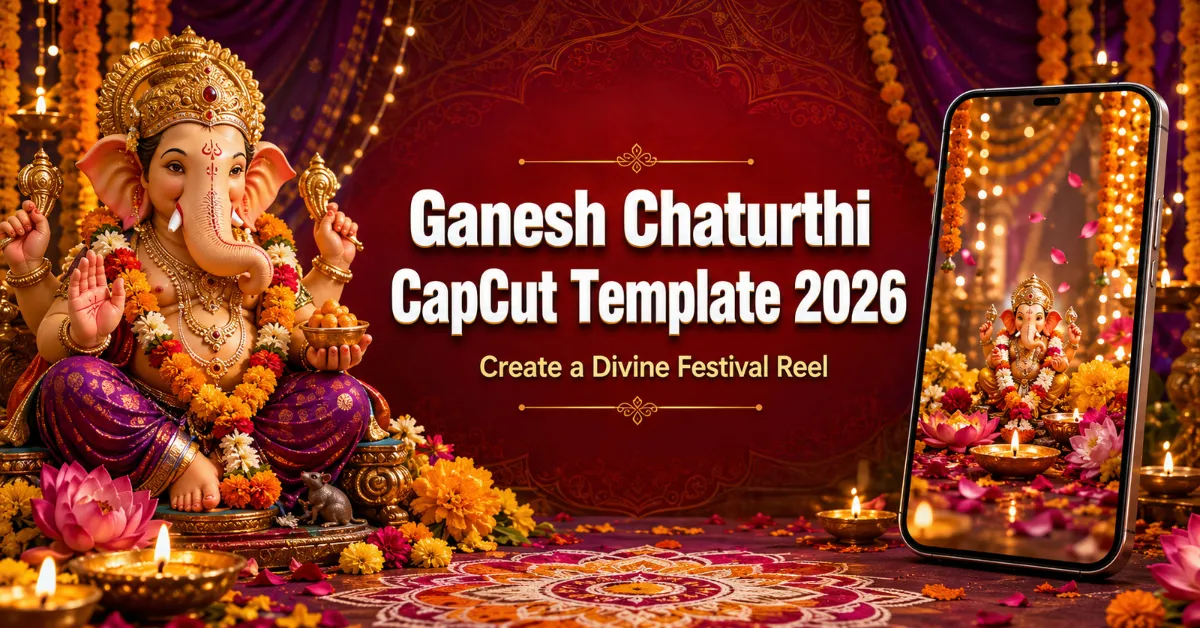
Friends, Ganpati Bappa’s arrival brings devotion and happiness. Ganesh Chaturthi 2026 is widely listed for Monday, 14 September 2026, so creators are preparing greetings and devotional Reels. The Ganesh Chaturthi CapCut Template offers an easy starting point without manual transitions.
This ready-made template lets you add your Lord Ganesha photos or video clips to a prepared edit containing music, transitions and visual effects. In this guide, you will find the direct template link, media-selection advice, current usage steps, export recommendations, respectful content guidance and simple fixes for common problems.
Festival note: The date above is based on commonly published 2026 calendars. Puja muhurat and local observance details can differ by city and tradition, so confirm them through your family priest or trusted regional Panchang.
Quick Details
| Item | Details |
|---|---|
| Template name | Ganesh Chaturthi CapCut Template |
| Festival date in 2026 | Monday, 14 September 2026 |
| Editing style | Devotional festival Reel or status video |
| Recommended media | Lord Ganesha photos, puja decorations and respectful festival clips |
| Main elements | Music, transitions, zoom, glow, beat sync and festive colour |
| Best format | Vertical 9:16 |
| Skill level | Beginner-friendly |
| App required | Official CapCut mobile app |
What Is a CapCut Template?
A CapCut template is a ready-made video-editing arrangement. The template creator has already placed the audio, effects, transitions and media timing on the timeline. You select your own photos or clips, and the app fits them into the available slots.
This makes festival editing easier for beginners because you do not have to time every change manually. However, the final quality still depends on your source media and selection order. Always preview the template, check the required number of photos or videos and review every crop before exporting.
You can explore more ready-made edits in our CapCut Templates collection. For another devotional idea, visit the Lord Krishna CapCut Template guide.
Details of the Ganesh Chaturthi CapCut Template
This template is designed for a devotional Ganeshotsav edit. Depending on its current live version, it may begin with a peaceful image reveal before moving through Lord Ganesha photos or clips in time with the music. Smooth zoom, glow, flash or transition effects can make each frame feel more festive while the prepared colour treatment brings the complete video together.
You can use close-up photos of a Ganpati murti, wide pandal decorations, flower arrangements, diyas, rangoli, modaks and hands joined in prayer. If you are filming at home, a gentle aarti shot or a slow view of the decorated puja space can add warmth. Public procession footage can also work when it is recorded safely and respectfully.
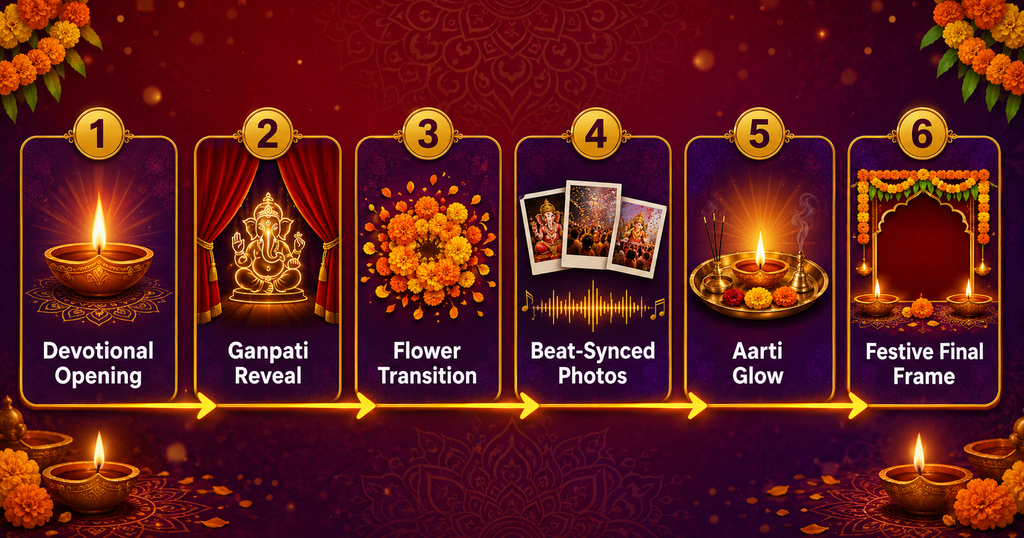
The exact effects and number of media slots are controlled by the live template, so watch its complete preview before selecting files. A useful visual sequence is:
Devotional Opening → Ganpati Reveal → Flower Transition → Beat-Synced Photos → Aarti Glow → Festive Final Frame
Why Ganesh Chaturthi Edits Become Popular
Ganesh Chaturthi is celebrated with great enthusiasm in Maharashtra and many other parts of India. Families and community mandals share darshan photos, decoration videos, aarti moments, greetings and visarjan memories. Short vertical videos make it easy to present these moments as WhatsApp Status posts, Instagram Reels, Facebook videos and YouTube Shorts.
Templates are popular because festival content often needs to be prepared quickly. The music and transitions are already arranged, allowing a creator to focus on choosing meaningful photos. Still, no template can guarantee that a video will go viral. Reach depends on originality, audience response, caption, timing and the platform’s recommendations.
If you enjoy seasonal edits, our 15 August AI Photo Editing Prompts article offers ideas for creating respectful event-themed visuals. For a wider mix of current formats, see the Trending Reels CapCut Template guide.
Which Photos and Clips Should You Prepare?
Choose clear, meaningful media rather than adding every photo in your gallery. The following sequence usually creates a balanced devotional Reel:
- Opening frame: A clean Ganpati image, temple bell, diya or “Ganpati Bappa Morya” greeting.
- Main reveal: Your strongest full view of Lord Ganesha’s murti.
- Decoration details: Flowers, rangoli, lights, modaks or the decorated mandap.
- Devotional moment: Aarti, folded hands or family darshan, with consent.
- Community frame: A safe wide shot of the pandal or procession.
- Final frame: A peaceful blessing image or festival greeting.
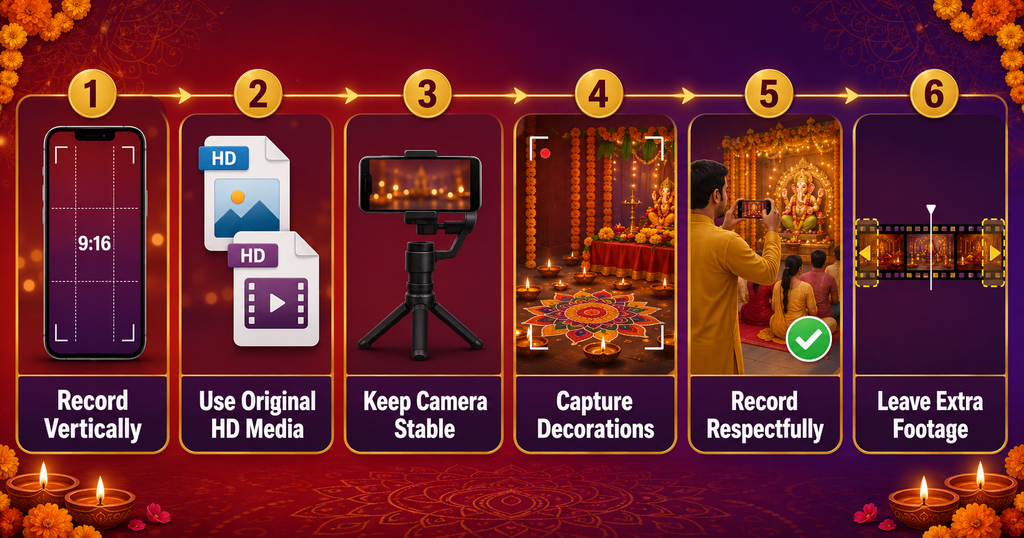
Follow these practical media tips:
- Record videos vertically in a 9:16 frame.
- Use original HD files instead of screenshots or forwarded WhatsApp media.
- Clean the camera lens before recording diyas and decorative lights.
- Keep the phone steady or use a tripod for slow pans.
- Record each moment for a few extra seconds so the template can crop it properly.
- Use soft, balanced light and avoid harsh flash directly on the murti.
- Keep faces and important details near the centre to prevent automatic cropping.
- Take permission before showing family members, children, priests or other devotees.
Do not apply strong filters or transitions before importing. The template already contains its own styling, and heavily edited source files can appear unnatural.
Ganesh Chaturthi CapCut Template Link
Open the button on a mobile phone and watch the entire preview. Check whether the template accepts photos, videos or both, and note the exact number of slots. Template creators may update, restrict or remove public templates, so live availability can change.
Important note: Some templates may be unavailable in particular countries, app versions or accounts. A template can also contain Pro elements that require payment at export. Review any price or Pro notice inside the official app before continuing. RoyEditors is not affiliated with CapCut. CapCut, its trademarks and the public template belong to their respective owners or creators; this page shares a public link for convenience.
How to Use the Ganesh Chaturthi CapCut Template
Once your photos and clips are prepared, follow these steps:
- Install or update the official CapCut app on your mobile phone.
- Open the template button provided above.
- Allow the browser to open the page in CapCut if prompted.
- Watch the full preview and check its required media count.
- Tap Use template.
- Choose the requested photos or video clips from your gallery.
- Arrange them in the same devotional sequence you planned.
- Tap Preview and wait while the app applies the prepared effects.
- Select an individual segment and use Edit, Replace or Crop where available.
- Review every photo, transition, text element and music cue.
- Tap Export and save the finished video to your device.
CapCut’s button names and layout can vary slightly by version. The online template ecosystem is mainly available through the mobile app, so a computer browser may show only a preview or may not provide the complete workflow.
How to Improve the Final Festival Edit
Begin with a calm frame and place your most impressive Ganpati photo at the strongest musical reveal. Alternate wide and close-up images so the video does not feel repetitive. If every frame has the same angle, replace one with decoration details or a short aarti clip.
Keep on-screen text short. Suitable lines include “Ganpati Bappa Morya,” “Happy Ganesh Chaturthi” or a brief personal blessing. Check Hindi or Marathi spellings carefully before export. Avoid placing text near the top and bottom edges because social-media buttons may cover it.
If the template provides Edit more, use it only for small changes such as brightness, crop or a short greeting. Too many additional flashes, stickers and animations can disturb the devotional mood.
Recommended Export Settings
Export the final video in 1080p whenever your phone and source media support it. 30 fps is suitable for most photo-based festival edits. Use 60 fps only when the original video clips were recorded at a compatible frame rate and the preview remains smooth.
Before posting, watch the saved file in your gallery. Confirm that no important part of the murti is cropped, the audio is present, text is readable and the final frame does not end abruptly. Repeated downloads and uploads can reduce quality, so post the original exported file.
Common Problems and Fixes
The template link does not open
Use a mobile phone with the official app installed. Update CapCut, restart it and reopen the link. Try a stable internet connection. The template feature may not be available in your region or app version.
“Use template” is missing
Make sure the link has opened inside CapCut rather than only in a browser. Sign in if the app requests it. If the Template section is absent, regional or version restrictions may apply.
The template requires payment
Some public templates or effects can become Pro items. Read the payment notice shown in the app. You may choose a free alternative rather than subscribing.
My photos are cropped incorrectly
Tap the affected segment and use Crop or Edit. Select an image with space around the murti and keep the main subject near the centre.
The video looks blurry
Replace screenshots, forwarded images and downloaded social-media files with original HD media. Export at 1080p and ensure sufficient free storage.
Export is stuck or fails
Close unused apps, free storage, restart the phone and try again. Allow all template resources to finish loading before export.
The music disappears after uploading
The social platform may restrict copyrighted audio. Use music available in that platform’s licensed library or audio you have permission to publish.
Respectful, Safe and Responsible Use
Devotional visuals should be presented respectfully. Avoid comic distortion, inappropriate overlays or effects that cover the face of the deity. Do not use private worship footage without permission, and avoid filming people during personal prayer unless they agree.
At crowded pandals and processions, follow organisers’ instructions, keep a safe distance from vehicles and electrical decorations, and never block darshan or emergency access for recording. Do not fly drones unless permission and local rules allow it. During visarjan, protect your phone and yourself near water, and never enter an unsafe area merely to capture a shot.
Use only photos, videos and music that you own or are allowed to share. Public availability does not automatically grant commercial rights. CapCut is a third-party application, and template features or availability can change without notice.
Frequently Asked Questions
When is Ganesh Chaturthi in 2026?
It is widely listed for Monday, 14 September 2026. Confirm the local puja muhurat through a trusted regional Panchang or priest.
Is the Ganesh Chaturthi CapCut Template free?
The public template may be usable without charge, but some effects or exports can require CapCut Pro. Check for a Pro badge or payment notice in the app.
Can I use both photos and video clips?
Only if the live template accepts both media types. Its preview and selection screen show what each slot requires.
How many photos should I prepare?
Prepare six to eight strong images plus a few alternatives. Use the exact number requested by the live template.
Can I add my own Ganesh Chaturthi greeting?
Yes, if editing controls are available. Keep the greeting short, correctly spelled and inside the vertical safe area.
Why can I not find the template through search?
Search results vary by region, app version and template status. Use the direct link in this article and update the app.
Can I use this video for WhatsApp Status?
Yes. Preview the vertical crop and keep the final duration within the current WhatsApp Status limit shown by the app.
Will this template make my Reel viral?
No template guarantees views. It helps you prepare a polished festival edit, while reach depends on content quality, timing, audience interest and platform recommendations.
Conclusion
The Ganesh Chaturthi CapCut Template provides a simple way to arrange Ganpati photos, devotional clips, music and transitions into one festival Reel. Select respectful original media, check the live template requirements, place your strongest image at the main reveal and review every crop before exporting.
Use the edit to share devotion and festive joy, while respecting worship, privacy, safety and media rights. Ganpati Bappa Morya!

Renu Mishra Roy is the founder and editor of Roy Editors. She writes about trending CapCut templates, VN codes, and AI photo editing, testing each template herself before publishing so readers get steps that actually work. Her guides focus on helping creators make clean, viral-style Reels and Shorts without wasting time on complicated editing.