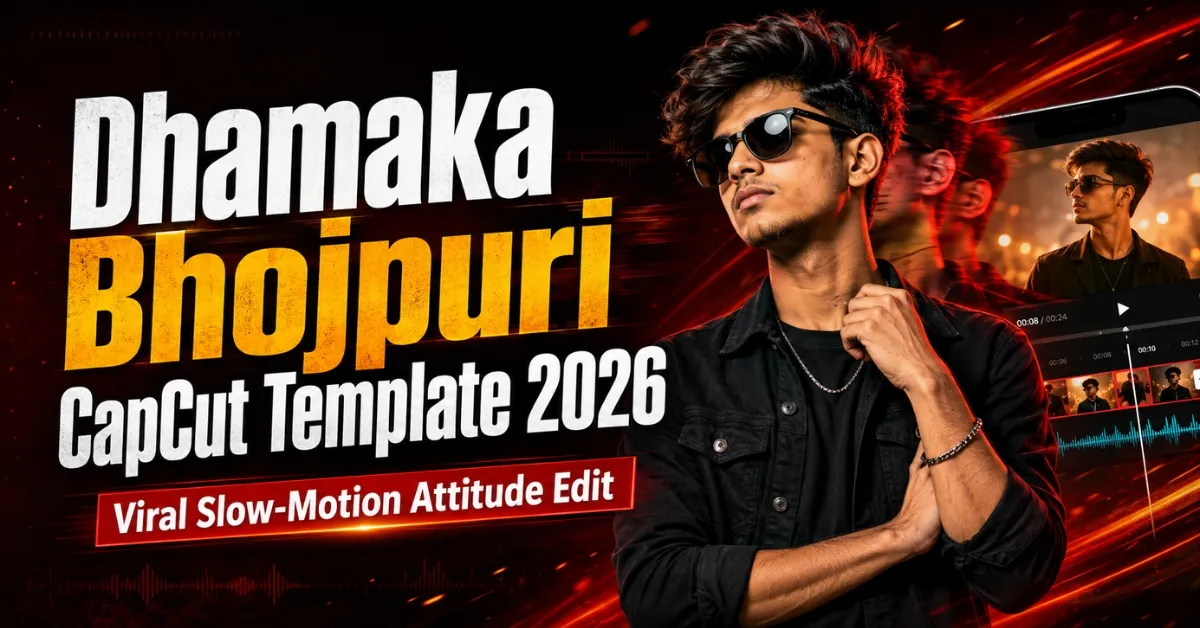
Friends, Bhojpuri attitude Reels are attracting plenty of attention on Instagram, YouTube Shorts and Facebook because they combine powerful music with slow motion, confident expressions and beat-synchronised transitions. However, arranging every blur, zoom, shake and clip change manually can take a lot of time, especially when you are new to video editing.
The Dhamaka Bhojpuri CapCut Template gives you a much easier starting point. It is a ready-made editing project in which the timing, transitions and effects are already arranged. You only need to add your own clips, check the preview and export the final video. This guide provides two official CapCut template options, explains the editing style and shows you how to prepare better footage for a clean Bhojpuri Reel.
If you enjoy this style, you can also explore our complete collection of Viral Bhojpuri CapCut Templates for more desi attitude, slow-motion and transformation edits.
Important: Template availability, music, clip count and effects can change when a creator updates or removes a project. Always watch the current preview on CapCut before selecting your media.
What Is a CapCut Template?
A CapCut template is a pre-designed project containing media slots, effects, transitions, text and audio. Instead of editing from a blank timeline, you replace the sample media with your own clips. The prepared timing and effects are then applied automatically, although the available customisation differs from one template to another.
CapCut’s official template-editing guide also explains how users can browse templates and replace media. Remember, however, that different templates provide different levels of customisation.
What Is the Dhamaka Bhojpuri CapCut Template?
The Dhamaka Bhojpuri edit is designed around energetic Bhojpuri audio and an attitude-based visual sequence. It generally begins with a soft or blurred opening, holds the viewer’s attention for a moment and then reveals the main clip on the beat. Slow motion gives the subject a more confident appearance, while zoom, shake and flash-style transitions add energy during clip changes.
This style suits walking shots, bike poses, outdoor clips, traditional looks and confident close-ups. You can use one person throughout or combine different locations, provided that the framing remains reasonably consistent.
For another confident Bhojpuri editing style, check the Attitude Boy CapCut Template. It can be a useful alternative when you want a stronger dialogue or hero-style presentation.
Dhamaka Bhojpuri Template Details
| Detail | Information |
|---|---|
| Main style | Bhojpuri slow-motion attitude edit |
| Suitable media | Clear vertical video clips |
| Common effects | Blur, slow motion, zoom, shake and beat transitions |
| Recommended ratio | 9:16 vertical |
| Best export quality | 1080p |
| Suitable platforms | Instagram Reels, YouTube Shorts and Facebook Reels |
| Editing level | Beginner-friendly |
| Media count | Check the current template preview |
Do not select all your gallery clips in a hurry. First note the number and duration of the placeholders shown in the live preview. A short slot may need only a facial expression or a hand movement, while a longer slot may work better with a walking or turning shot.
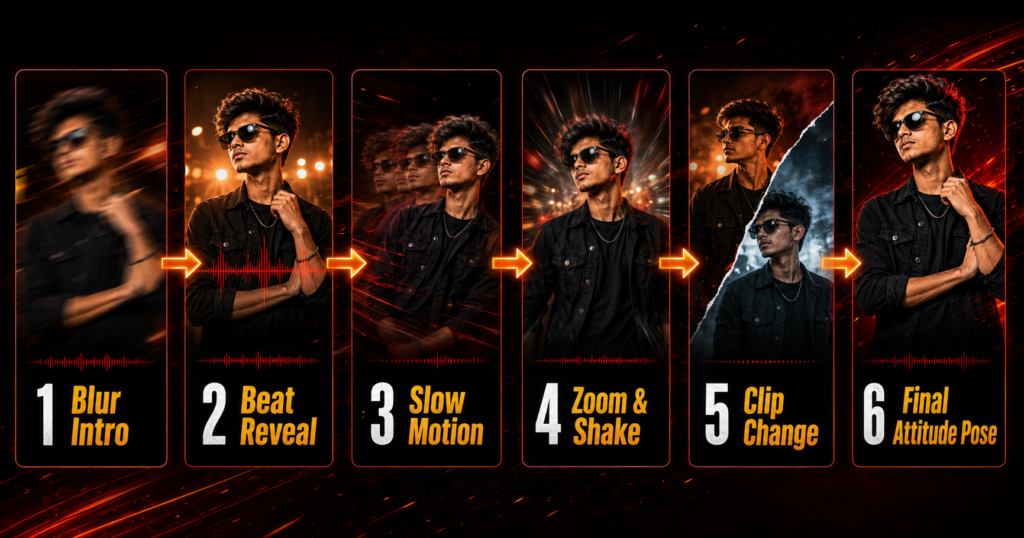
Dhamaka Bhojpuri CapCut Template Links
Below are two official CapCut options. Open this page on your mobile, tap the desired button and allow the link to launch in the official CapCut application. Watch the complete preview before adding your media because the two options may use different clip counts, durations or effects.
Template 1: Bhojpuri Dhamaka Edit
This option is suitable when you want an energetic Bhojpuri music edit with quick changes and a strong attitude feel.
Template 2: Bhojpuri Slow-Motion Edit
Try this alternative when slow motion is more important than rapid transitions. Choose a stable clip with clear body movement so that the effect looks natural.
Template Disclaimer: RoyEditors does not own CapCut or the templates linked above. The buttons lead to publicly available pages on the official CapCut website. CapCut names, logos and trademarks belong to their respective owners. A creator may update, restrict or remove a template at any time.
Which Clips Should You Record?
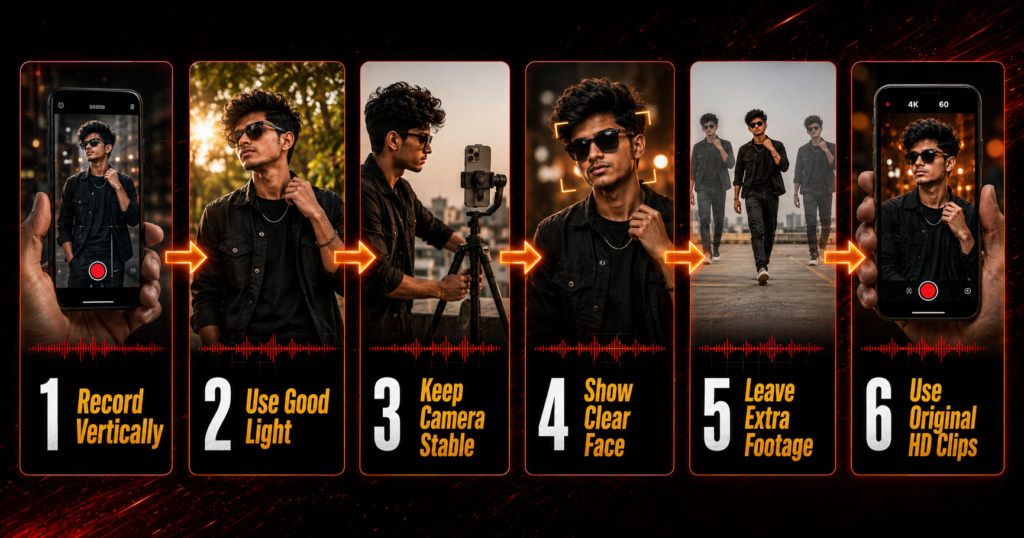
Friends, a template can arrange effects, but it cannot completely correct poor footage. Record vertically in good daylight, clean the lens and keep the phone stable. Place the subject near the centre and avoid a distracting background.
For the opening, use a calm close-up or slowly look towards the camera. For the beat reveal, try a confident walk, turn or bike-side pose. A still pose can provide a neat ending.
Record for two or three seconds before and after the main movement so the template has enough footage to select a clean moment. Use original files where possible because forwarded videos may be compressed.
If your content includes toy or performance-style props, use them responsibly and never display a real weapon for a social-media edit. For a different action-based trend, see our Nachaiab Hathiyar Se CapCut Template guide and follow its safety guidance.
How to Use the Dhamaka Bhojpuri CapCut Template
Follow these steps on your phone:
- Install or update CapCut from an official source available in your region.
- Open this RoyEditors article in your mobile browser.
- Tap one of the official template buttons provided above.
- Allow the link to open in CapCut and watch the complete preview.
- Tap Use Template or the equivalent option displayed in your version of the app.
- Check the number, order and type of media slots required.
- Select your clips in the same sequence as the preview.
- Tap Preview or Next and wait while the project processes.
- Reposition or replace any clip that appears awkwardly cropped, where permitted.
- Watch the video with sound and check every transition.
- Tap Export and save the finished video in high quality.
The wording and placement of buttons may vary between app versions. The live interface on your device should always be treated as the final guide.
How to Make the Final Reel Look Better
Create continuity between clips. If one shot ends while you turn right, begin the next from a similar angle. Wear colours that remain clear after filters and keep the background simple. Avoid adding too many stickers or extra effects—the Bhojpuri audio and beat reveal should remain the focus. Check any pre-added text for meaning and spelling before publishing.
If you want a more story-driven Bhojpuri sequence with a suspenseful introduction, the Janta Darbar CapCut Template is another relevant option. For a light-hearted group video instead of a solo attitude edit, try the Boys Gang CapCut Template.
Best Export Settings for Instagram Reels and Shorts
For a full-screen result, use a 9:16 ratio and export at 1080 × 1920 pixels. A frame rate of 30 FPS suits most Reels, although matching the original footage can keep movement consistent. Upload the original export rather than a forwarded copy, then watch it once to check the audio, crop, text and ending frame.
Dhamaka Bhojpuri Template Not Working: Solutions
If the page opens but the app does not, confirm that CapCut is installed and updated. Use a regular mobile browser rather than an in-app browser. If your gallery is empty, check photo and video permissions. For processing problems, use a stable connection, close unused apps and free some storage.
An unavailable message may mean that the creator removed the project or access is restricted in your region. Try the alternate option or another edit from our Bhojpuri collection. Do not install a modified APK merely to open one template.
Music, Copyright and Privacy
A template link does not give you ownership of its song, dialogue or other media. Social platforms may mute or restrict audio under their licensing rules. Use permitted media, and ask before posting another person’s face or private information—especially when children appear.
Frequently Asked Questions
Is the Dhamaka Bhojpuri CapCut Template free?
Many public templates can be used without paying for the template itself. Some features may still depend on the app version, account or region.
How many clips are required?
The required media count can differ between template versions. Open the link and check the current preview and placeholders before selecting your videos.
Can I use photos instead of videos?
Only if that project accepts photos. Slow motion normally looks better with video because it needs natural movement.
Why is the Use Template button not opening?
Update the official app, use a regular mobile browser and try the alternate link. The project may also be unavailable in your region.
Can I use this template on an iPhone?
Yes, when CapCut and that template are available for your device and region. Follow the options shown in the app.
What is the best video size for Instagram Reels?
Use a vertical 9:16 frame, preferably 1080 × 1920 pixels, so the Reel fills the mobile screen clearly.
Can this template guarantee viral views?
No. Reach depends on your footage, opening moment, audience interest, posting time and each platform’s recommendation system.
Is CapCut the same as VN Video Editor?
No. CapCut templates open in CapCut, while VN codes or projects are imported into VN Video Editor.
Is it safe to download CapCut from an unofficial APK website?
Use an official app store or developer source. Avoid modified APKs that request unnecessary permissions or promise paid features for free.
Can I remove or change the template text?
It depends on what the creator made editable. Check for text controls; if unsuitable text cannot be changed, choose another template.
Conclusion
The Dhamaka Bhojpuri CapCut Template is a simple way to create a powerful slow-motion attitude Reel without arranging every blur, zoom, shake and beat transition manually. Select one of the official template options, watch its latest preview, prepare clear vertical clips and add them in the correct order.
For the best result, keep your camera stable, use good lighting, match the movement between scenes and export the final video in 1080p. Most importantly, treat the template as a creative starting point rather than a promise of viral views. Good footage, a strong opening and responsible use of music and personal media will always make the finished Reel more effective.
Keep visiting RoyEditors for more Bhojpuri, attitude, friendship, devotional and trending CapCut and VN editing templates.
4 thoughts on “Dhamaka Bhojpuri CapCut Template 2026: Viral Edit”