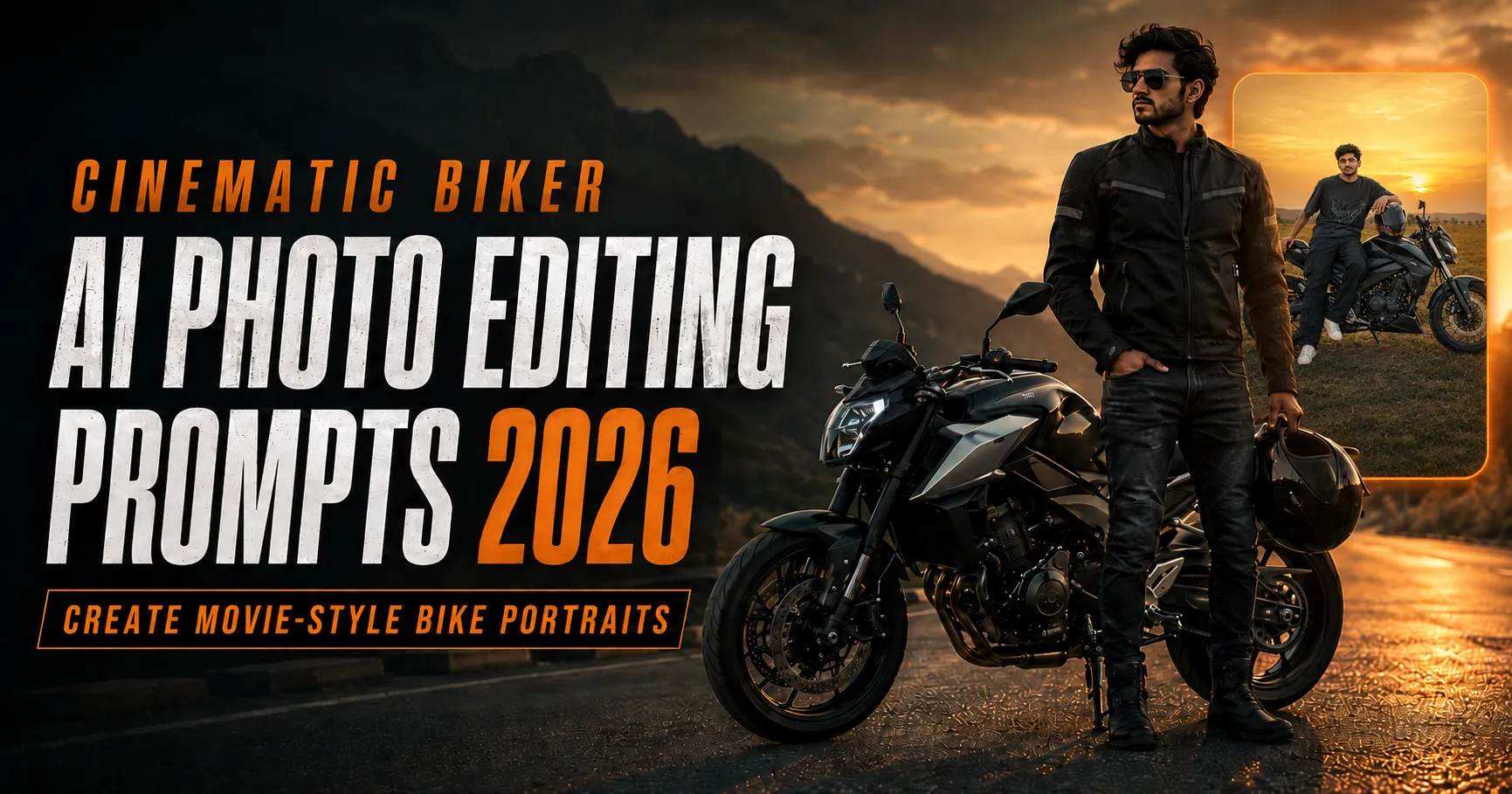
A normal photo with a motorcycle can look impressive when the pose, lighting and location are right. With a carefully written Cinematic Biker AI Photo Editing Prompt, you can transform a simple reference photo into a movie-style bike portrait featuring golden-hour light, a foggy forest, a city road, a rural field or a misty mountain lake.
This guide provides six copy-ready prompts for ChatGPT, explains how to select a suitable reference photo and shows how to correct common AI problems such as a changed face, cropped motorcycle wheels, unrealistic hands or incorrect shadows. You do not need professional editing experience, but you should review every generated result carefully before sharing it.
Quick answer: Upload a clear photo you have permission to use, copy your preferred prompt, attach the reference image in ChatGPT, generate the scene and request one targeted correction at a time until the face, bike and lighting look natural.
What Is Cinematic Biker AI Photo Editing?
Cinematic biker AI photo editing changes an ordinary portrait into a visually planned motorcycle scene. Instead of adding only a bike or replacing only the background, the prompt describes the complete photograph: the person, pose, outfit, motorcycle, location, light direction, camera angle, depth of field and colour grade.
The aim is to create the feeling of a professionally photographed movie frame. A successful result should show natural contact between the rider and motorcycle, correct wheel geometry, realistic shadows and consistent light across the subject, bike and environment. It should not look like several unrelated objects pasted into one picture.
Different prompts create different moods. A warm sunset scene feels energetic and adventurous, a foggy forest produces mystery, a city-night road creates an urban mood and a mountain lake gives the portrait a calm editorial appearance.
You can explore more AI photo-editing guides for additional prompt styles.
What Makes a Good Biker AI Prompt?
An effective prompt gives the image model enough direction without repeating the same instruction unnecessarily. The most useful details are:
- Identity: Ask the tool to preserve the same recognizable face, skin tone, hairstyle, age appearance and natural proportions.
- Pose: Explain how the person is sitting, standing or leaning and where the hands, feet and gaze should be.
- Motorcycle: Describe the bike type, colour, viewing angle and important mechanical details.
- Environment: Specify whether the scene is a highway, city street, forest, field, rural canal or lakeside road.
- Lighting: Mention golden hour, soft overcast light, neon night lighting or volumetric forest rays.
- Camera: State the aspect ratio, lens look, depth of field and whether the full motorcycle must remain visible.
- Finish: Request natural texture, controlled contrast, subtle film grain and realistic shadows instead of an artificial HDR effect.
AI tools may not reproduce a person’s identity with perfect accuracy every time. “Preserve identity” is a strong instruction, not a guarantee. Compare the result with the reference and regenerate or revise it if important facial details have changed.
Best Reference Photo for Biker AI Editing
Your reference photo has a major effect on the final result. Use a sharp, well-lit image in which the face is clearly visible. A full-body or three-quarter portrait is helpful when the prompt needs to place you naturally on a motorcycle. Avoid heavy beauty filters, dark sunglasses covering most of the face, extreme angles and screenshots that have already been compressed several times.
Use a photo with:
- A clear, front or three-quarter view of the face.
- Natural skin texture and even lighting.
- Visible hairstyle and jawline.
- A body angle reasonably close to the requested pose.
- Sufficient resolution for facial and clothing details.
- Permission from the person shown in the image.
Do not upload someone else’s private photo without consent. When creating a scene involving a real person, avoid presenting the result as documentary evidence of an event that never happened.
Reusable Identity-Preservation Instruction
Add this paragraph near the beginning of any prompt when you want to retain the person’s likeness:
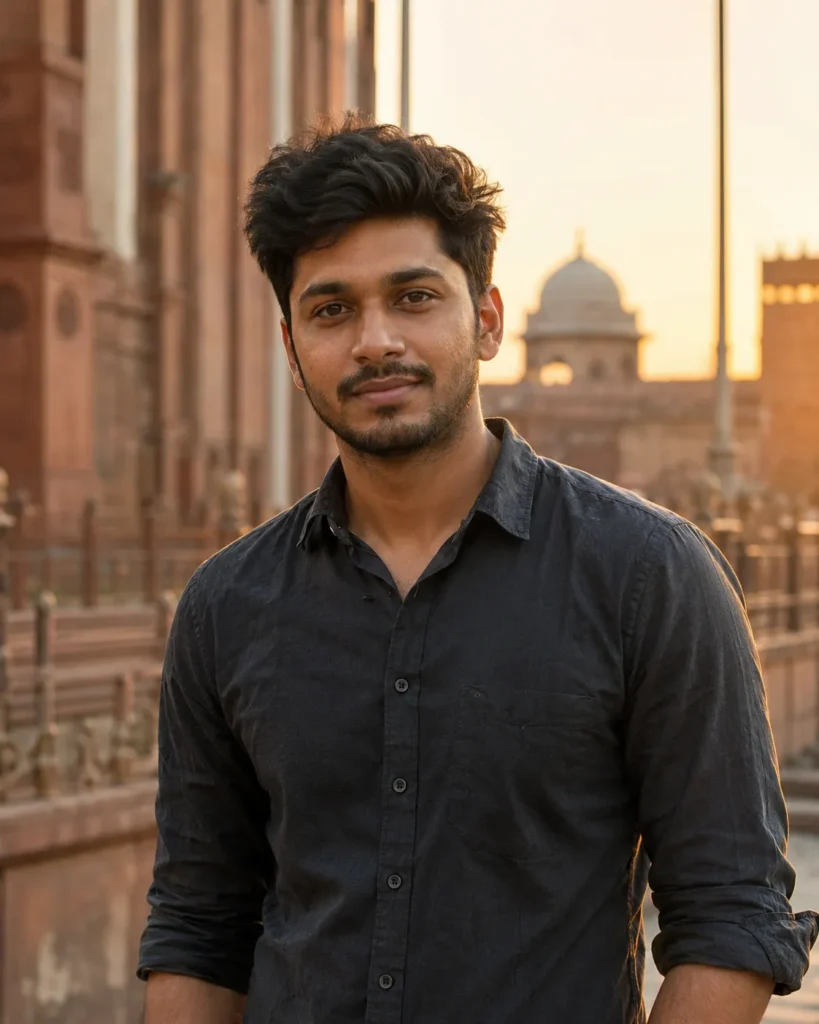
1. Retro Road and Bougainvillea Biker Prompt
This style suits a bright fashion-oriented portrait with a classic motorcycle and colourful roadside flowers.
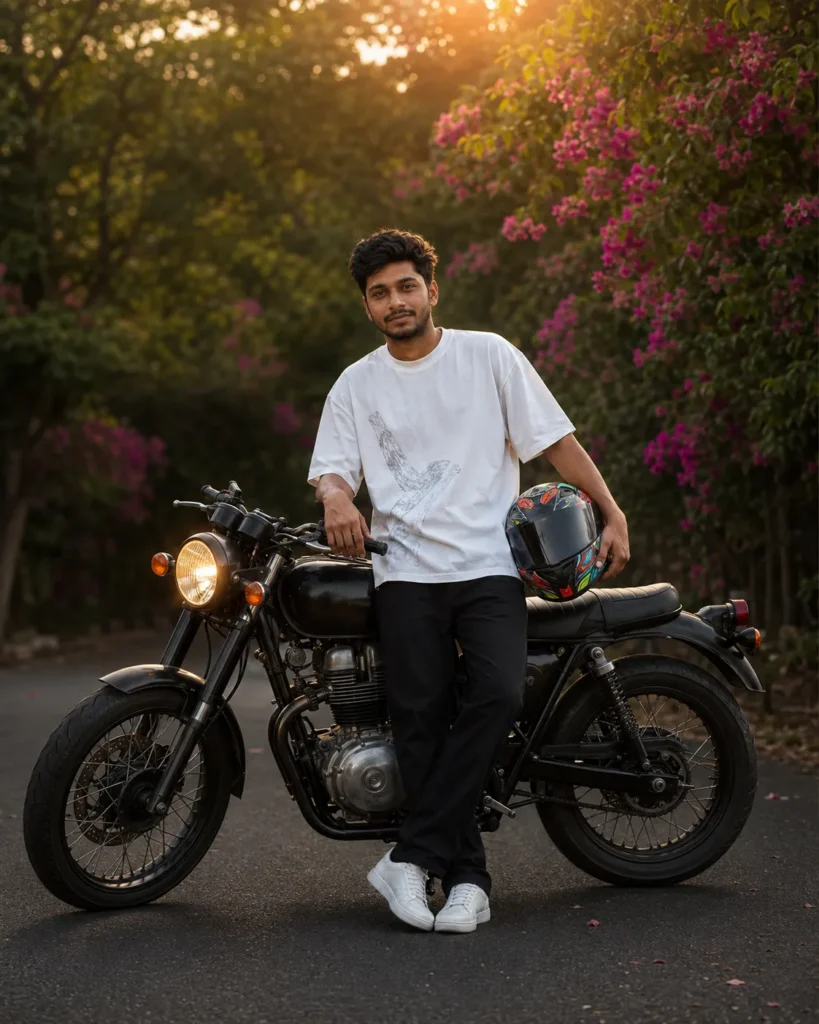
2. Foggy Forest Motorcycle Prompt
Use this prompt when you want a mysterious forest scene with cool cinematic colours and layered mist.
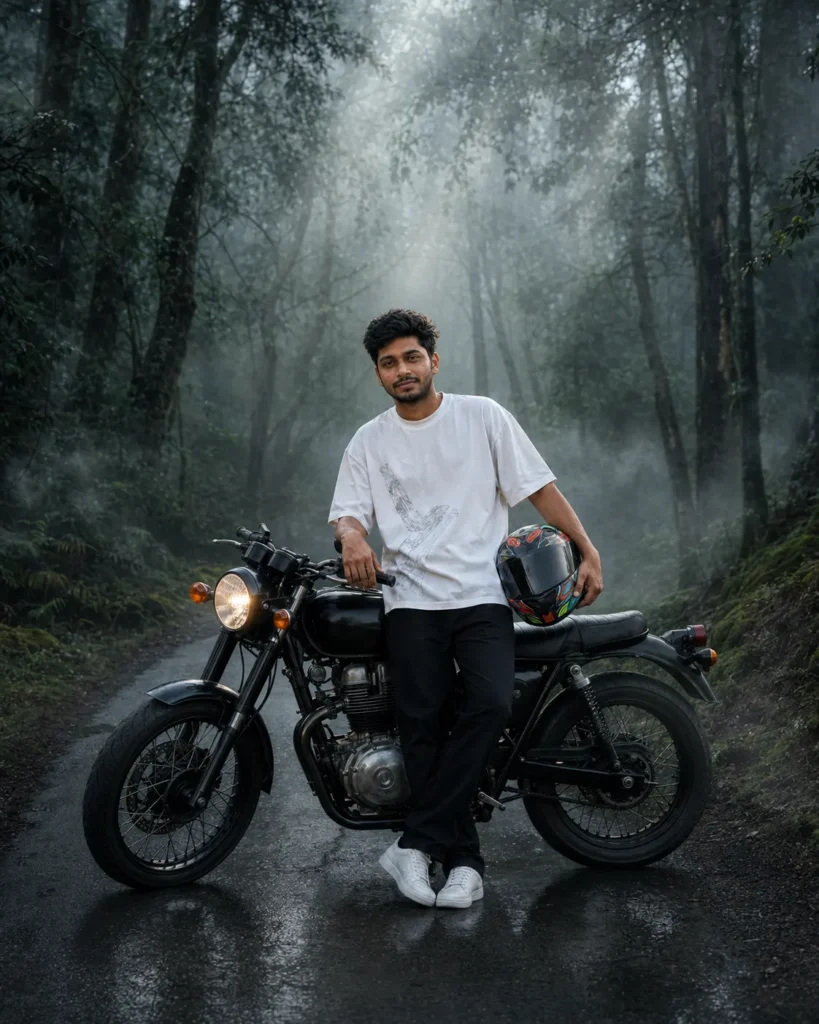
3. Premium Residential Street-Bike Prompt
This scene works well for a clean lifestyle portrait in front of a modern home or boundary wall.
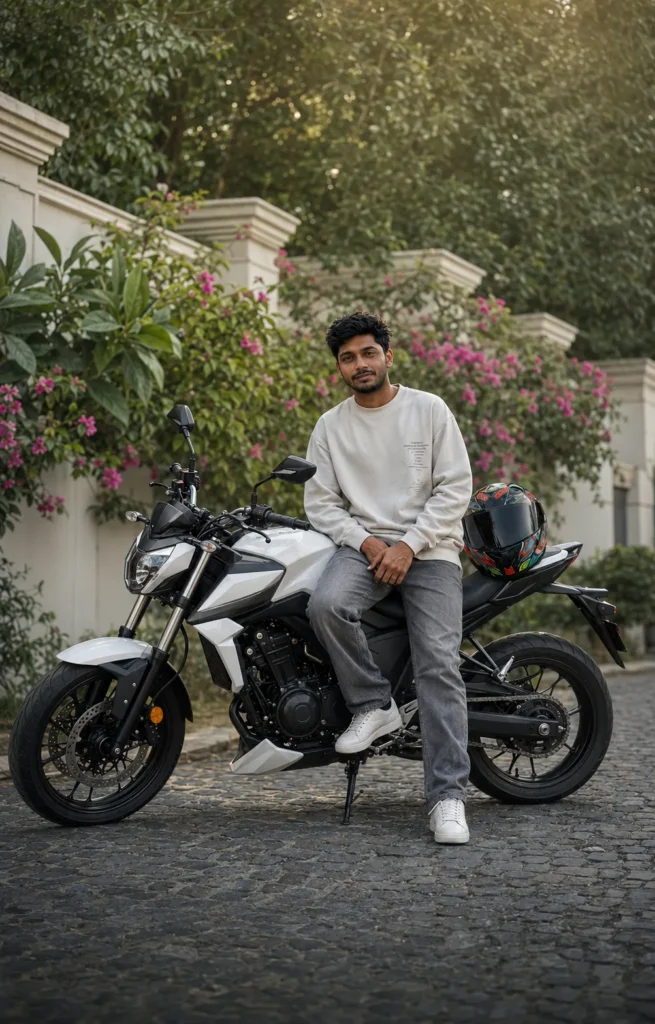
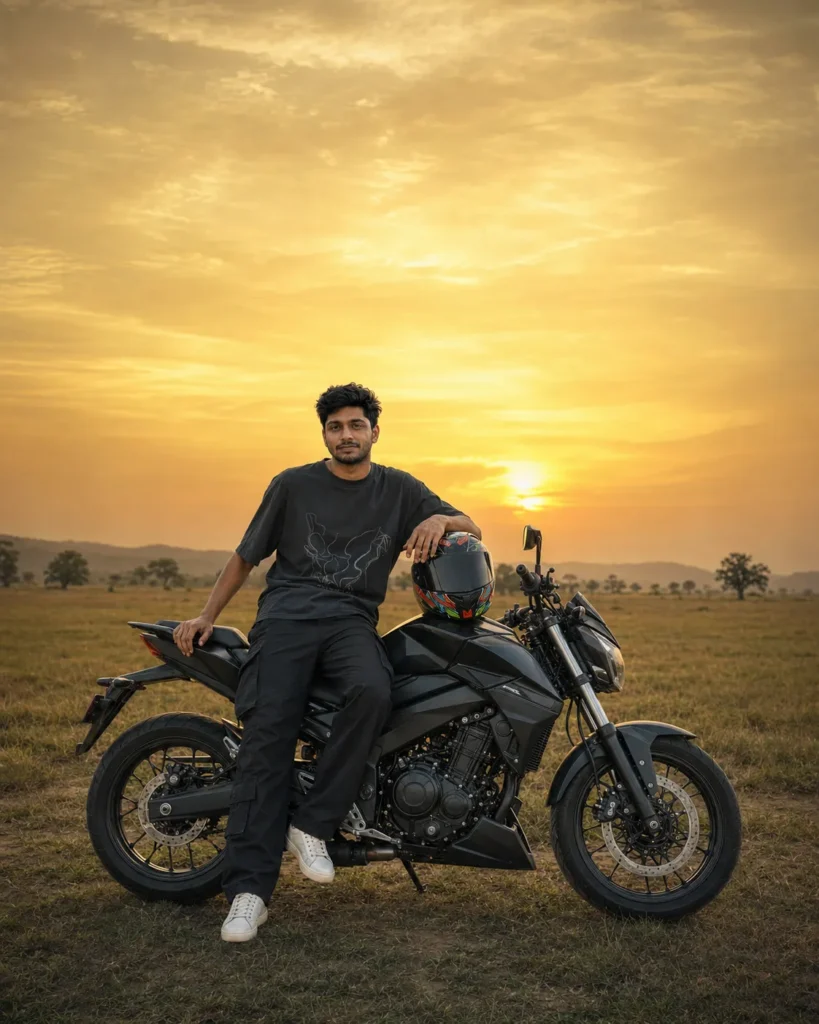
4. Golden-Hour Grassland Biker Prompt
This dramatic sunset style is suitable when you want the sky to become the main visual feature.
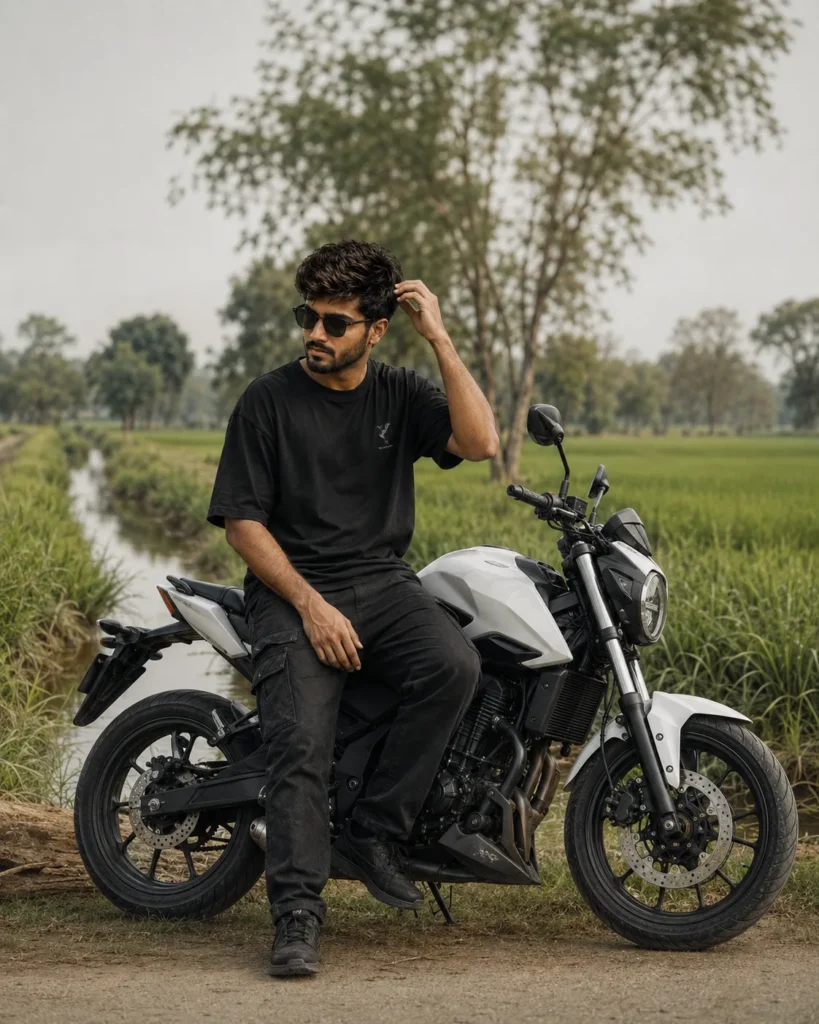
5. Rural Countryside Motorcycle Prompt
Choose this option for a peaceful green setting with farmland, trees and water reflections.
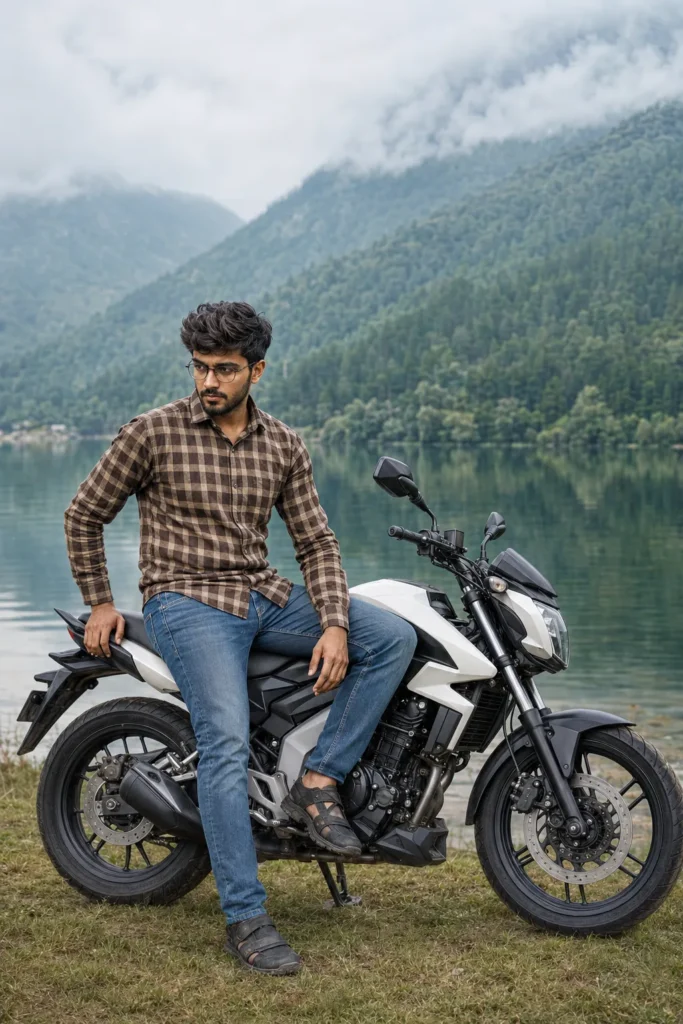
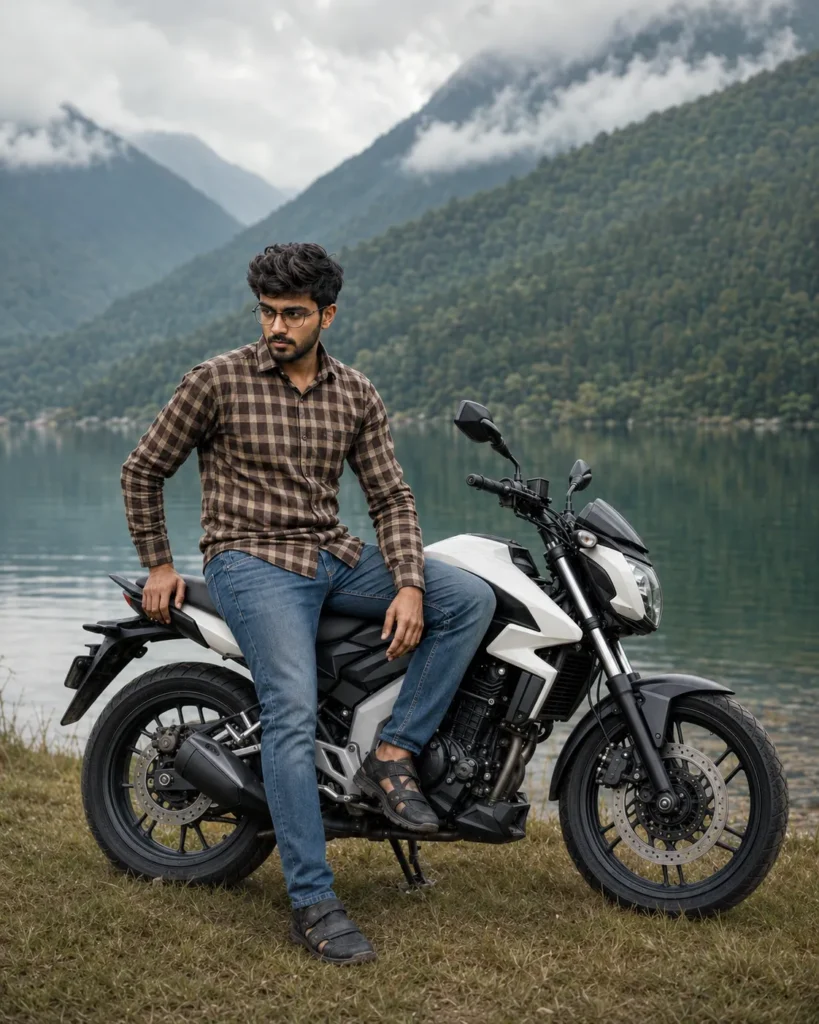
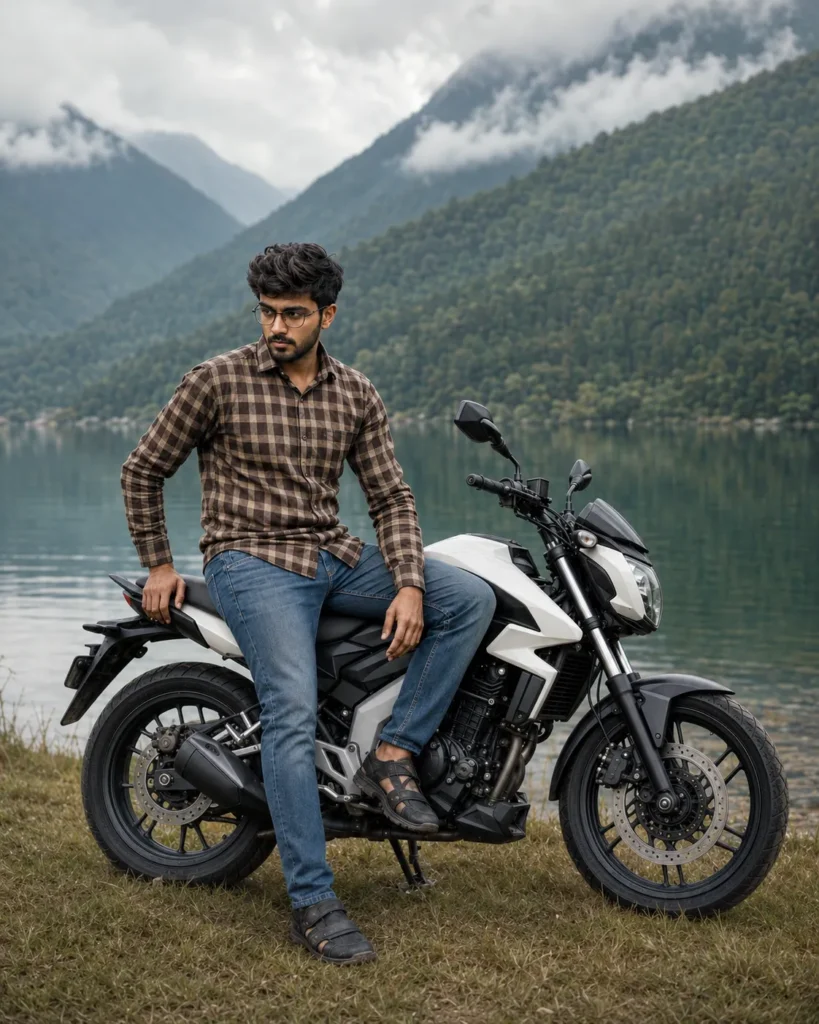
6. Misty Mountain Lake Biker Prompt
This calm editorial style combines a motorcycle portrait with a lake, forest-covered hills and overcast light.
Reusable Negative Prompt
If the tool accepts negative instructions, add this short block at the end:
How to Create a Biker AI Image in ChatGPT
- Open ChatGPT and start a new conversation.
- Tap the attachment or plus button and upload your clear reference photo.
- Copy one prompt from this article and paste it with the uploaded image.
- Submit the request and wait for the image to generate.
- Compare the face, hairstyle, body proportions, hands, motorcycle wheels and shadows with the reference and prompt.
- If something is wrong, request one precise correction, such as “keep the same face and repair only the front wheel.”
- Review the corrected image at full size before saving it.
- Download the final result in the highest available resolution.
Do not repeatedly request a completely new image when only one detail needs correction. A targeted instruction can make it easier to preserve the parts that already look good.
How to Preserve Your Face and Identity
Start with a clear facial reference and explicitly describe the features that must remain unchanged. Ask for the same recognizable facial structure, hairstyle, skin tone and age appearance. Avoid contradictory instructions such as requesting an exact identity while also asking for a different hairstyle, much younger age or completely altered face shape.
If the result does not resemble you, try this correction:
Even with strong instructions, inspect the result carefully. AI-generated identity preservation may vary between attempts.
Creative Biker Photo Styles to Try
You can create more variations by changing only the location and lighting section of a prompt. Useful ideas include a rain-soaked city road with reflected neon lights, a coastal highway at sunrise, a desert road with warm dust, a petrol-station scene at blue hour, a dramatic parking-garage portrait or a snowy mountain pass.
Keep one visual idea dominant. Combining fog, rain, sunset, neon lights and bright daytime light in the same prompt can produce inconsistent shadows and an artificial result.
Common Problems and Solutions
The Face Looks Different
Use a sharper reference photo and repeat the identity-preservation instruction. Ask the tool to correct only the face while keeping the scene unchanged.
The Motorcycle Wheels Look Bent
Request accurate circular wheels, correct alignment, realistic spokes and complete tyre contact with the ground. Tell the tool not to change the subject or background during the repair.
Hands or Fingers Look Unnatural
Simplify the pose and make both hands clearly visible. Ask for anatomically correct hands with five fingers and natural contact with the handlebar, lap or seat.
The Motorcycle Is Cropped
Repeat that the full motorcycle, front wheel and rear wheel must remain inside the 4:5 frame. You can also ask for slightly wider composition and more space around the bike.
The Subject Looks Pasted Into the Background
Ask for matching light direction, realistic rim light, contact shadows, reflections and consistent colour temperature across the person, motorcycle and environment.
Unwanted Text or Logos Appear
Request a clean image with no text, logo, watermark or brand mark. Replace branded clothing instructions with “minimal non-branded typography.”
Safety and Responsible Use
Create parked or safely staged motorcycle scenes rather than showing dangerous riding behaviour. A helmet is a useful visual and safety detail, but an AI image should not encourage stunt riding, speeding or posing in active traffic. Obtain permission before using another person’s photo and clearly label generated or heavily edited images when context could mislead viewers.
Frequently Asked Questions
What is a Cinematic Biker AI Photo Editing Prompt?
It is a detailed text instruction describing how an AI tool should transform a reference photo into a movie-style motorcycle portrait, including the subject, bike, location, lighting and camera treatment.
Can ChatGPT keep my face exactly the same?
It can use an uploaded photo as an identity reference, but perfect accuracy is not guaranteed. A clear image and a focused identity instruction can improve consistency.
Which aspect ratio is best for Instagram?
A 4:5 portrait image uses more vertical space in the Instagram feed and suits full-body motorcycle compositions. A 9:16 version is better for Stories and Reels covers.
Do I need a photo with a motorcycle?
Not always. A clear full-body reference can be placed into a new motorcycle scene, although a photo with a similar sitting or leaning pose may produce more natural body positioning.
Why does the bike geometry look unrealistic?
Motorcycles contain many connected mechanical parts, which are difficult for image models. Ask for complete circular wheels, accurate suspension, realistic engine components and correct ground contact, then review closely.
Can I change only the colour grading?
Yes. Tell the tool to preserve the person, pose, clothing, motorcycle and background while changing only the lighting, contrast and colour grade.
Can I use the generated image commercially?
Usage depends on the tool’s current terms, the rights to your source photo and any brands or protected elements shown. Review applicable terms and avoid implying sponsorship by a motorcycle manufacturer.
Conclusion
A strong Cinematic Biker AI Photo Editing Prompt does more than place a motorcycle behind a person. It coordinates identity, pose, bike geometry, setting, light, camera angle and colour grading so the final image feels like one believable photograph.
Choose a clear reference photo, start with one of the six styles above and review the face, hands, wheels and shadows before saving. For seasonal portrait ideas, you can also explore our 15 August AI Photo Editing Prompts.