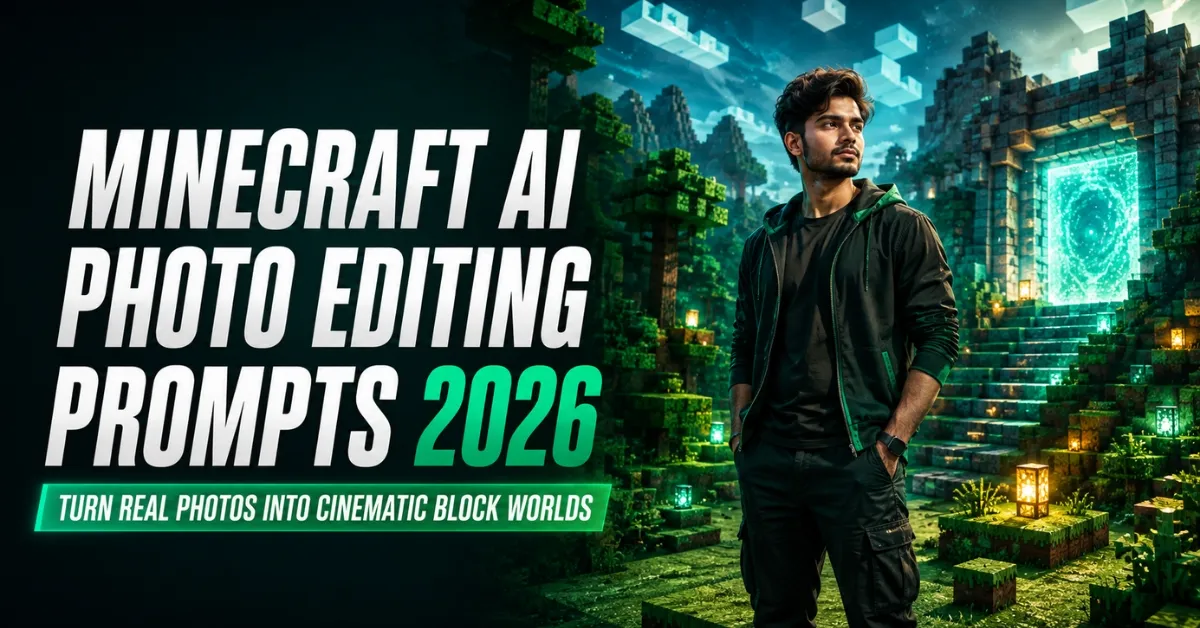
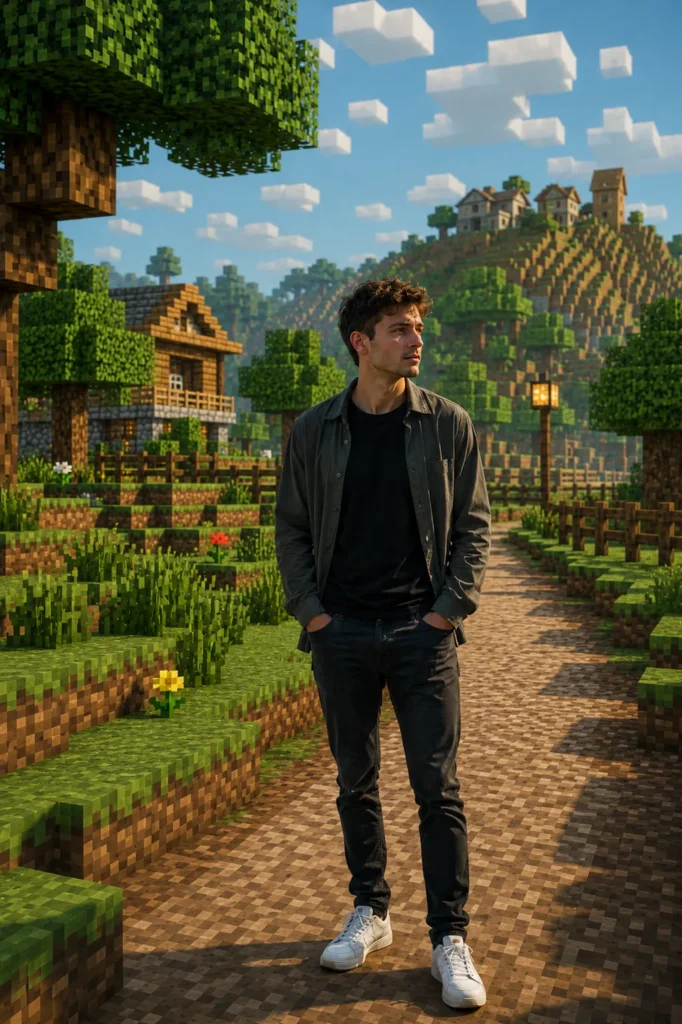
Minecraft-style photos are becoming popular because they combine two completely different visual worlds. The person remains natural and photorealistic, while the surrounding location is rebuilt with cubes, pixel textures, block-shaped trees, voxel paths, and game-inspired lighting. This contrast makes an ordinary portrait look creative without hiding the subject’s real identity.
The good news is that you do not need advanced photo-editing skills to try this effect. With a clear reference image and a detailed Minecraft AI Photo Editing Prompt, ChatGPT can recreate the background in a block-based style while keeping your face, hairstyle, clothes, expression, and pose realistic. This guide explains the complete method, provides copy-ready prompts, and shows you how to correct the most common problems.
Important: Use only photos you own or have permission to edit. This is a fan-made editing guide and is not affiliated with Minecraft, Mojang, Microsoft, or OpenAI.
What Is Minecraft AI Photo Editing?
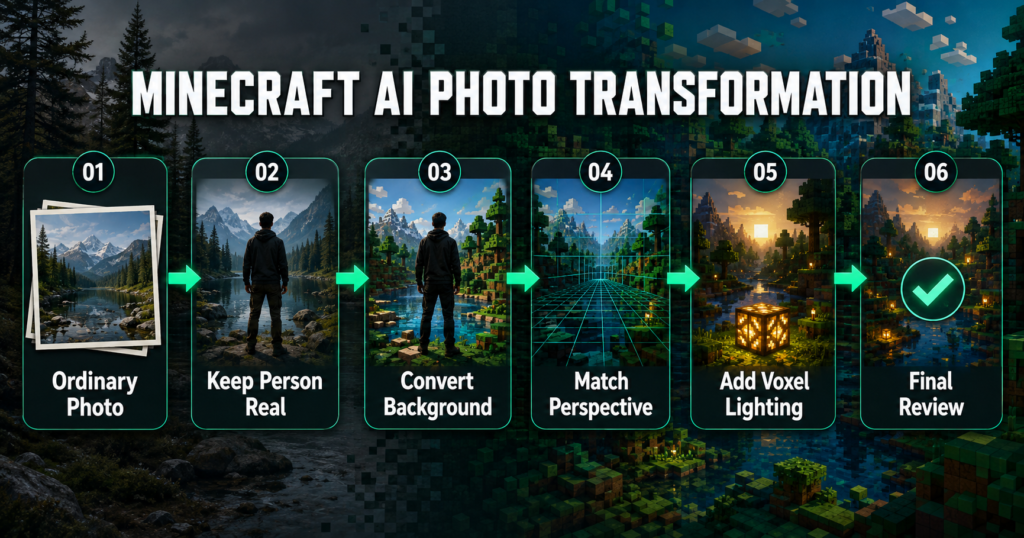
Minecraft AI photo editing is a mixed-style transformation in which a real person is placed inside a voxel or block-based environment. Instead of applying a pixel filter to the whole picture, the AI keeps the human subject photorealistic and converts the background elements into block models.
For example, natural trees become cube-shaped trees, grass becomes textured blocks, a road becomes a voxel path, and a real dog may become a block-style wolf. Buildings, fences, rocks, clouds, lamps, and other environmental objects can also be reconstructed in the same style. The best results preserve the original perspective, camera angle, subject size, and object placement, so the finished picture still feels connected to the reference photo.
Why Are Minecraft-Style AI Photos Trending?
These edits attract attention because they immediately look different from ordinary portraits. The realistic subject gives the image a personal connection, while the block world adds fantasy and gaming nostalgia. The style works for boys, girls, couples, families, gamers, travel photos, pet portraits, and even cinematic poster designs.
Another reason for the trend is its flexibility. You can create a peaceful voxel forest, a block-style city, a survival landscape, a rainy village, a mountain world, or a dramatic game-over scene. The concept can therefore be adapted to many moods without changing the person’s natural appearance.
Best Reference Photo for Minecraft AI Editing
Your reference photo strongly affects the final result. Choose a sharp, high-resolution image with a clearly visible face. Natural daylight is preferable because strong filters, beauty effects, and heavy shadows can make identity preservation more difficult.
A full-body or three-quarter portrait works well when you want the AI to rebuild the surrounding location. Leave enough space around the subject so the block environment remains visible. Hands and feet should not be hidden behind random objects, and the subject should not be cut off at the edge of the frame. If a person is interacting with a bicycle, pet, chair, vehicle, or another object, make sure the object is also clearly visible.
Avoid blurred screenshots, very small files, group photos with overlapping faces, extreme close-ups, and images with complicated reflections. A clean photograph gives the AI better information about the person’s face, body proportions, clothing, pose, and original lighting.
How to Create a Minecraft-Style Photo Using ChatGPT
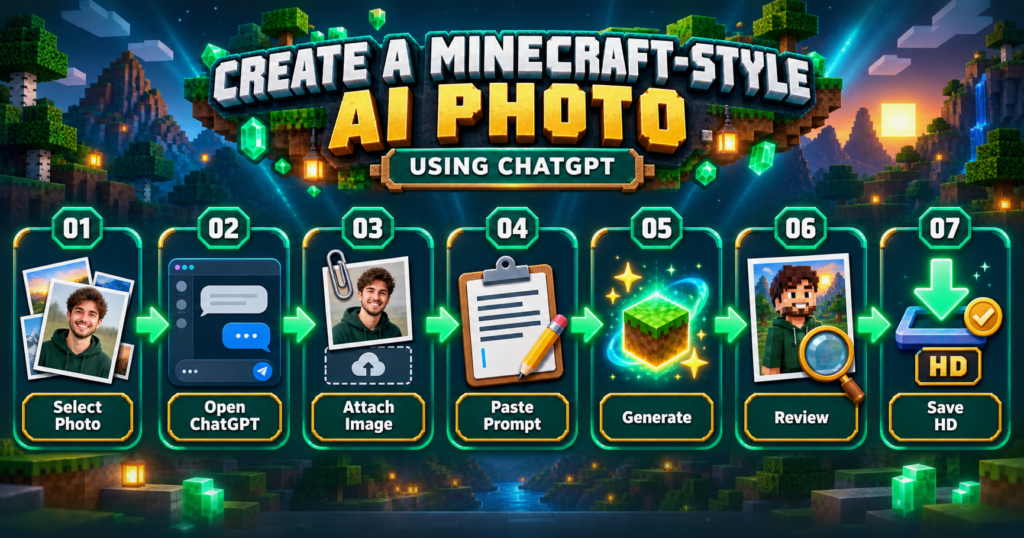
Creating the image is straightforward when you follow the correct order:
- Open ChatGPT and start a new conversation that supports image creation.
- Tap the attachment or plus icon and upload your reference photo.
- Choose one of the prompts provided below and paste it into the chat.
- Add any personal instructions, such as the location, weather, aspect ratio, or objects you want to preserve.
- Ask ChatGPT to generate the image and wait for the result.
- Zoom in and check the face, hands, body proportions, background blocks, and object placement.
- If something looks wrong, request one specific correction instead of regenerating everything.
- Download the final image in the highest available quality.
The first result may not always be perfect. AI image editing works better when instructions are specific and corrections are made one at a time. For example, say, “Keep everything unchanged and correct only the face,” or, “Keep the person unchanged and rebuild only the road as voxel blocks.”
Minecraft AI Photo Editing Prompt for a Cinematic Voxel Background
Use this prompt when you want the person to remain realistic while the complete surrounding location becomes a premium block world:
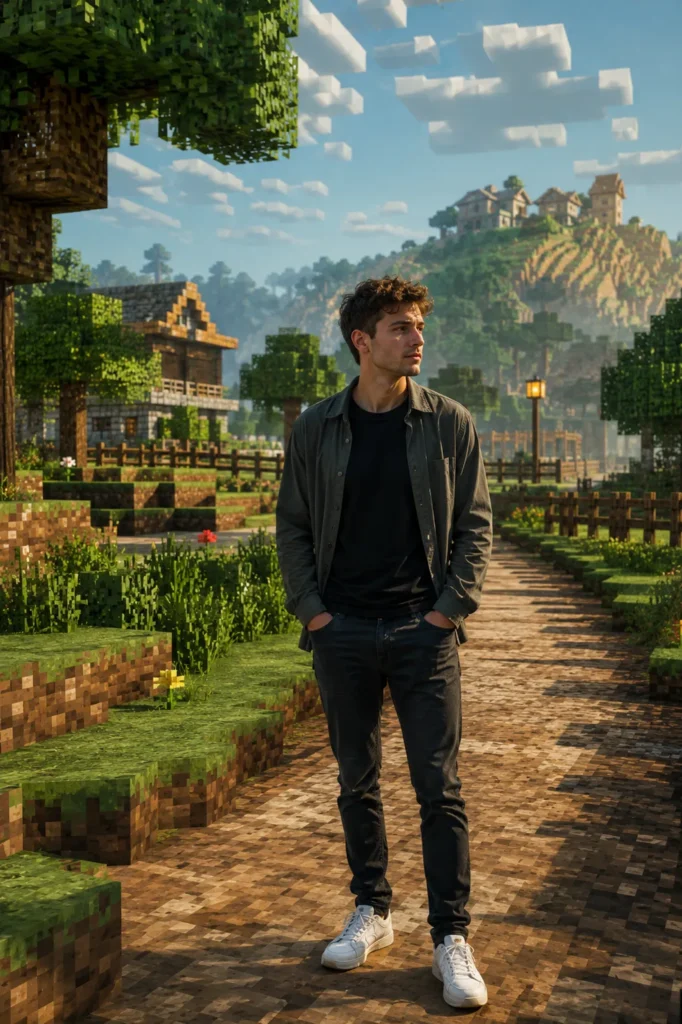
Prompt to Recreate the Original Location in Block Style
This version is useful when you want the new image to follow the layout of your original background instead of inventing a different location:
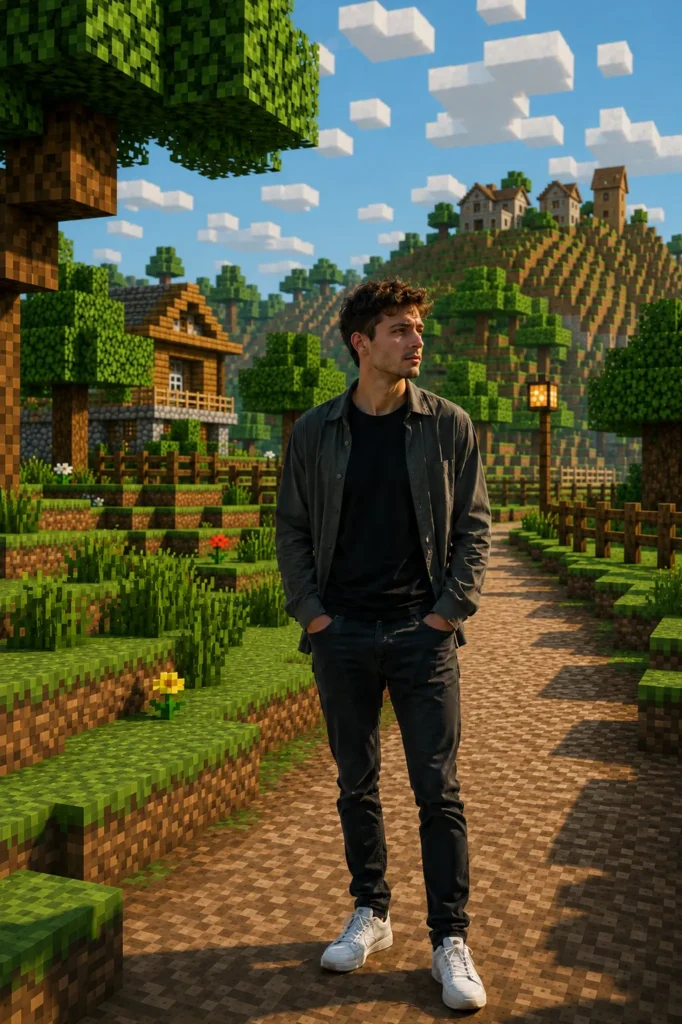
Short Minecraft Photo Editing Prompt
Use this shorter version when the reference picture is already clear and you want a simple transformation:
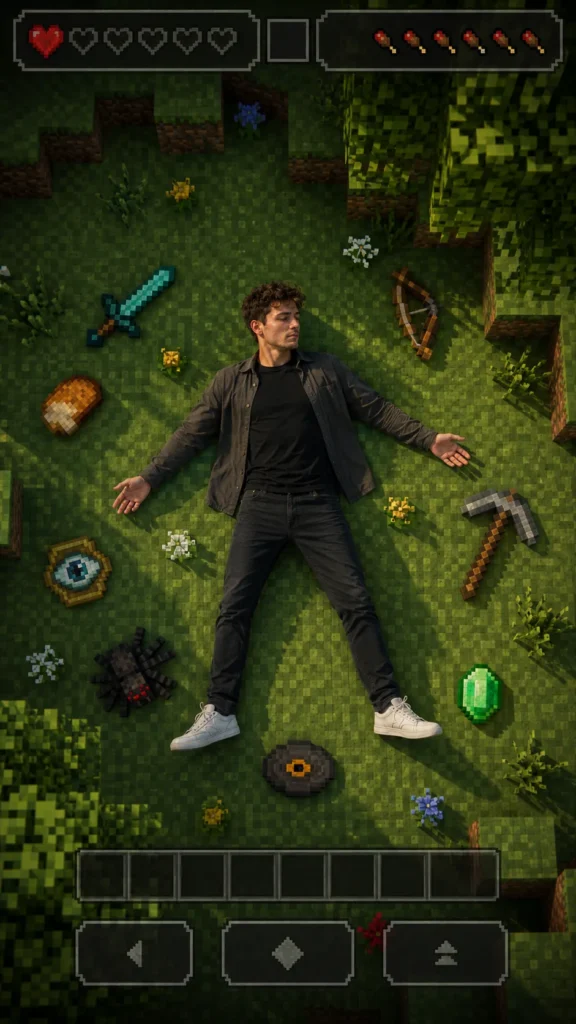
Minecraft Game-Over Poster Prompt
This creative prompt produces a dramatic top-down composition inspired by a game-over screen:
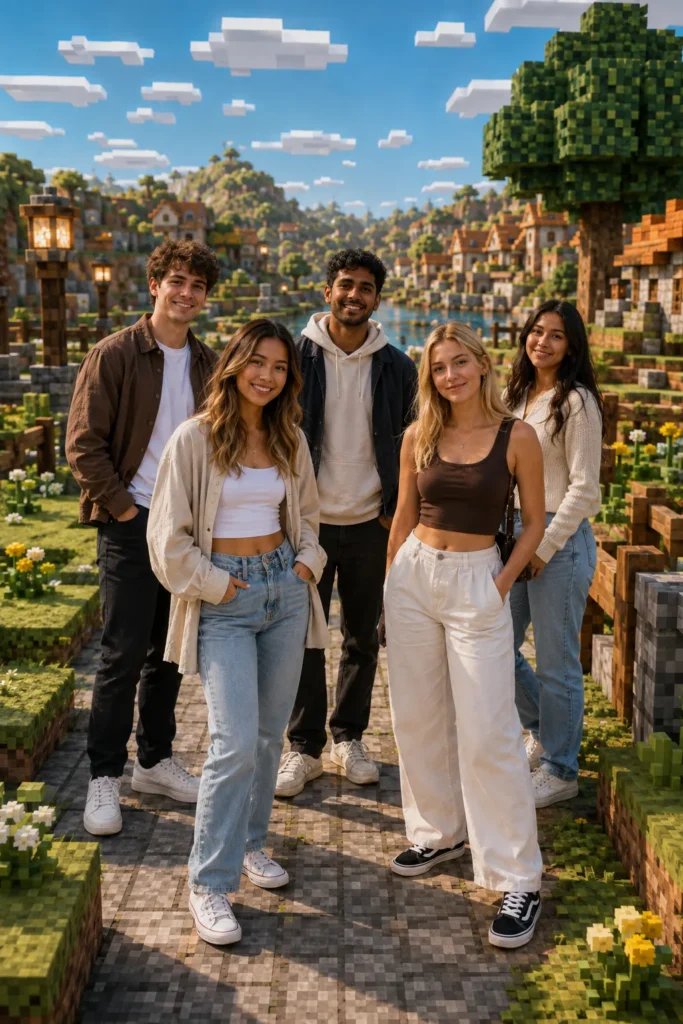
Minecraft Prompt for Couples or Friends
How to Handle Pets and Objects in the Photo
Decide before generating whether an object should stay realistic or become part of the block world. A useful rule is to keep all human subjects realistic and convert non-human elements into voxel models. For example, a dog can become a friendly block-style wolf, a real horse can become a voxel horse, and a chair can become block furniture.
If the subject is holding something important, state exactly what should happen to it. You might say, “Keep the mobile phone realistic,” or, “Convert the sword into a voxel item while keeping both hands natural.” Clear instructions prevent the AI from fusing fingers with objects or changing an important prop unexpectedly.
How to Preserve Your Face and Identity
The most common problem in AI-edited portraits is facial mismatch. Avoid vague instructions such as “make me look better,” because they may encourage the model to beautify or redesign the face. Instead, use an identity-lock instruction:
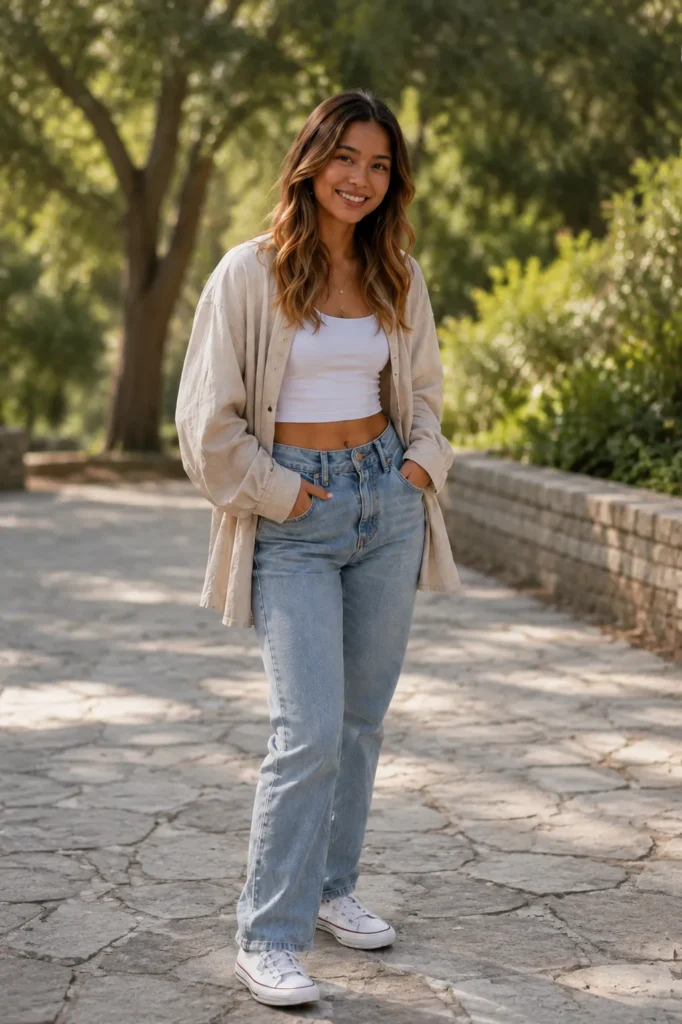
The face should also remain properly lit. If the generated background is brighter or darker than the original, ask for natural light integration without changing facial features. When only the face is wrong, request a face correction and explicitly instruct the AI to keep the background, composition, and all other elements unchanged.
Common Problems and Their Solutions
The Person Also Becomes Pixelated
Repeat that the human subject must remain 100% photorealistic and that the voxel effect applies only to the environment. Put this instruction at both the beginning and end of the correction prompt.
The Face No Longer Matches
Upload the clearest original photo again and use the identity-lock text above. Ask the AI to correct only the face while preserving the current background, pose, lighting, and composition.
Hands or Limbs Look Incorrect
Use a reference photo in which both hands are visible and not moving quickly. Ask for natural five-finger hands, correct joints, realistic limb proportions, and accurate contact with any held object.
The Background Looks Like a Simple Pixel Filter
Ask the AI to rebuild the scene with genuine three-dimensional cube geometry rather than adding a flat pixel overlay. Mention block depth, voxel shadows, cubic foliage, stepped terrain, and structurally accurate objects.
The Subject Looks Pasted Onto the Background
Request matching light direction, natural contact shadows, consistent depth of field, reflected environmental colour, and subtle atmospheric blending around the subject’s edges.
Text Is Misspelled
AI image tools can struggle with typography. Generate the visual without text when possible, then add the final wording in Canva, Photoshop, or another design application. If text must be generated, provide the exact phrase in quotation marks and check every letter before publishing.
Best Settings for Social Media
For Instagram feed posts, a vertical 4:5 composition works well because it occupies more screen space. Use 1080 × 1350 pixels for the final post. For Stories and Reels covers, use a 9:16 composition at 1080 × 1920 pixels, but keep the face and important objects inside the centre safe area. A square 1080 × 1080 version is useful for profile grids and cross-platform sharing.
Export in high-quality JPG or PNG format. Before uploading, check that the face is sharp, the blocks are detailed, hands are correct, no unwanted text or watermark is present, and the image does not contain duplicated objects. Avoid excessive sharpening and saturation, as they can make the edit look artificial.
Frequently Asked Questions
Can I create a Minecraft-style photo in ChatGPT?
Yes. Upload a clear reference photo and describe which parts should remain realistic and which parts should become a voxel environment. Detailed identity and background instructions normally produce more controlled results.
Will the prompt change my face?
It may if the instructions are vague or the reference image is unclear. Use an identity-lock instruction and ask the model not to beautify, reshape, smooth, or stylize the face.
Can girls and couples use these prompts?
Yes. Most prompts are universal. For a group image, instruct the AI to preserve every person’s identity separately and maintain the original spacing between subjects.
Can I use a selfie?
A selfie can work for a close portrait, but a three-quarter or full-body image is better when you want a large block environment around the subject.
Should pets remain realistic?
That depends on the effect you want. You can keep a pet realistic or request a block-style animal. State your preference clearly so the AI does not make an unwanted change.
Why does my background look flat?
The prompt may be requesting pixel art rather than voxel geometry. Ask for three-dimensional cube forms, block depth, stepped terrain, realistic shadows, and a cinematic game-world render.
Can I use the generated image commercially?
Review the terms of the image tool you use, ensure you have permission for every reference photo, and avoid presenting fan-made visuals as official Minecraft artwork or merchandise.
Conclusion
A good Minecraft-style AI edit keeps the person believable while turning the surrounding world into a detailed block environment. The most important steps are choosing a clear reference photo, locking the person’s identity, describing exactly which objects should become voxel models, and reviewing the face, hands, perspective, and shadows before saving.
Try the prompts above with different environments such as a forest, city, village, mountain, rainy road, or survival landscape. Small, specific corrections will usually give better results than repeatedly changing the entire prompt. Once the final image looks natural, export it in high resolution and share your creative block-world portrait.
1 thought on “Minecraft AI Photo Editing Prompts 2026: ChatGPT Guide”