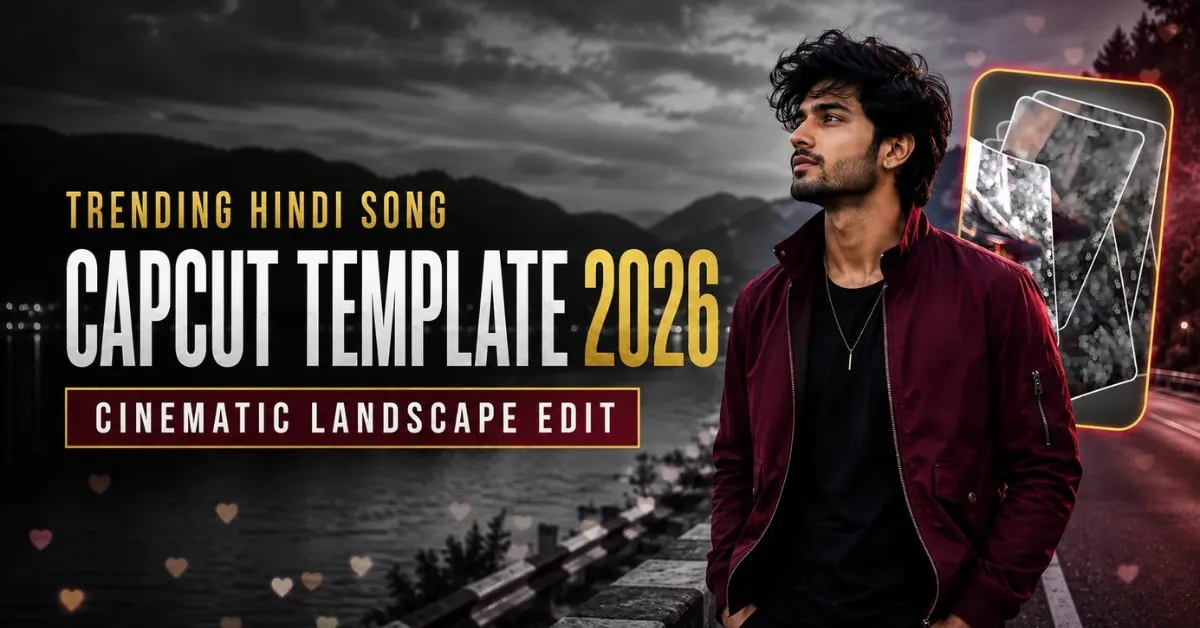
The Trending Hindi Song CapCut Template helps you turn an ordinary landscape clip into a cinematic music edit without creating every effect manually. This template combines a blurred introduction, a smooth clip reveal, selective black-and-white styling, slow motion, heart effects and a cinematic filter. You only need to choose a suitable video, place it in the template and review the result before exporting.
This guide explains the template’s visual style, the best clip format, how to use each template link and the settings that can help you save a clear video. You will also learn practical ways to improve your Reel’s presentation without relying on unrealistic promises of instant virality.
Quick answer: Record or select a clear 16:9 landscape video, open your preferred template in the official CapCut app, add the required clip, preview the crop and export it in HD.
What Is a CapCut Template?
A CapCut template is a pre-designed editing project containing fixed effects, transitions, music timing, filters, animations and media placeholders. When you add your own video or photos, the application applies those existing edits to your selected media. This makes templates helpful for beginners and for creators who want to reproduce a popular editing format quickly.
Templates reduce manual work, but the source clip still matters. Poor lighting, an incorrect aspect ratio or an awkward crop can make the final video look unclear. Always preview the complete edit and adjust your media before exporting.
You can browse more CapCut trend templates if you want to try other Reel formats.
Details of the Trending Hindi Song CapCut Template
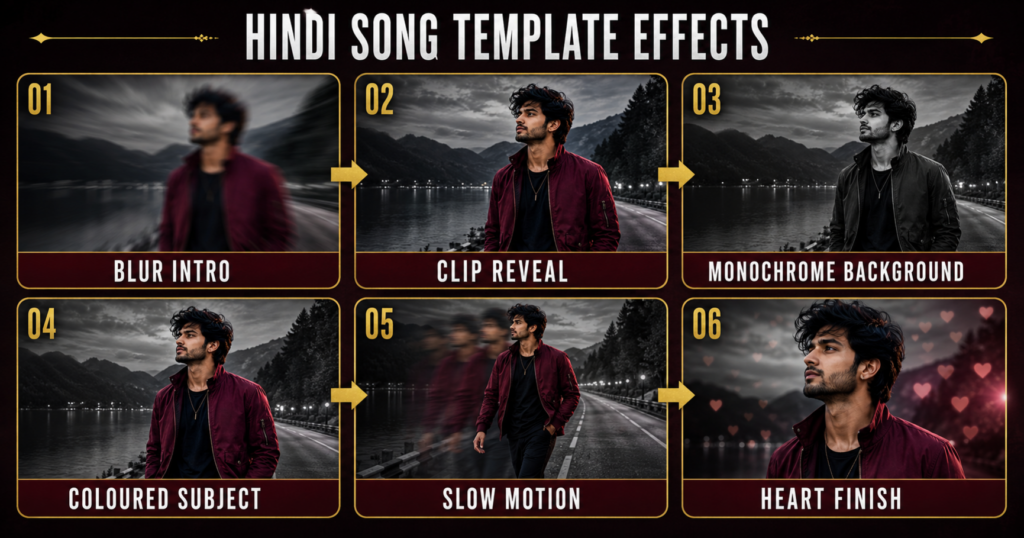
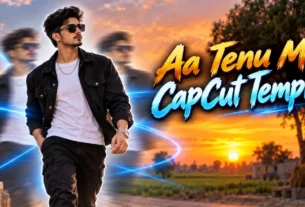
This Hindi song edit is different from many vertical Reel templates because it is designed around a landscape 16:9 clip. The video begins with a soft blur or glow that partially hides the subject. A transition then reveals the clip and introduces the main cinematic look.
One of the most noticeable effects is selective colour. The background changes to black and white while the main subject keeps natural colour. This contrast separates the person from the surroundings and gives the edit a dramatic appearance. Slow motion is used to make the movement feel smoother, while small heart effects add an emotional or romantic touch.
A cinematic filter remains over the footage to create consistent colour, contrast and atmosphere. Depending on the version you choose, the timing, song, heart animation and reveal transition may be slightly different.
The typical sequence is:
Blur Intro → Clip Reveal → Monochrome Background → Coloured Subject → Slow Motion → Heart Finish
Watch the full preview before adding your clip. This will show you the required duration, the number of media slots and the part of the frame where your subject should appear.
Best Clip Format for This Template
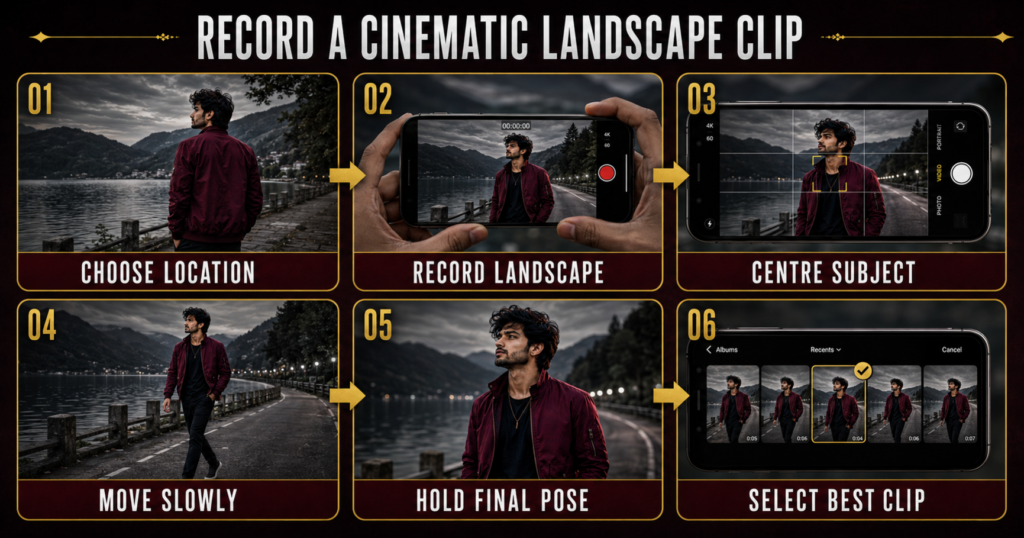
Use a video recorded in 16:9 landscape orientation. Hold your phone horizontally and keep the subject near the centre so important details remain visible after the template applies its effects. Leave some space above the head and on both sides of the body.
A slow walking clip, a side-looking pose, a relaxed turn toward the camera or a short emotional expression can work well with this Hindi song style. Record in bright, even light and avoid a background that is too crowded. Selective black-and-white effects work more clearly when there is visible separation between the subject and the background.
For a better result:
- Clean the camera lens before recording.
- Hold the phone horizontally and use the rear camera when possible.
- Record at 1080p or higher.
- Keep the camera steady with a tripod or another person’s help.
- Move slowly so the template can create smooth slow motion.
- Hold the final pose for two or three seconds.
- Record several takes and select the clearest one.
Do not record on an active road, near moving traffic or in a restricted location. Ask permission before filming on private property.
Trending Hindi Song CapCut Template Links
The same trend may have several template versions. Preview each option and choose the design that suits your clip and preferred Hindi song.
Old Hindi Song CapCut Template
This version is suitable for a nostalgic or emotional landscape edit with a classic Hindi-song mood.
Hindi Song CapCut Template Version 2
Use this option if you prefer a modern slow-motion edit with a different reveal or heart-effect sequence.
Barsat Ke Mausam Mein CapCut Template
This version is designed for a rain-themed or romantic Hindi-song edit. A calm outdoor clip can suit its emotional presentation.
How to Use the Hindi Song CapCut Template
Install or update the official CapCut application before opening a template link. The exact button wording may vary slightly according to your device, app version or region.
- Tap the Check This Template on CapCut button below your preferred preview.
- Allow the page to continue in the official CapCut application.
- Watch the entire preview and check how many media slots are required.
- Tap Use Template, Use Template in CapCut or the equivalent option.
- Select your 16:9 video from the phone gallery.
- If several clips are required, add them in the same order shown in the preview.
- Tap Next or Preview and wait for the effects to process.
- Check the subject’s crop, background effect, slow motion and heart animation.
- Reposition or replace any clip that does not fit properly.
- Tap Export to save the finished video.
If the subject’s head or body is cut off, do not export immediately. Return to the media adjustment screen and change the crop. The black-and-white background effect will look best when the subject remains clearly separated and fully visible.
Best Export Settings
The template uses landscape framing, so keep the final video in 16:9 unless you intentionally want to redesign it for another platform. Exporting at 1080p is normally sufficient for a clear social-media upload. Match the frame rate to your original recording whenever possible: use 30 fps for footage recorded at 30 fps and 60 fps for footage recorded at 60 fps if the template and your device support it.
Choose a high-quality bitrate setting when sufficient storage is available. Watch the exported file once before posting and confirm that the subject stays in colour, the background remains monochrome and the audio is synchronized with the transitions.
Avoid sending the video repeatedly through messaging apps before uploading it because additional compression can reduce image quality. Upload the original exported file directly to your chosen platform.
How to Improve the Reach of Your Video
No template, song or posting time can guarantee that a video will go viral. However, you can improve presentation and give viewers a stronger reason to watch.
Choose a clear first frame because viewers decide quickly whether to continue watching. Use a short caption that matches the mood of the Hindi song and select a relevant cover frame. Avoid filling the caption with unrelated hashtags. A small set of accurate tags is more useful than repeating random trending terms.
If Instagram or another platform offers an officially licensed trending audio, you can add it through the platform’s music library. Lower the audio volume when necessary so it does not clash with the template’s sound. Audio has volume—not opacity. Confirm that you have permission to use any music outside an official platform library.
Post consistently at times when your own audience is active, but do not depend on a universal “best time.” Review your account insights, compare the performance of several posts and adjust your schedule using your own data. Original footage, a clean edit and a relatable idea usually matter more than copying every element of another Reel.
Common Problems and Solutions
The Template Link Does Not Open
Confirm that CapCut is installed and updated. Open the link in a normal browser and choose the option to continue in the official app. Availability can differ by region, and a creator may remove a template without notice. Try another tested version if the first link is unavailable.
The Use Template Button Is Missing
Restart the app, check your connection and open the link again. If the button still does not appear, the template may be unavailable in your location or may have expired. Avoid downloading unofficial modified applications to bypass access restrictions.
My Landscape Clip Is Cropped
Make sure the original file is genuinely 16:9. Reposition the clip during the preview stage and keep the subject near the centre. A vertical recording may be enlarged heavily and lose important parts of the frame.
The Background Does Not Turn Black and White Correctly
Selective-colour effects work best with a clearly visible subject and a simple background. Replace dark, blurry or backlit footage with a brighter clip. Complex backgrounds and motion blur can reduce subject separation.
The Slow Motion Looks Shaky
Use a stable clip with gradual movement. Footage recorded at a higher frame rate may produce smoother slow motion, but the result also depends on the selected template and device.
Export Stops or Takes Too Long
Free some phone storage, close other applications and restart CapCut. Wait for the full preview to load before exporting. If the problem continues, replace unusually large or damaged video files.
Is This Template Free and Safe?
Many CapCut templates are available without paying an editor, although some versions may contain an effect, font or feature marked as premium. Review the app screen before agreeing to any purchase.
Use the official CapCut application and links that open on CapCut’s official service. Do not install unknown APK files or enter your login information on an unfamiliar page. Also avoid uploading private footage that you do not want handled by an online editing service.
This website is not affiliated with CapCut. CapCut, its name, logo and related trademarks belong to their respective owners. We share publicly available template links only for readers’ convenience. Templates, music and features may change according to the creator, region and app version.
Frequently Asked Questions
What is the Trending Hindi Song CapCut Template?
It is a ready-made landscape video project that can apply blur, reveal, selective black-and-white, slow-motion, cinematic and heart effects to your selected clip.
Does this template require a 16:9 video?
Yes, the described version is designed for landscape footage. A 16:9 source clip will usually fit better and require less cropping than a vertical video.
Can I use a vertical clip?
You may be able to add one, but CapCut may enlarge or crop it to fill the landscape frame. Recording horizontally is the safer option for this particular template.
How many clips are needed?
The requirement depends on the template version. Check the preview and media-selection screen before choosing files. Some versions use one video, while others may include additional slots.
Can I use my own Hindi song?
You can replace or add audio if the app and template allow it, but changing the soundtrack may affect transition timing. Use music you are permitted to publish.
Why does the template not appear in CapCut search?
Search results vary by region and app version. The creator may also rename or remove a template. Use a tested direct link from the article when available.
Will using a trending song make my Reel viral?
No. Trending audio can help a video fit current audience interests, but views depend on many factors, including content quality, viewer retention, originality and account audience.
Conclusion
The Trending Hindi Song CapCut Template 2026 is a convenient option for creating a cinematic landscape edit with blur, selective colour, slow motion and heart effects. Record a stable 16:9 clip, choose the template version that matches your preferred mood and review the complete preview before exporting in HD.
If you enjoy emotional or cinematic formats, also explore the Awarapan 2 CapCut Template and the Attitude Boy CapCut Template for more editing ideas.
1 thought on “Trending Hindi Song CapCut Template 2026 – Viral Edit”