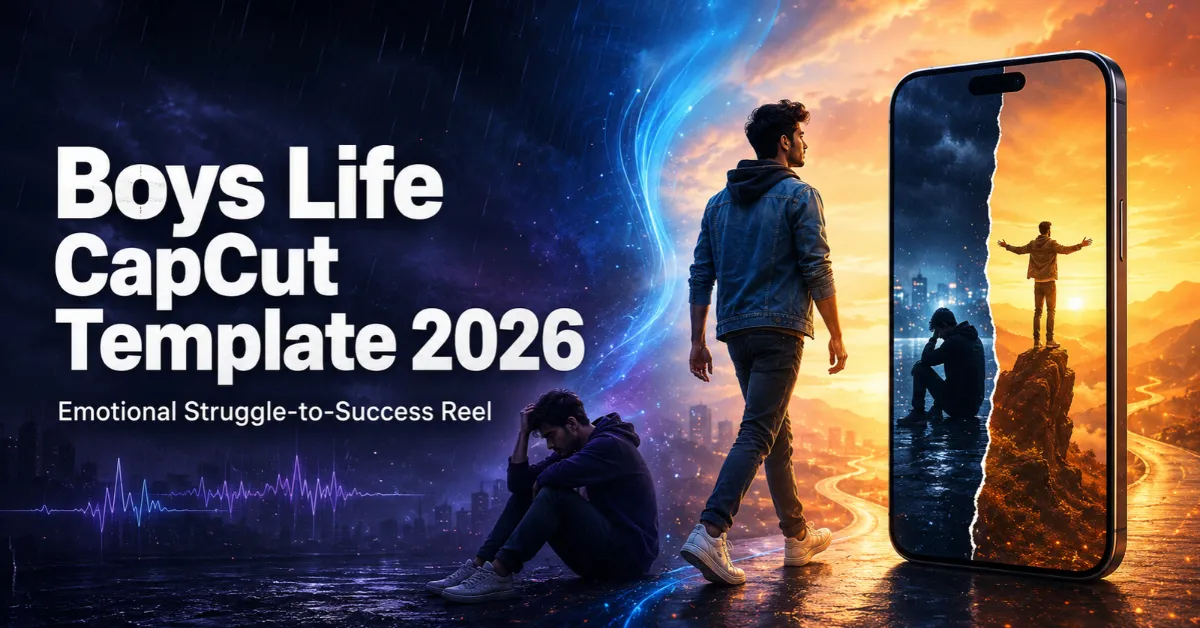
The Boys Life CapCut Template helps creators present a personal struggle, setback or comeback through an emotional short video. Its story follows a boy who starts creating content, faces declining reach or criticism, continues working and eventually earns recognition.
The timing, dialogue and visual sequence are already arranged. You only need to prepare suitable media, add it in the correct order and review the result. This guide explains the editing style, recording choices, template link, usage steps and common fixes.
What Is the Boys Life CapCut Template?
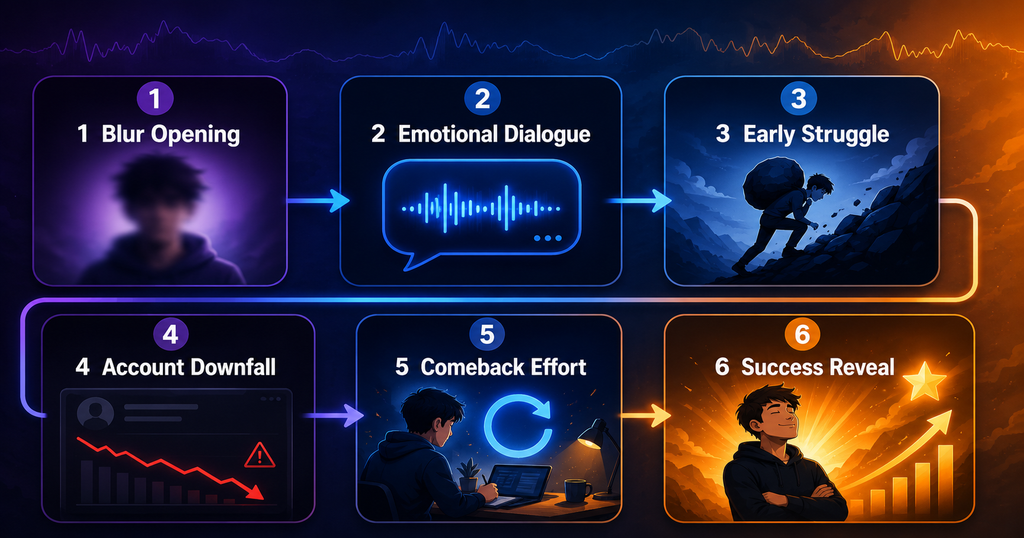
The Boys Life CapCut Template is a ready-made emotional video-editing sequence based on a struggle-to-success story. Its sample dialogue describes a boy who creates videos, experiences a decline in his social-media account, faces mockery after starting again and later becomes recognised for his work.
Its structure is flexible enough for a creator, student, sportsperson, freelancer or small-business owner. The video starts with a blurred opening, then uses dialogue and timed clips to represent early effort, disappointment, restarting and improvement. A clear beginning, struggle and comeback will feel more meaningful than random stylish shots.
If you enjoy discovering other ready-made styles, explore the latest CapCut templates available on RoyEditors.
Why Is This Emotional Editing Style Popular?
Short videos often perform well when viewers can understand the emotion quickly. A story about being ignored, criticised or forced to restart is familiar to many people, especially new creators who have spent months posting without receiving the response they expected.
Viewers may compare the story with their first video, old account or period of low confidence. That connection can encourage comments and shares. Still, no template guarantees virality; results depend on the story, original footage, hook, audience interest and platform recommendations.
For another emotional storytelling option, you can also see the Awarapan 2 CapCut Template, which uses a flashback-style approach.
Boys Life CapCut Template Link
Use the button below to open the supplied template version:

Important note: Some templates may be unavailable in certain regions, versions or devices. If the link does not open, update the official CapCut app and try again later. RoyEditors is not affiliated with CapCut. CapCut and its related trademarks belong to their respective owners. We only share a publicly available template link for users’ convenience.
Effects Used in the Boys Life CapCut Template
The template may include these story-supporting elements:
- A blurred opening that creates curiosity before the subject becomes clear.
- An emotional dialogue that gives the video its narrative structure.
- Timed clip changes that match important words or turning points.
- Slow-motion or held moments that allow the emotion to settle.
- Cinematic colour treatment for a serious, reflective mood.
- Reveal and transition effects that move the story from struggle to progress.
- A stronger final frame that represents confidence or achievement.
Watch the preview to confirm the required media count and duration because versions can change.
What Kind of Clips Should You Prepare?
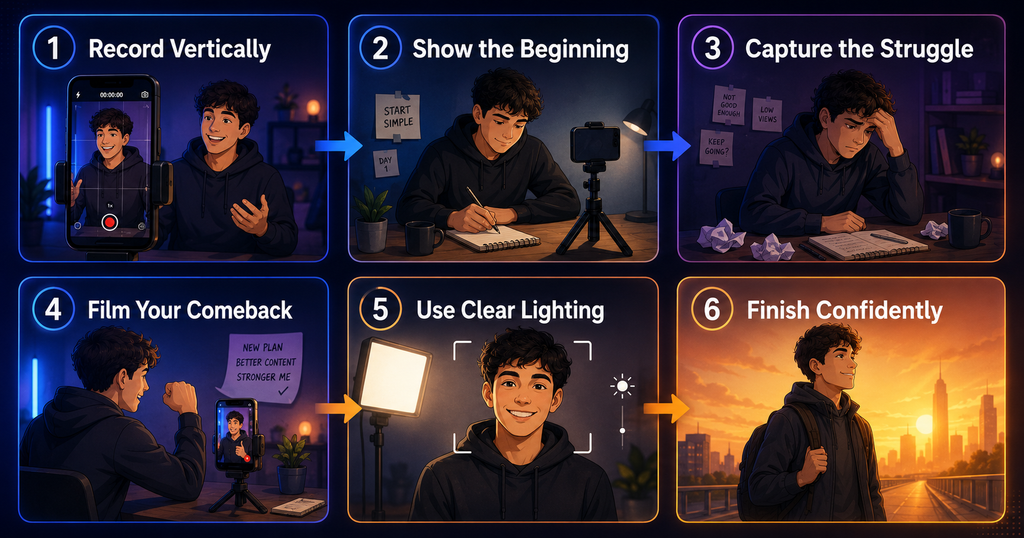
Prepare original vertical clips representing each stage. Use an older photo, first video or quiet close-up for the beginning. Show practice, work or a thoughtful expression for the difficult stage. For the comeback, record yourself filming, editing or working confidently. End with your strongest recent clip or a milestone screenshot with private details hidden.
Follow these recording tips:
- Record vertically in a 9:16 frame for Reels and Shorts.
- Clean the camera lens and use clear front lighting.
- Keep the phone stable with a tripod or careful hand support.
- Record each action for a few extra seconds so it can be trimmed.
- Avoid adding filters before importing; the template already has styling.
- Use original HD media instead of repeatedly downloaded or compressed clips.
- Keep important faces and objects near the centre to prevent cropping.
- Record multiple angles so you can choose the best fit for each slot.
If you want a broader collection of current styles, the Trending Reels CapCut Template guide includes additional recording and export ideas.
How to Make the Story Feel Personal
Arrange media chronologically: beginning, difficulty, renewed effort and present-day progress. If text is editable, add one honest line such as “Still learning, still moving.” Blur usernames, contact details, earnings and private messages, and obtain permission before showing others. Use only dialogue or music you are authorised to publish.
How to Use the Boys Life CapCut Template
First, install or update the official CapCut application. On mobile, CapCut’s current guidance directs users to the Template section, where available templates can be searched by keyword. The feature may not appear in every region or app version.
Follow these steps:
- Tap the Check This Template on CapCut button above.
- Allow the link to open in the official CapCut application.
- Watch the full preview and note the required media slots.
- Tap Use Template if the button is available.
- Select your photos and video clips in the story order.
- Tap Preview or Next and wait for the template to process them.
- Check every crop, transition, face position and dialogue cue.
- Replace any clip that feels too short, dark or unrelated.
- Add only permitted text, audio or adjustments.
- Export the finished video after reviewing it from beginning to end.
If the direct button fails, open CapCut, go to Template and search for “Boys Life” or related emotional-story keywords. Search results can vary, so the exact version may not always appear.
How to Export the Video in Good Quality
For most Reels and Shorts, export at 1080p in a vertical 9:16 frame using a frame rate that matches the original footage. Before posting, play the saved video and confirm that the dialogue is audible, text is not cropped and transitions are smooth.
Creators interested in a music-led alternative can check the Trending Hindi Song CapCut Template.
Common Problems and Easy Fixes
The template link does not open
Update CapCut, reopen the link in your mobile browser and allow it to launch the official app. If the template is unavailable in your region or has been removed, try searching inside CapCut or return later.
The Template tab is missing
This feature may not be available for your device, app version or region. Sign in, install the latest official version and check again. Do not download modified applications from unknown websites.
My clips do not match the dialogue
Rearrange them in chronological order. Use the beginning clip for early effort, the middle clips for struggle and restarting, and the strongest current clip for the ending.
The face is cropped
Choose a clip with extra space around the face or reposition the crop if the template allows it. Keeping the subject near the centre while recording helps prevent this issue.
The preview is blurry
Replace low-resolution footage, close other heavy apps and wait for all effects to load. Some preview screens may look softer than the final export, so test a short export before publishing.
CapCut asks for payment
Some templates, effects, fonts or assets may be marked Pro or paid. Review the label before proceeding. Use a free alternative if you do not want to purchase the required feature.
Safety and Responsible Sharing
Do not reveal account information, perform dangerous stunts or record while driving. Focus on growth rather than humiliating critics. Discuss bullying or mental-health difficulties sensitively, and use only media you own or have permission to publish.
Frequently Asked Questions
Is the Boys Life CapCut Template free?
The supplied link can be opened and previewed, but CapCut may label particular templates or effects as paid or Pro. Check the in-app screen before using or exporting it.
How many clips are required?
The number can vary by template version. Open the preview and check the displayed media slots before recording or selecting footage.
Can I use photos instead of videos?
Use the media type requested for each slot. Some sections may accept photos, while motion-based slots usually look better with video clips.
Can girls use this template?
Yes. The story structure is not limited to boys. Any creator can adapt the struggle-to-success idea with suitable personal media, although the original dialogue may need to be changed if it does not fit.
Can I change the emotional dialogue?
It depends on the template’s editable elements. If audio replacement is available, use your own voice-over or properly licensed audio that matches your story.
Will this template make my Reel viral?
No template can guarantee views. Clear storytelling, original footage, audience relevance, a strong opening and consistent posting can improve the presentation, but performance remains uncertain.
Why does the template not appear in search?
It may be unavailable in your region, removed by its creator or hidden because of app-version differences. Try the direct link, update the app or search with related terms.
Can I upload the result to Instagram and YouTube?
Yes, provided you have permission to use all clips, dialogue, music and other elements. Review each platform’s copyright and community rules before publishing.
Conclusion
The Boys Life CapCut Template provides a simple way to turn personal memories into an emotional struggle-to-success Reel. Its dialogue, blur opening, transitions and cinematic sequence help organise the story without requiring advanced editing skills.
Prepare clear vertical footage, arrange it chronologically, protect private information and preview every slot before exporting. Most importantly, keep the story genuine. A sincere account of your progress is more memorable than an exaggerated promise of success.

Renu Mishra Roy is the founder and editor of Roy Editors. She writes about trending CapCut templates, VN codes, and AI photo editing, testing each template herself before publishing so readers get steps that actually work. Her guides focus on helping creators make clean, viral-style Reels and Shorts without wasting time on complicated editing.