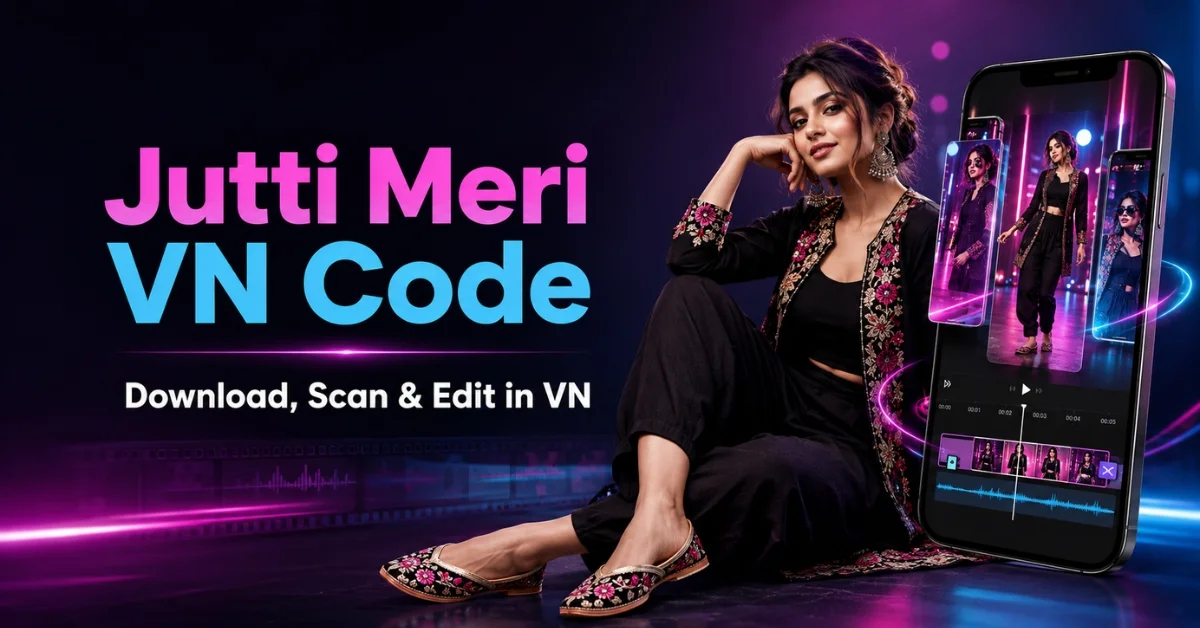
The Jutti Meri VN Code is a ready-made template for creators who want to produce an energetic short video without arranging every cut, transition, and beat manually. After importing the code into VN Video Editor, you can replace the sample media with your own photos or clips, adjust the text, preview the timing, and export a reel suitable for Instagram, YouTube Shorts, or a WhatsApp status.
This trend can work for fashion shots, traditional outfits, bridal looks, friendship edits, attitude reels, and everyday lifestyle content. It is not limited to female creators or one particular type of footage. Anyone can use the project as long as their clips match its rhythm and visual mood.
In this guide, you will find the QR download area, step-by-step import instructions, media-selection advice, export settings, troubleshooting solutions, and FAQs. The goal is not merely to load a template, but to help you make the final edit feel personal and polished.
Important: A template can make editing faster, but it cannot guarantee views or virality. Performance also depends on the opening shot, content quality, audience interest, caption, posting time, and retention.
What Is the Jutti Meri VN Template?
The Jutti Meri VN template is a pre-edited project made for VN Video Editor. It normally contains a fixed sequence of cuts, transitions, effects, and music-based timing. Instead of building the project from an empty timeline, you scan its code and use the existing structure as your starting point.
The original media inside the project acts as a guide. Once the template opens, VN lets you replace those placeholders with your own content. This makes the format useful for beginners who like a trend but do not yet know how to reproduce its pacing manually.
Why Is This VN Template Popular?
Short-form viewers decide very quickly whether to continue watching. A beat-matched edit keeps the screen changing and creates a sense of movement, which can help hold attention when the chosen shots are strong. The Jutti Meri format also suits colorful clothing, confident poses, footwear close-ups, accessories, and traditional fashion details.
Creators are drawn to this trending VN template because it reduces repetitive work. The timing has already been arranged, so users can focus on selecting media and refining the final result. It is also flexible: a girl can use it for an outfit reveal, a boy can adapt it for a style transition, and a group can turn it into a friendship montage.
Jutti Meri VN Code Download
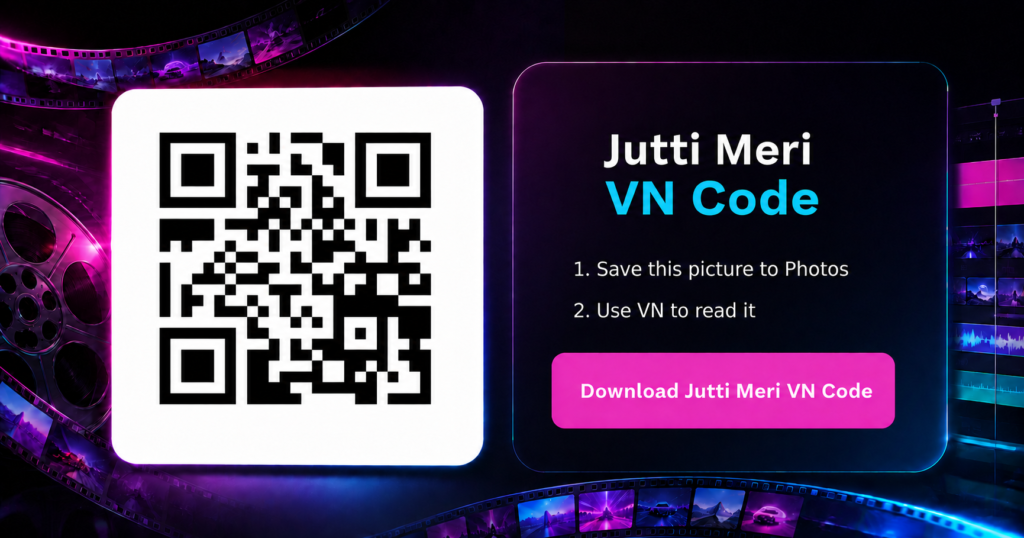
Use the download area below to save the full-resolution QR image. Do not crop the corners, place a filter over it, or take a blurry screenshot because VN needs to read the complete pattern.
After downloading, check that the code is clear and fully visible in your phone gallery. The QR should come from the original template creator or a source you have tested. A random QR-like graphic cannot load the project.
How to Use Jutti Meri VN Code
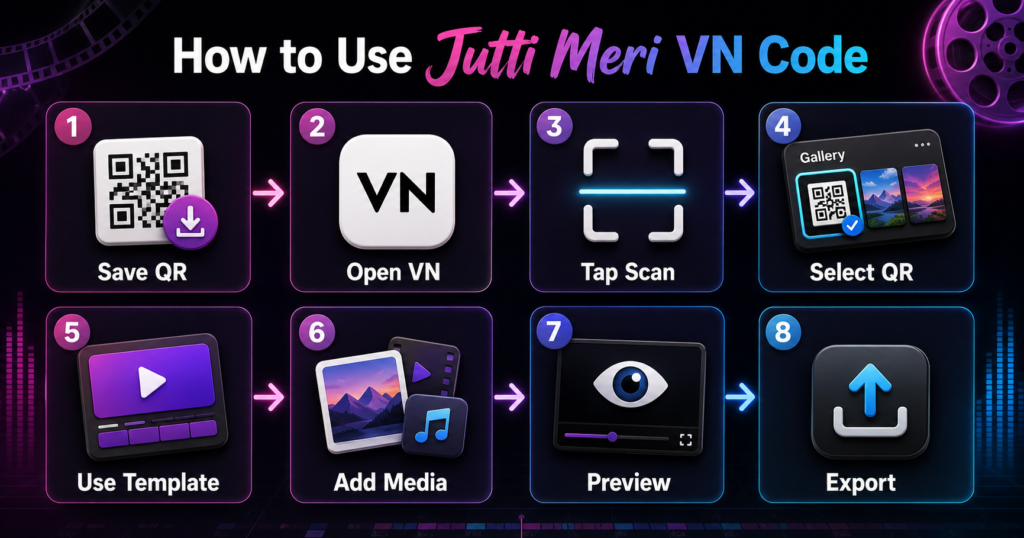
First, save the QR image from the download section to your device. Open VN and locate the Scan icon. VN’s official template instructions state that users can open the app, tap the Scan icon, scan a template QR code, and allow the app to detect and load the template.
If the code is stored on the same phone, use the gallery or image-selection option available on the scanning screen. Select the complete QR image and wait for VN to recognize it. When the project preview appears, choose the option to use or download the template.
Next, replace each sample item with your own photo or video. Pay attention to the duration and shape of every placeholder. A fast slot needs a simple, instantly readable shot; a longer slot can handle movement or a more detailed pose. Keep the main face or object inside the visible frame.
Play the entire edit before exporting. Check for awkward crops, blank frames, repeated images, text covering a face, and cuts that feel late. If the project includes editable titles, replace them with a short name, phrase, or caption that suits your content. Do not overload a quick reel with long sentences.
Finally, export the video and watch the saved file once more outside the editor. This helps you catch audio, quality, or cropping issues before uploading it.
How to Customize the Template
A viral reel template should be treated as a framework, not a finished identity. Small changes can separate your post from dozens of near-identical uploads.
Change the opening frame because it strongly affects whether viewers pause. Replace generic text with a short phrase, use a readable font, and adjust awkward crops. Avoid excessive blur, glow, sharpening, and camera shake. Preserve the template’s rhythm while improving its media and story. Before posting publicly, make sure you may use the chosen music and other creative assets.
Recommended Export Settings
For vertical platforms, use a 9:16 canvas and export at 1080 × 1920 when your source media supports it. A frame rate of 30 fps is suitable for most photo-based and ordinary mobile clips; 60 fps may help with genuinely smooth motion footage, but it also produces a larger file.
Choose a suitable bitrate and remember that exporting a blurry source in 4K will not restore detail. VN’s current Android listing mentions support up to 4K at 60 fps, although available settings depend on the device and project. Check for borders, frozen frames, or clipped text before posting.
You can also try our Sheesha VN Code.
Common Problems and Their Solutions
The QR Code Does Not Scan
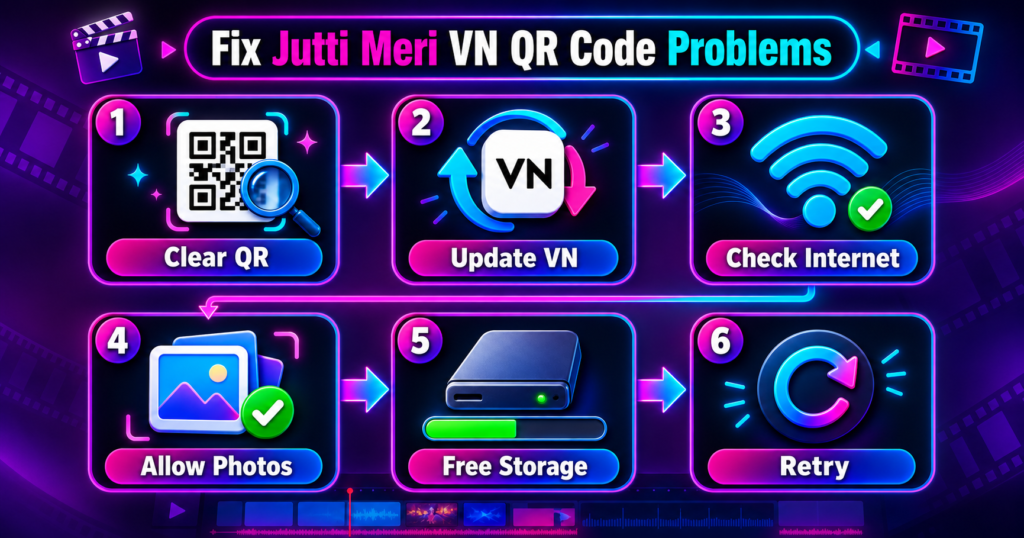
Download the full-resolution image again. Make sure it is not cropped, blurred, or covered by a logo. Update VN and retry through the gallery option.
The Template Is Unavailable
The creator may have removed or replaced the shared project. Test another network and retry later. If other codes work, the publisher must provide a new tested code.
VN Opens but the Project Does Not Load
Restart VN, check storage and internet, and allow the required photo permission. Do not clear app data unless unfinished projects are backed up.
Photos Are Cropped Incorrectly
Reposition or resize the media inside its placeholder. Prefer vertical shots and keep important details away from the frame edges.
Music and Cuts Do Not Match
Do not shorten a replacement clip in a way that changes the intended timing. Preview from the beginning and check whether the audio has shifted. If you substitute the song, manually realign the cuts with the new beat.
The Export Looks Blurry
Use original media instead of screenshots or repeatedly forwarded files. Export at 1080p with a suitable bitrate; a higher output setting cannot restore missing source detail.
Frequently Asked Questions
What is Jutti Meri VN Code?
It is a scannable code that opens a pre-designed Jutti Meri editing project in VN Video Editor. The project can contain timing, transitions, effects, text, and media placeholders.
Is the template free?
That depends on its creator and download source. Check any stated conditions because external providers or assets may have separate terms.
Can boys use this VN template?
Yes. The editing pattern is not gender-specific. Boys can replace the sample clips with fashion, footwear, travel, attitude, or lifestyle footage and customize the text.
Can I use the code in CapCut?
No. A VN project code is designed for VN Video Editor and is not the same as a CapCut template link. Open it in the compatible VN app.
Why does my QR code show an error?
The image may be unclear, VN outdated, the connection unstable, or the shared project unavailable. Re-download the complete image and retry.
Can I change the song in the template?
Yes, if the project allows audio editing. However, a new song may have different beats, so you might need to move or trim clips to restore synchronization.
Which format is best for Instagram Reels?
A vertical 9:16 project at 1080 × 1920 is a practical choice. Keep faces and text away from platform controls.
Does using this template guarantee viral views?
No. Reach also depends on viewer response, originality, retention, relevance, and posting strategy.
Can I use my own text and photos?
Yes. Replacing the placeholder media and personalizing editable text are the main reasons to use the template. Preview every change before exporting.
Why is the exported video different from the preview?
This may happen because of missing fonts, unsupported effects, limited storage, app-version differences, or export settings. Update VN, free some space, and render a short test before exporting again.
Final Words
The Jutti Meri VN Code offers a quick starting point for a stylish, beat-synchronized short video. Save the tested QR image, import it through VN’s Scan feature, replace the sample media carefully, and check every crop and transition. A thoughtful opening, consistent footage, restrained effects, and a clean 1080p export can make the result feel far more professional.
Use the trend as inspiration rather than a rigid formula. When you adapt the visuals, text, and story to your own personality, the final reel is more memorable than a simple copy of the sample project.