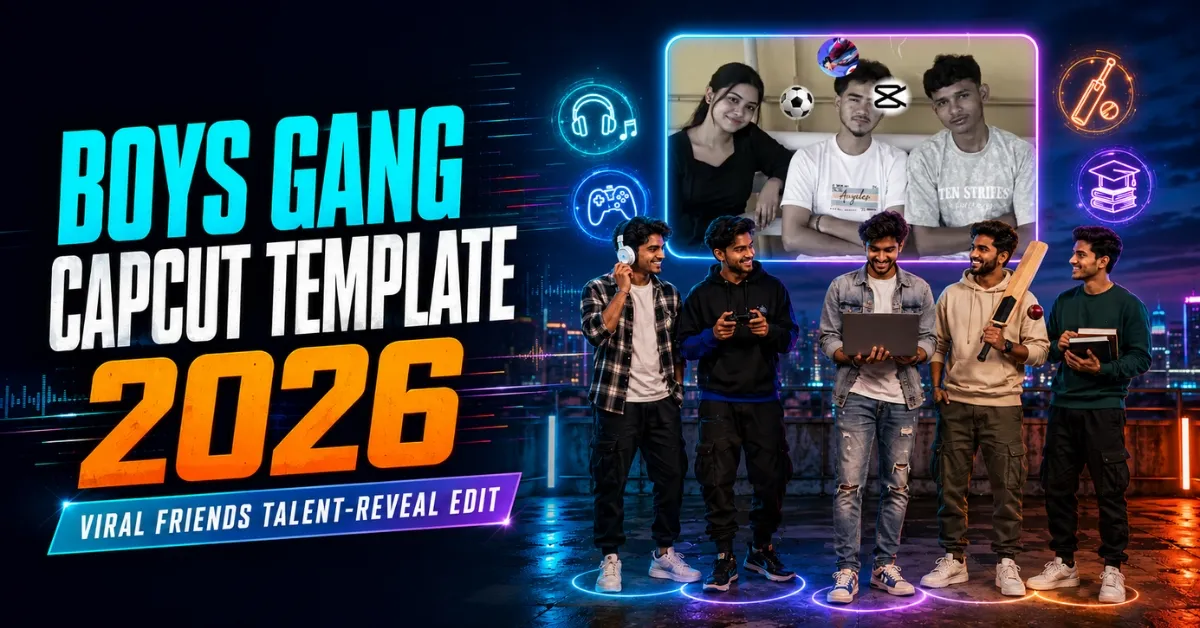
The Boys Gang CapCut Template is a fun social-media editing trend created for groups of friends. Instead of using several video clips, this style can turn one clear group photo into an entertaining Reel. As the music plays, the edit focuses on each friend individually and reveals his special talent, interest, habit, or personality through emojis, icons, clip art, and timed visual effects.
For example, the friend who enjoys music may appear with a guitar or headphones, the gamer may receive a controller icon, and the group editor may be shown with a video timeline or scissors graphic. The result is humorous, personal, and perfect for sharing memories with school friends, college classmates, colleagues, cousins, or a long-time childhood group.
This guide explains the complete concept, the best type of group photo to use, how to open and apply the template, which talent icons work well, the recommended export settings, and solutions for common problems.
What Is the Boys Gang CapCut Template?
The Boys Gang CapCut Template is a pre-designed CapCut project made for friendship and group-photo edits. Its music, timing, zooms, freeze frames, transitions, overlays, and visual effects are already arranged. You only need to provide the required media, and the template automatically applies the editing sequence.
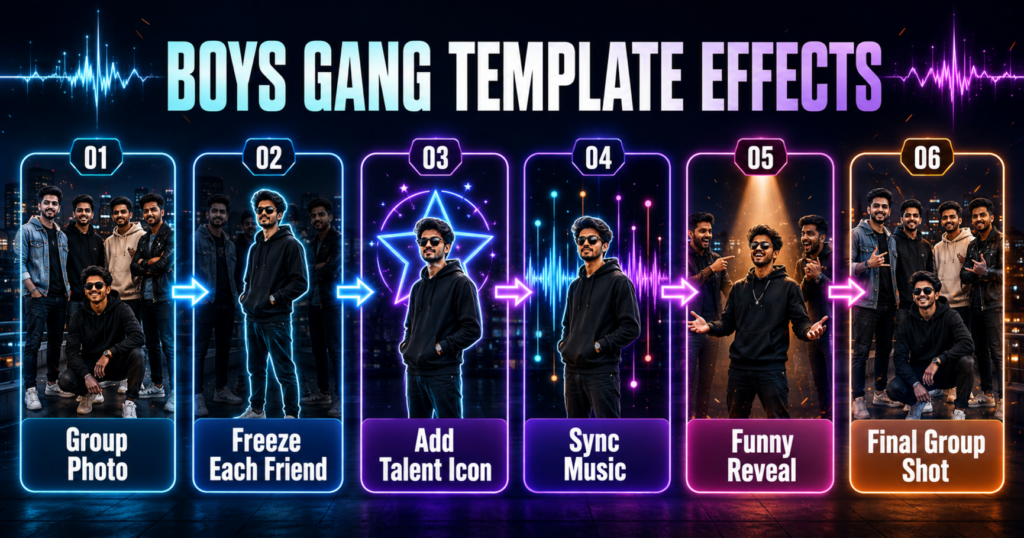
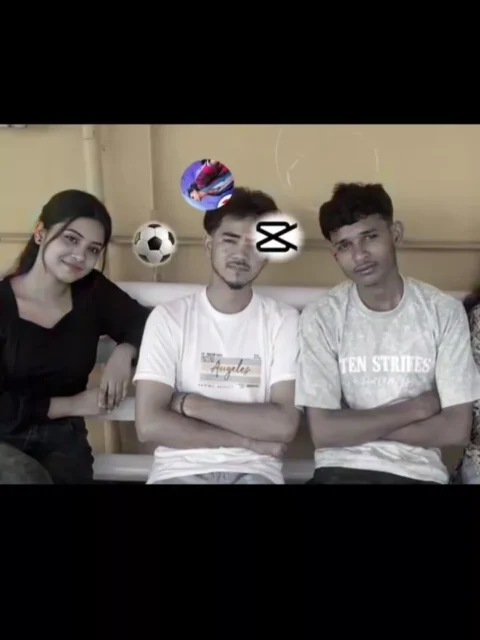
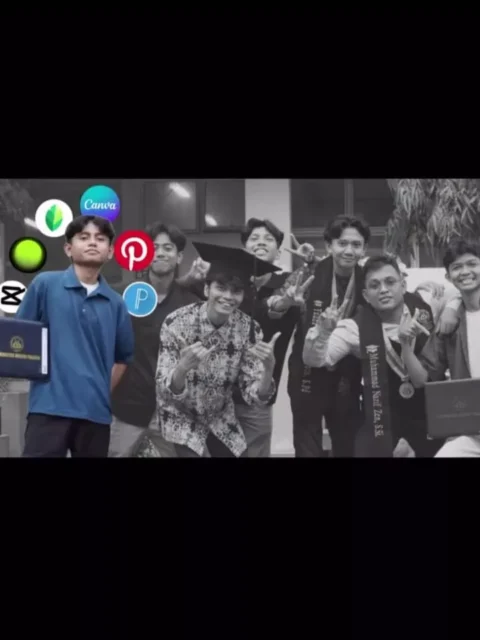
The main version uses one group photograph. The photo first appears as a complete group shot, and then the template pauses or zooms onto each friend. During each reveal, an icon appears to represent that person’s talent or identity. The edit may use emojis, stickers, illustrated objects, text, beat cuts, or background graphics to make each introduction more memorable.
This method is useful for beginners because you do not have to create keyframes, sync every effect manually, or build the full video from scratch. However, your photo choice and cropping still matter. A clear group photo produces a much better result than a blurred or crowded image.
You can also try our Same Generation But Vibe Na Same Chale VN Code
Details of the Boys Gang CapCut Template
The editing style combines friendship, humour, and personalised talent reveals. It normally starts with the full gang visible on screen. When the beat changes, the frame may freeze on one friend, zoom toward his face, and display a related object or emoji. The sequence continues until every selected person has received an individual moment.
The most noticeable effects can include:
- A full-group opening shot
- Beat-synchronised zooms and freeze frames
- Individual face or person reveals
- Talent icons, emojis, and clip-art overlays
- Flash, shake, blur, or motion transitions
- Funny labels or personality-based graphics
- A final group shot that brings everyone back together
The exact effects and number of media slots can vary between template versions. Always watch the complete preview before selecting your photo. This will show you how many friends are highlighted, how long the finished video will be, and whether the template matches your group.
Why This Friends-Gang Edit Is Trending
Friendship videos often perform well because they feel personal and easy to understand. Viewers can quickly identify each friend’s role in the group, while the icons add humour without requiring a long explanation. The format also encourages friends to tag one another, share the Reel, and comment on whether the selected talents are accurate.
The template can also create nostalgia. A childhood group photograph can be edited to show what each friend enjoyed at that time or what everyone does now. A school or college group can use it as a farewell memory, while colleagues can create a light-hearted office version.
No template can guarantee that a post will go viral. Still, a clear photo, relatable idea, trending audio, strong opening frame, and relevant caption may help the video attract more attention.
What You Need for This Editing
You normally need only a few things:
- The latest available version of the official CapCut application
- A working link to the template or access to CapCut’s template search
- One clear group photograph
- Enough free storage for processing and export
- A stable internet connection while opening the template
- Permission from the people shown in the image
The template may require a single photo, but some updated versions may ask for more media. Check the number of slots shown on the selection screen before continuing.
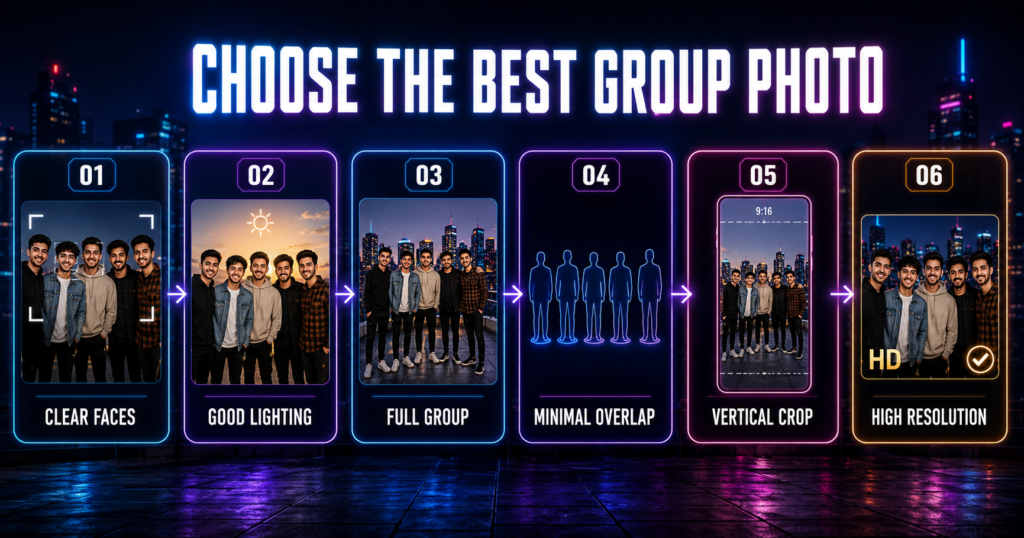
How to Choose the Best Group Photo
Select a high-resolution photograph in which every important face is clear and reasonably well lit. The friends should not be standing too far apart, but their faces and bodies should also not overlap heavily. If one person is hidden behind another, CapCut may not be able to focus on that person properly during the zoom or freeze-frame effect.
A vertical group photo works naturally for a 9:16 Reel. If you only have a landscape image, make sure there is enough empty space around the group for vertical cropping. Avoid screenshots with interface elements, compressed social-media downloads, very dark images, motion blur, or photos in which heads are cut off.
Before using the template, open the image in your gallery and check these points:
- Every selected friend’s face is visible.
- The image is sharp when zoomed in.
- Lighting is balanced across the group.
- The photo does not contain distracting text or watermarks.
- The group fits inside a vertical crop without removing anyone.
- Everyone shown has agreed to the edit and public sharing.
Creative Talent Ideas for Every Friend
The video becomes more interesting when the icons are easy to recognise. Use a friendly talent, hobby, or positive personality trait rather than anything that could embarrass someone.
| Friend’s talent or interest | Suggested icon or visual |
|---|---|
| Music | Guitar, microphone, headphones, or music notes |
| Gaming | Game controller, headset, or pixel trophy |
| Video editing | Timeline, scissors, play button, or editing screen |
| Photography | Camera, lens, or flash icon |
| Cricket | Cricket bat, ball, or wicket |
| Football | Football, goal, or sports jersey |
| Academics | Books, graduation cap, or light bulb |
| Fitness | Dumbbell, running shoe, or stopwatch |
| Cooking | Chef hat, pan, or food icon |
| Comedy | Laughing emoji, stage microphone, or smile icon |
| Business | Briefcase, growth chart, or calculator |
| Travel | Map, aeroplane, suitcase, or compass |
Avoid using the protected logo of an app or brand when a simple generic icon can communicate the same idea. Generic editing, music, gaming, and sports visuals usually look cleaner and reduce unnecessary trademark concerns.
Boys Gang Mindset CapCut Template
Another version of this trend uses a more emotional friendship story. It may begin with a large group of friends and gradually show how the group becomes smaller over time. At the end, only the true or closest friend remains. This version is less about individual talents and more about loyalty, changing friendships, and the person who continued to support you.
You can use childhood photos, school memories, old group videos, recent clips, or pictures with brothers and cousins. Arrange the media in chronological order when possible so the story feels natural. Watch the preview carefully because this version may require several photos or clips rather than one image.
Check the Boys Gang CapCut Templates
Use only links that you have personally tested. Replace the placeholders below with your direct CapCut links before publishing.
Note: CapCut templates may be unavailable in some countries or regions. If a button does not open, try the link again later or open it directly in the official CapCut application. We are not affiliated with CapCut. CapCut names, logos, templates, and trademarks belong to their respective owners. This article only helps users access publicly shared template links.
How to Use the Boys Gang CapCut Template
Using the template is simple when CapCut is installed and the link is active:
- Install or update the official CapCut application on your phone.
- Tap the tested “Check Template” button provided in the article.
- Allow the link to open in CapCut instead of the browser when prompted.
- Watch the complete template preview and check the number of required media slots.
- Tap Use Template or the equivalent selection button.
- Choose your group photo from the phone gallery.
- Adjust the crop so every required friend remains inside the frame.
- Tap Next and wait while CapCut applies the effects.
- Preview the complete edit and check every zoom, face, icon, and transition.
- Export the final video in high quality and share it only after receiving permission from the people shown.
If the template asks for several files, add them in the same order used in the preview. The first slot usually controls the opening scene, so choose the strongest group photo or clip for that position.
How to Improve the Final Video
Do not export immediately after the automatic edit finishes. Watch the result from beginning to end and pay attention to where each zoom lands. If a frame cuts off someone’s face, return to the media selection screen and reposition the photo.
Check whether the icons genuinely match each friend. The template may contain pre-designed graphics that do not fit your group perfectly. If CapCut allows additional editing after the template is applied, replace or cover unsuitable elements with more appropriate stickers, text, or icons.
Keep labels short. One or two words such as “Editor,” “Gamer,” “Singer,” “Cricketer,” or “Topper” are easier to read during a fast Reel. Avoid putting private details, insulting nicknames, or sensitive information on screen.
Best Export Settings for a Boys Gang Reel
For Instagram Reels, YouTube Shorts, and similar platforms, use a vertical 9:16 frame. Exporting at 1080p usually provides a good balance between sharpness and file size. Match the original template’s frame rate; 30 fps is suitable for most edits, while 60 fps may help if the template contains smooth motion and your device supports it.
Recommended settings:
- Aspect ratio: 9:16
- Resolution: 1080p
- Frame rate: Match the template, normally 30 fps or 60 fps
- Quality: High
- Format: MP4 when available
- Audio: Keep the template audio synchronised
After export, play the saved file from your gallery before uploading it. Confirm that the video is complete, audio is present, icons are visible, and no unwanted watermark or blank frame appears.
Common Problems and Solutions
The Template Link Does Not Open
Make sure CapCut is installed and updated. Open the link in a regular browser, allow it to redirect to the official application, and try again. Regional restrictions may prevent some templates from opening.
The Use Template Button Is Missing
The creator may have removed the template, the link may have expired, or the template may not be available in your region. Try the second version or replace the link with another publicly available and tested template.
A Friend’s Face Is Cropped
Return to the selection screen and adjust the group photo. If the image is too wide for a vertical frame, add a blurred background or use a different photograph with more space around the group.
The Wrong Person Receives an Icon
Review the template preview and photo order. Some effects are tied to specific positions in the original image. Reposition the crop or select a photo with a similar group arrangement.
The Photo Looks Blurry After Zooming
Use the original camera image instead of a screenshot or downloaded copy. A high-resolution photo retains more detail during close-up effects.
The Export Stops or Fails
Free some phone storage, close background applications, restart CapCut, and retry the export. Lower the resolution temporarily only if the phone cannot complete a 1080p export.
The Audio Is Missing
Check the phone’s media volume and preview the template again. Some template sounds may be removed due to licensing or regional availability. You can add permitted audio when uploading the final Reel.
Privacy and Responsible Sharing
A group photo contains the faces of several people, so permission is important. Ask your friends before uploading the edit publicly, especially when the image includes minors, school uniforms, workplace details, name tags, or a private location.
Use positive talents and respectful jokes. Do not use the template to mock someone’s appearance, academic performance, income, health, religion, or private life. A good friendship Reel should make the people in it feel included and appreciated.
Frequently Asked Questions
Can I make this video with one group photo?
Yes. The talent-reveal version is commonly designed around one clear group photograph. Other versions may require several photos or video clips, so check the media slots before continuing.
How many friends should appear in the photo?
Use a group size that closely matches the template preview. A photo with too many people may result in missed or incorrect face zooms, while too few people may leave some reveal slots unused.
Can girls use the same template?
Yes. Although the trend is commonly called a boys-gang edit, the concept can be adapted for any group of friends, classmates, colleagues, cousins, or siblings.
Do I need video-editing experience?
No. The template automatically applies the main effects. You only need to select suitable media, adjust the crop, review the output, and export it.
Can I change the talent icons?
That depends on the template and CapCut version. If additional editing is available after applying the template, you may replace stickers or add your own text and icons.
Why is the template unavailable in my country?
CapCut features and templates vary by location. A template may also be removed by its creator. Use only lawful access methods and try another tested version if the original is unavailable.
Which photo format should I use?
JPG, JPEG, and PNG images normally work well. The more important factors are resolution, lighting, clear faces, and enough space for vertical cropping.
What caption can I use for the Reel?
Try a short caption such as “Every gang has one,” “Tag your talented friend,” “Our group, our skills,” or “The people who made the memories.” Use only a few relevant hashtags instead of an unrelated list.
Conclusion
The Boys Gang CapCut Template offers an easy way to turn a single group photo into a creative friendship Reel. Its freeze frames, zoom effects, music timing, talent icons, and funny reveals give every friend a memorable role without requiring advanced editing skills.
Choose a sharp group image, keep every face inside the frame, match the icons respectfully, preview the full result, and export at 1080p. If you prefer an emotional story, try the mindset version that follows a group over time and highlights the friend who remains. Add your tested template links to the buttons above, and always obtain permission before publishing someone’s photo.