Attitude Boy CapCut Template – Friends, if you regularly watch Instagram Reels, Facebook videos or YouTube Shorts, you may have noticed creators sharing confident walking clips with Bhojpuri music, slow motion and dramatic visual effects. This style is commonly used for attitude Reels because it can turn one simple recording into an energetic and cinematic video.
Creating the complete edit manually would require blur effects, speed adjustments, filters, transitions, beat synchronization and colour grading. However, a CapCut template already contains the main editing structure. You only need to select a suitable clip, add it to the correct media slot and preview the result.
In this article, you will learn what the Attitude Boy CapCut Template contains, which clip works best, how to record your footage, how to open the template and which export settings can produce a clearer final Reel.
What Is an Attitude Boy CapCut Template?
A CapCut template is a pre-designed editing project containing effects, transitions, filters, text animations, music timing and media placeholders. Instead of building the entire project from the beginning, you replace the sample media with your own photograph or video.
CapCut then applies the existing editing structure to your media. The effects do not literally transfer from another person’s video; your clip is inserted into predetermined positions on the template timeline.
This editing method can be useful for beginners who have not learned manual keyframes, speed curves or beat synchronization. It can also save time for experienced creators who want to participate in a short-form trend quickly.
Availability of a template or individual effect may depend on your CapCut version, account and region. Some projects can also be removed or updated by their creators.
You can explore more options through our CapCut templates collection.
About the Attitude Boy CapCut Template
The Attitude Boy CapCut Template is designed around a confident, slow-motion editing style. It can be used with a Bhojpuri attitude song or another compatible audio track, depending on the selected template.
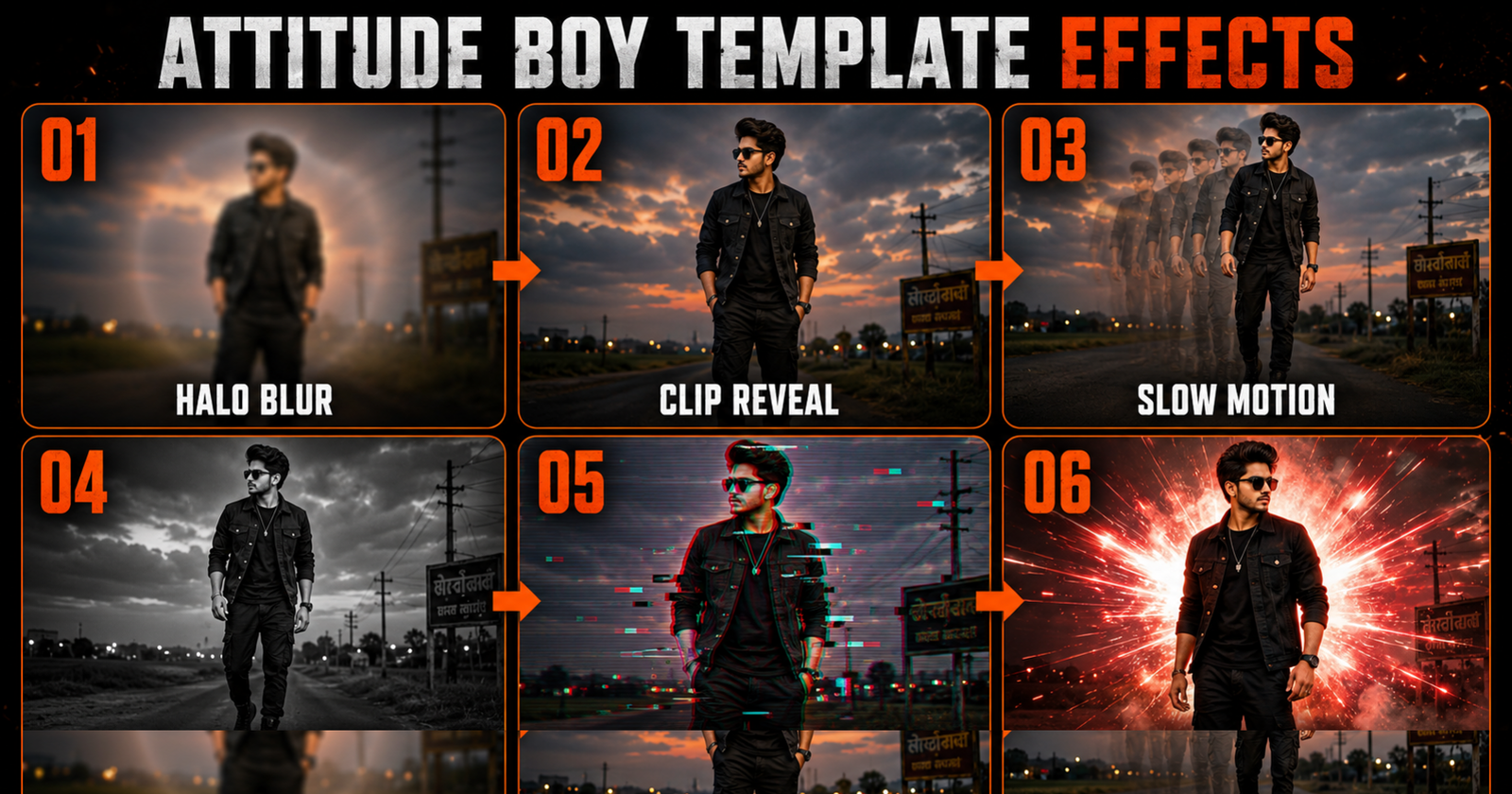
The opening usually hides the subject behind a halo-style blur. This creates suspense because viewers cannot immediately see the full clip. Once the blur disappears, the subject becomes clear and the video moves into cinematic slow motion.
A black-and-white frame may appear in the middle of the sequence. This temporarily changes the visual mood and makes the following colour reveal more noticeable. Glitch, shake and flash effects may then appear around the beat changes.
A typical effects sequence can include:
- Halo blur introduction
- Clear subject reveal
- Cinematic slow motion
- Black-and-white frame
- Glitch transition
- Shake-and-flash effect
- Beat-synchronized cuts
- Dark attitude colour grading
- Final confident pose
The exact sequence can vary between template versions. Always watch the complete preview before selecting your media.
Why Are Attitude Edits Popular?
An attitude edit communicates confidence within a short duration. Walking shots, close-up expressions and beat-synchronized effects can create a strong opening that is suitable for Reels and Shorts.
Bhojpuri music is frequently used for these edits because its energetic rhythm works well with slow-motion reveals, flashes and beat cuts. Older songs can also receive renewed attention when creators reuse them with a new visual format.
CapCut templates make the format accessible to users who may not know advanced editing. Public CapCut listings such as Boy Attitude and Boys Attitude currently provide vertical, one-clip attitude formats.
Using a popular template does not guarantee that a Reel will go viral. Recording quality, the first few seconds, audience interest, caption, audio availability and posting consistency will also affect performance.
Which Video Clip Works Best?
The quality and style of your original media will determine how convincing the final edit looks. A template can add effects, but it cannot completely repair a dark, heavily compressed or badly framed recording.
A confident walking clip usually works best. Walk slowly towards the camera or pass across the frame while maintaining a natural posture. Keep your movement controlled so that the slow-motion effect does not appear shaky.
Other suitable ideas include:
- A confident outdoor walking shot
- A side-angle entry clip
- A close-up attitude expression
- A stationary pose with sunglasses
- A jacket-adjustment or watch-checking pose
- A safe shot beside a parked bike or car
- A rooftop or city-background portrait
- A natural turn towards the camera
Avoid dangerous road recordings, moving-vehicle stunts or filming in places where you could obstruct traffic. A stylish video does not require unsafe behaviour.
Although the template is called “Attitude Boy,” anyone can use the editing structure if its visual style suits their content.
How to Record a Clip for This Template
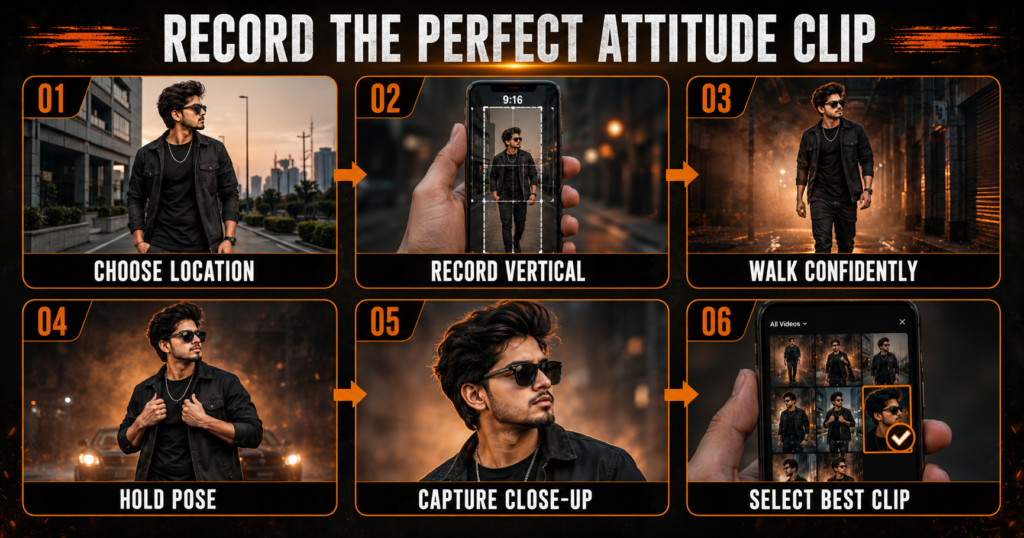
Choose an open location with a clean background. A quiet street, courtyard, rooftop, walkway or modern building exterior can work well. Avoid crowded areas and locations containing distracting signs.
Record vertically in a 9:16 frame. The two linked official template listings use a 9:16 aspect ratio, making them suitable for Instagram Reels and YouTube Shorts.
Ask a friend to record you or place the phone securely on a tripod. Clean the camera lens before filming and use the rear camera when practical because it often provides better image quality.
Start recording before you begin walking. Walk at a normal but controlled pace, keep your shoulders relaxed and hold a confident expression. After reaching your final position, remain still for another two seconds.
Record several takes:
- A full-body walking clip
- A medium shot from the waist upwards
- A side-angle walking shot
- A close-up expression
- A final stationary attitude pose
Each recording should be approximately five to eight seconds long unless the preview requires a different duration. Longer footage gives CapCut more material to trim.
Use natural daylight or soft evening light. If recording at night, stand near a reliable light source so your face remains visible. Avoid placing a bright light directly behind your head.
Do not apply heavy filters before using the template. The project already contains colour effects, and combining several filters can create unnatural skin tones.
Attitude Boy CapCut Template Links
The following public CapCut options are currently available. Watch both previews and choose the one that better matches your clip.
Template Option 1: Boy Attitude
This version uses a vertical 9:16 layout and currently requires one clip.
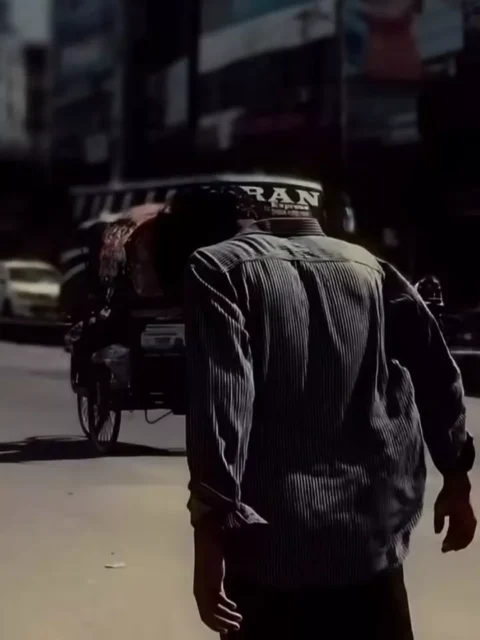
Template Option 2: Boys Attitude
This alternative also uses a vertical 9:16 layout and currently requires one clip.
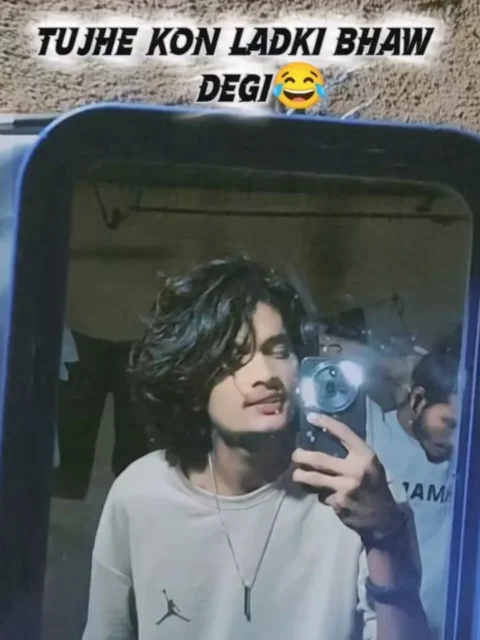
Template details can change if their creators update or remove the projects. Confirm the number of clips and preview the effects immediately before using one.
Important note: Some CapCut templates may not open in certain regions because of CapCut availability or regional restrictions. If a link does not work, update the official CapCut application, open the page in your regular mobile browser or try the second option.
We are not affiliated with CapCut. CapCut, its logo, templates and related trademarks belong to their respective owners. We only share links to publicly available template pages for informational convenience.
You may also like our Viral Bhojpuri CapCut Templates, Mahadev Edit CapCut Template and Awarapan 2 CapCut Template.
How to Use the Attitude Boy CapCut Template
First, install or update the official CapCut application on your phone. An outdated version may fail to load newer effects or template pages.
Follow these steps:
- Open one of the template links provided above.
- Allow the page to redirect to the official CapCut application.
- Watch the complete preview and check the editing style.
- Tap the “Use Template” button.
- Your phone gallery will open.
- Select a clear attitude-style video clip.
- Adjust the crop so your face and body remain visible.
- Tap “Next” and wait while CapCut processes the video.
- Watch the complete result with sound.
- Check the blur, slow-motion, glitch and flash sections.
- Replace the clip if its timing does not match the preview.
- Tap “Export” when you are satisfied.
The linked templates currently require one clip, but always follow the number of media slots displayed inside CapCut because requirements may change.
How to Improve the Final Edit
The opening frame should be visually clear even if the template applies a blur effect. Select footage containing strong separation between you and the background.
Match your body movement with the audio’s energy. A powerful attitude track works better with a confident walk than with random hand movements.
Wear clothing that contrasts with the location. A black outfit can create a cinematic appearance, but it may disappear against a very dark wall. Use side lighting to preserve the outline of your body.
Keep your expression controlled. Attitude does not require an angry or exaggerated face. A neutral expression, steady eye contact or slight side look can appear more professional.
Do not add excessive stickers, emojis or additional transitions after applying the template. Too many effects can make the edit look crowded and distract viewers from the subject.
Best Export Settings
For Reels and Shorts, use the following settings:
- Aspect ratio: 9:16
- Resolution: 1080 × 1920 pixels
- Frame rate: Match the original recording
- Quality: High
- Format: MP4 when available
- Audio: Keep synchronized with the template
If your original recording was captured at 30 frames per second, exporting at 30 fps is normally sufficient. Selecting 60 fps cannot add motion information that was not recorded.
After export, watch the saved video before uploading it. Confirm that the subject remains inside the frame, the effects are synchronized and no important text is covered by the platform interface.
Common Problems and Solutions
The Template Does Not Open
Update CapCut and open the link through your regular mobile browser. Try the alternative template if the first one is unavailable.
The “Use Template” Button Is Missing
The template may not be supported in your region, or it may have been changed by the creator. Sign in to CapCut, update the application and try again later.
The Slow Motion Looks Shaky
Use a stable original recording. Avoid sudden turns, fast walking or excessive handheld camera movement.
My Face Is Hidden by the Blur
The blur may be part of the introduction, but your face should appear after the reveal. If it remains unclear, select a brighter clip with better subject-background separation.
The Video Is Cropped Incorrectly
Adjust the crop before generating the preview. Keep your face away from the upper edge and leave space around your shoulders.
The Black-and-White Effect Is Missing
Update CapCut and reload the template. Some effects may not display correctly on older application versions.
The Exported Video Looks Blurry
Use the original camera file rather than a copy downloaded from a messaging application. Export at 1080p with high quality selected.
CapCut Stops During Export
Free some storage space, close unnecessary applications and restart your phone. Confirm that CapCut has permission to save videos.
The Music Is Missing After Uploading
Music availability depends on region and platform licensing. Instagram, YouTube or Facebook may mute copyrighted audio. Use audio through legitimate platform options and follow applicable copyright rules.
Copyright, Privacy and Responsible Recording
The template may include music or effects created by third parties. Using a template does not automatically provide unlimited rights to every song or visual element. Social-media platforms may restrict or mute copyrighted audio.
Use footage that you recorded yourself or have permission to share. Obtain consent before publishing identifiable clips of friends or other people.
Avoid recording strangers closely, exposing number plates or sharing private locations without permission. If filming near a business, shopping centre or controlled property, follow its recording rules.
Do not describe the template as an official CapCut promotion or imply endorsement by a singer, actor or music label.
Frequently Asked Questions
Is the Attitude Boy CapCut Template free?
The public template pages can be opened through CapCut, but the availability of individual effects or features may depend on your account, app version and region.
How many clips do I need?
Both linked template pages currently list one required clip. Check inside CapCut before editing because creators can update their projects.
What type of clip should I use?
A stable vertical walking clip, close-up expression or confident stationary pose normally works best.
Can I use a photograph?
Only if the selected template accepts a photograph. A video clip is better for slow motion and walking effects.
Can girls use this template?
Yes. “Attitude Boy” describes the commonly searched style, but anyone can use the effects with suitable footage.
Why does my result look different from the preview?
Clip duration, lighting, camera movement, framing and the selected pose can all affect the final appearance.
Can I change the song?
It depends on the editing options available after applying the template. Changing the audio may also affect beat synchronization.
Is this suitable for Instagram Reels?
Yes. The linked options use a vertical 9:16 format suitable for Instagram Reels and YouTube Shorts.
Does using a trending template guarantee views?
No. A template can improve presentation, but it cannot guarantee reach, followers or engagement.
Conclusion
The Attitude Boy CapCut Template provides a simple way to create a Bhojpuri-style attitude Reel without manually arranging every blur, slow-motion, glitch and flash effect.
Record a stable vertical clip, use a confident but natural pose, watch the template preview and adjust the crop before exporting. Both template options shared above currently require one clip, making the process suitable for beginners.
Remember that availability can vary by region and that copyrighted music may be restricted after uploading. Keep visiting our website for more Bhojpuri, cinematic, devotional and trending video-editing templates.
2 thoughts on “Attitude Boy CapCut Template 2026 – Viral Bhojpuri Edit”