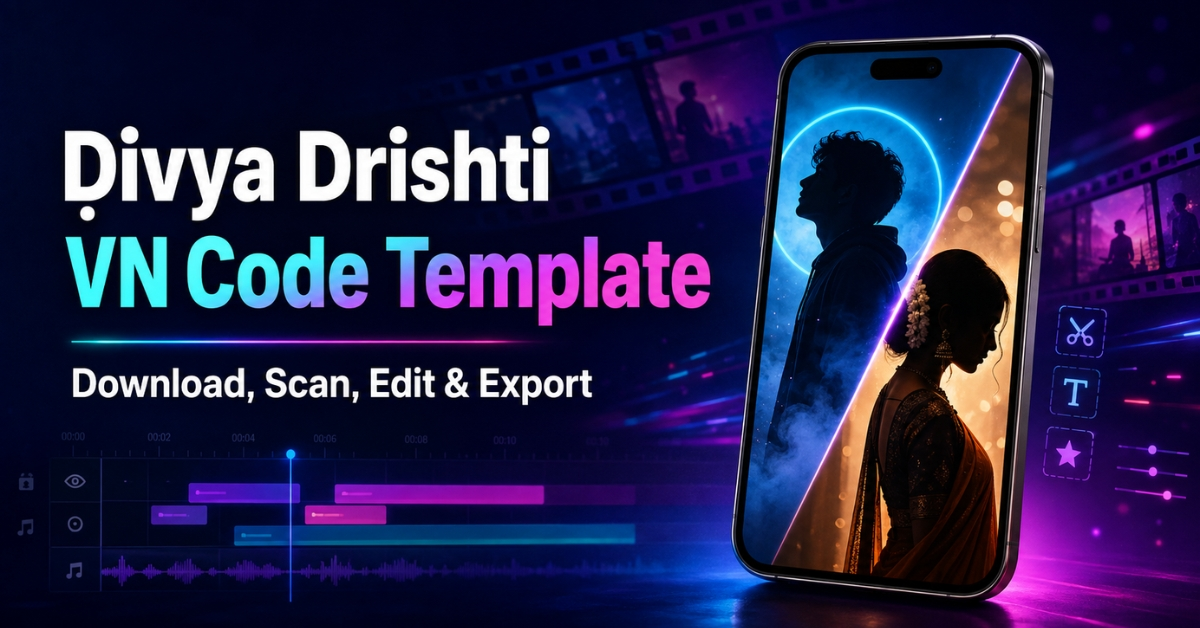
The Ḍivya Drishti VN Code is attracting editors who want to recreate a dramatic two-photo reel without arranging every cut, effect, and beat manually. The format places two contrasting images into a short cinematic edit. One picture usually represents a bold, modern, mysterious, or “dark” look, while the second presents a traditional, calm, royal, or classic appearance. When these contrasting visuals are synchronized with the audio, the transformation feels more powerful and holds the viewer’s attention.
This guide explains what the template contains, where to place the working QR code, how to import it into VN Video Editor, and how to replace the sample media with your own photos. You will also learn how to improve photo selection, fix scanning problems, export in high quality, and publish the reel more effectively on Instagram.
Important: A template can speed up editing, but it cannot guarantee that a reel will go viral. Reach also depends on the opening seconds, content quality, audience interest, posting time, caption, and viewer engagement.
What Is the Ḍivya Drishti VN Code?
The Divya Drishti VN template is a ready-made video project that can be imported through a QR code or shared VN project link. It may already contain the timing, transitions, zooms, overlays, filters, text positions, and audio synchronization required for the trend. Instead of creating these elements from the beginning, you import the project and replace the existing placeholders with your own media.
The main attraction is the contrast between two personalities or styles. For example, the first image can have a modern outfit, serious expression, dark background, or strong attitude. The second can show a traditional dress, softer expression, cultural styling, or vintage setting. This change creates a simple story and makes the edit more memorable than a random slideshow.
The exact effects can vary because creators sometimes publish more than one version of the same trend. Always preview the imported project before adding personal photos.
Why Is This Two-Photo VN Trend Popular?
Short transformation reels work because viewers understand the idea immediately. The video does not need a long introduction: the first photo creates curiosity, and the second delivers the visual change. A beat drop, lyric, flash, blur, or zoom between the two images makes that contrast stronger.
The format is also easy to personalize. People can use it for modern-versus-traditional outfits, casual-versus-party looks, good-versus-evil concepts, simple-versus-royal styling, before-and-after comparisons, or two different moods. Since only a small number of photos are needed, beginners can participate without recording complicated footage.
Ḍivya Drishti VN Code Download
What You Need Before Starting
Install or update the VN Video Editor app on your phone. Keep the QR image saved in your gallery and make sure VN has permission to access photos and videos. A stable internet connection may be necessary while opening online project resources. You should also have enough free storage for the imported files and the final export.
Prepare at least two clear, vertically framed photos. Images with similar face position and camera distance normally produce a smoother transition. Avoid screenshots containing notification bars, watermarks, or large text because those elements can make the finished reel look untidy.
Also, explore our Name Kya Hai Sir Aap Logo Ka VN Code.
How to Use the Ḍivya Drishti VN Code Template
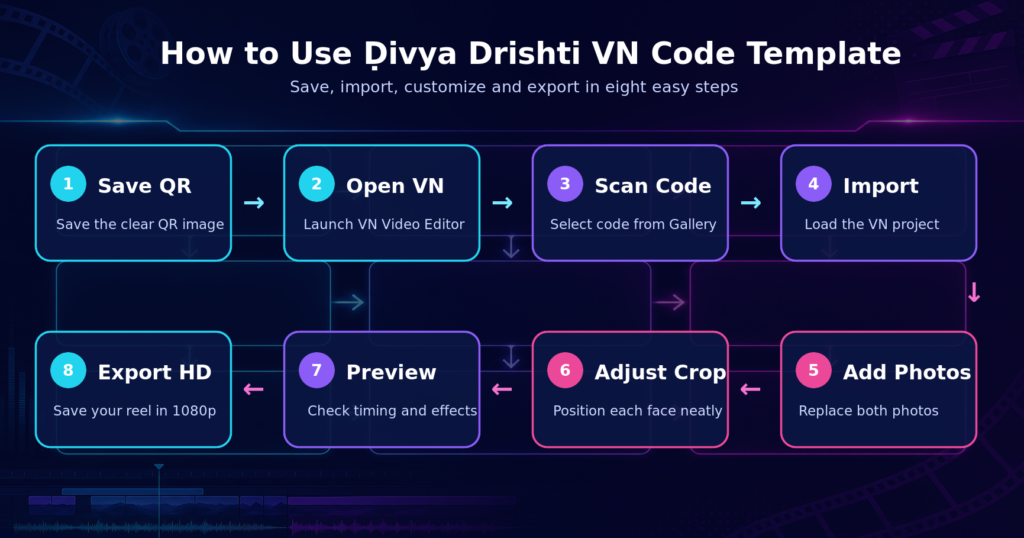
1. Save the QR Code
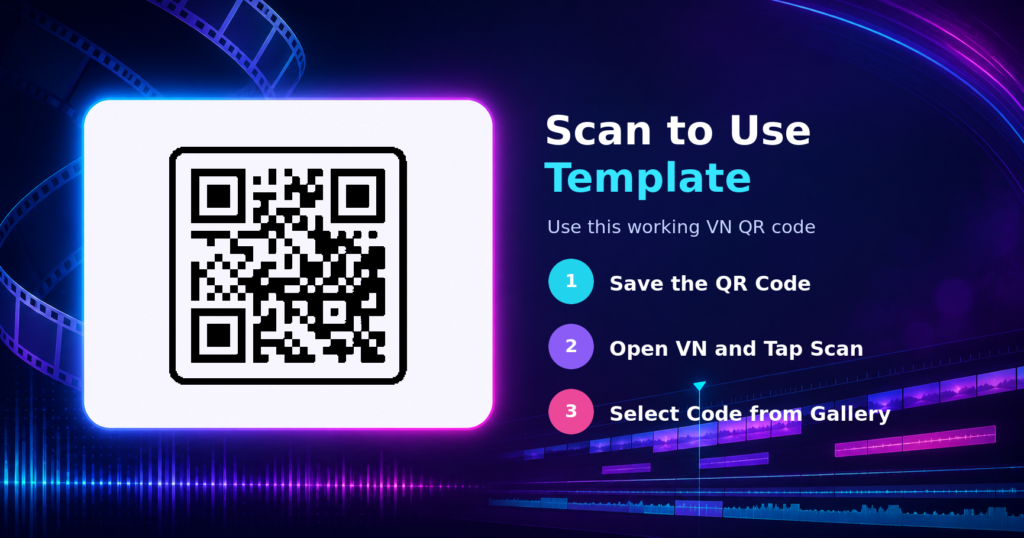
Press and hold the download image, then save it to your phone. If your browser reduces image quality, open the full-size file before downloading. Do not crop the corners or place stickers over the code.
2. Open VN Video Editor
Launch VN and look for the scanner or QR import option. Its position can differ slightly depending on the device and app version. If the scanner is not visible on the main screen, check the project import or template area.
3. Select the Code from Your Gallery
Open the scanner and choose the gallery option. Select the saved VN QR code template image. VN should read its project information and display an import or preview screen.
4. Import and Preview the Project
Allow the resources to load completely. Watch the original preview before replacing anything so you understand the photo order, beat timing, and intended transformation. If a font, transition, or effect is unavailable, update the application and reopen the project.
5. Replace the Sample Photos
Tap the first media placeholder and select your modern, bold, or darker image. Add the traditional, classic, or softer image to the second position. Keep the correct order because reversing the photos may weaken the meaning of the edit.
6. Adjust the Crop and Position
Check every photo separately. Place the face inside the visible frame and keep important clothing details away from the edges. If the template uses zoom animation, preview the full movement to confirm that the eyes, face, or outfit are not cut off.
7. Review Audio and Effects
Play the video from the beginning. Confirm that the transformation lands on the correct beat and that overlays do not cover the face. You can make small adjustments, but changing clip duration significantly may disturb the template’s synchronization.
8. Export the Finished Reel
For Instagram, export at 1080p, use the original frame rate where possible, and select a high-quality bitrate. A vertical 9:16 aspect ratio is best for Reels. Watch the saved file once before uploading to check for black bars, missing effects, or audio delay.
How to Choose the Best Two Photos
The template becomes more effective when the images are different in style but similar in composition. Try to use two portraits taken from approximately the same distance. If your face is close to the camera in one image and very small in the other, the change can feel awkward.
Use the first photo to establish the opening mood. A darker color palette, confident expression, contemporary outfit, or dramatic pose can work well. For the reveal, choose a brighter or traditional photograph with clean lighting and clear details. The goal is not to label one image “good” and the other “bad”; it is to present two visually distinct sides of the same person.
High-resolution photos are especially important because zoom effects reveal blur and compression. Natural light, a simple background, and sharp focus usually give better results than heavily filtered screenshots.
You can also try our Sheesha VN Code & royeditor
Common Problems and Their Solutions
The QR Code Does Not Scan
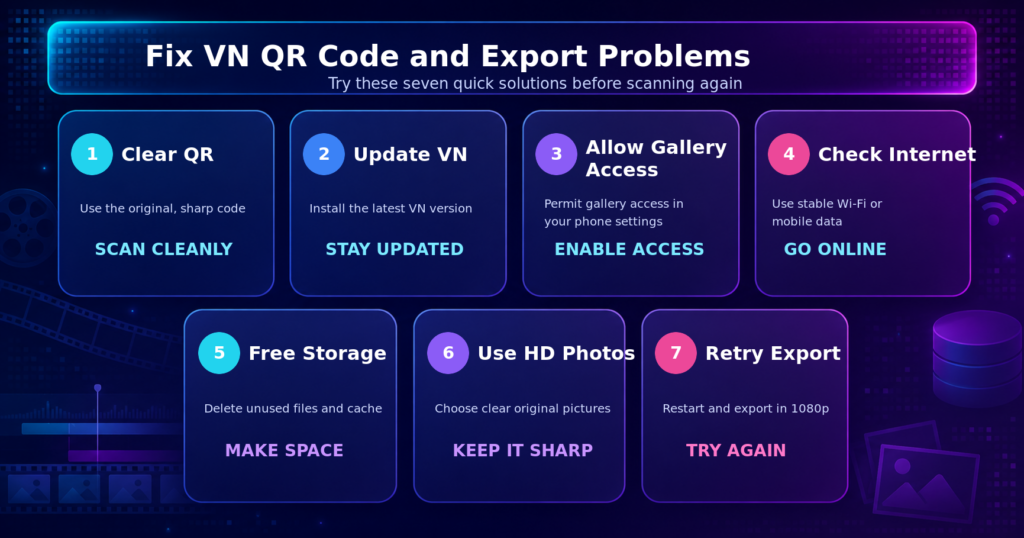
Download the original full-resolution image again. Increase screen brightness if scanning from another device, clean the camera lens, and ensure the entire code is visible. When importing from the gallery, avoid edited or compressed screenshots.
The Template Does Not Open
The shared project may have expired, been removed, or become unavailable. Check your internet connection, update VN, and retry. If other QR projects open normally but this one does not, a new working code may be required.
VN Cannot Access the Gallery
Open your phone settings and allow VN to access photos and videos. Restart the application after changing permission settings.
Some Effects or Fonts Are Missing
Older app versions may not support every project element. Update VN and let all resources download before editing. If a specific font remains unavailable, replace it with a similar readable font.
Photos Look Cropped or Blurry
Reposition each photo inside its frame and use high-resolution originals. Avoid enlarging a small image too much. A vertical portrait generally fits a Reel template better than a wide landscape picture.
Export Stops or Fails
Free some storage, close background apps, and restart the phone. You can also reduce the frame rate or bitrate slightly while keeping the resolution at 1080p.
How to Get Better Reach on Instagram Reels
Lead with your strongest photo, remove empty frames, and match the reveal to the main beat. Use a clear cover and a short caption that asks which look viewers prefer. Add a few relevant hashtags, such as #VNVideoEditor, #VNTemplate, #TwoPhotoTrend, and #TransformationReel, rather than unrelated popular tags. Post when your followers are active and use personal styling so the reel does not look identical to every other template edit.
Is the VN QR Code Safe to Use?
A VN project code should import editing information, but you should still download codes only from pages you trust. Never install unknown APK files, enter passwords on suspicious download pages, or provide OTP and payment details to unlock a free template. A genuine template normally opens through the official VN application.
Respect the privacy of anyone shown in your photos and check applicable music rules, especially for commercial content.
Frequently Asked Questions
What is the Ḍivya Drishti VN Code?
It is a QR-based VN project used to create a dramatic two-photo transformation edit. The template can include preset timing, transitions, zooms, effects, and audio synchronization.
Is the Divya Drishti VN template free?
Many creator-shared VN templates are free, but availability depends on the source. Avoid any page that asks for unnecessary personal or financial information.
How many photos are required for this trend?
The main version generally uses two contrasting photos. Some variations may contain extra placeholders, so check the imported timeline before choosing your media.
Can I use this VN code on an iPhone?
Yes, if the current iOS version of VN supports QR or project importing. Menu locations may differ slightly from Android.
Why is my VN QR code not working?
The image may be blurry, cropped, compressed, expired, or linked to a removed project. Download the original code, update VN, verify internet access, and try again.
What export settings should I use for Instagram Reels?
Use a 9:16 vertical layout and export at 1080p with a high-quality bitrate. Keeping the template’s original frame rate can help preserve smooth animation.
Can this template make my reel viral?
No template guarantees virality. It can help you create a polished edit faster, while reach depends on originality, retention, audience relevance, presentation, and engagement.
Can I change the music in the template?
Yes, but replacing the track can disturb beat synchronization. If you change it, realign the photo reveal, transitions, and effects with the new audio.
Conclusion
The Ḍivya Drishti VN Code offers a quick way to create a stylish two-photo transformation reel with preset timing and visual effects. For the best result, download a clear working QR image, choose two sharp and contrasting portraits, keep the face aligned in both frames, and preview every transition before exporting.
A ready-made template provides the editing structure, but your photo choices and presentation make the final video unique. Use the guide above to import the project safely, fix common problems, export in 1080p, and publish a cleaner, more engaging Instagram Reel.